3
Connecting machine to power source
Note
Amongtheaccessoriesyouwillndthe
power cord and the foot control.
n
Attention
Unplug the power cord when the machine
is not in use.
Before connecting the power supply, make
sure that the voltage and frequency shown on
the rating plate is conforming with your mains
power.
Place the machine on a stable table.
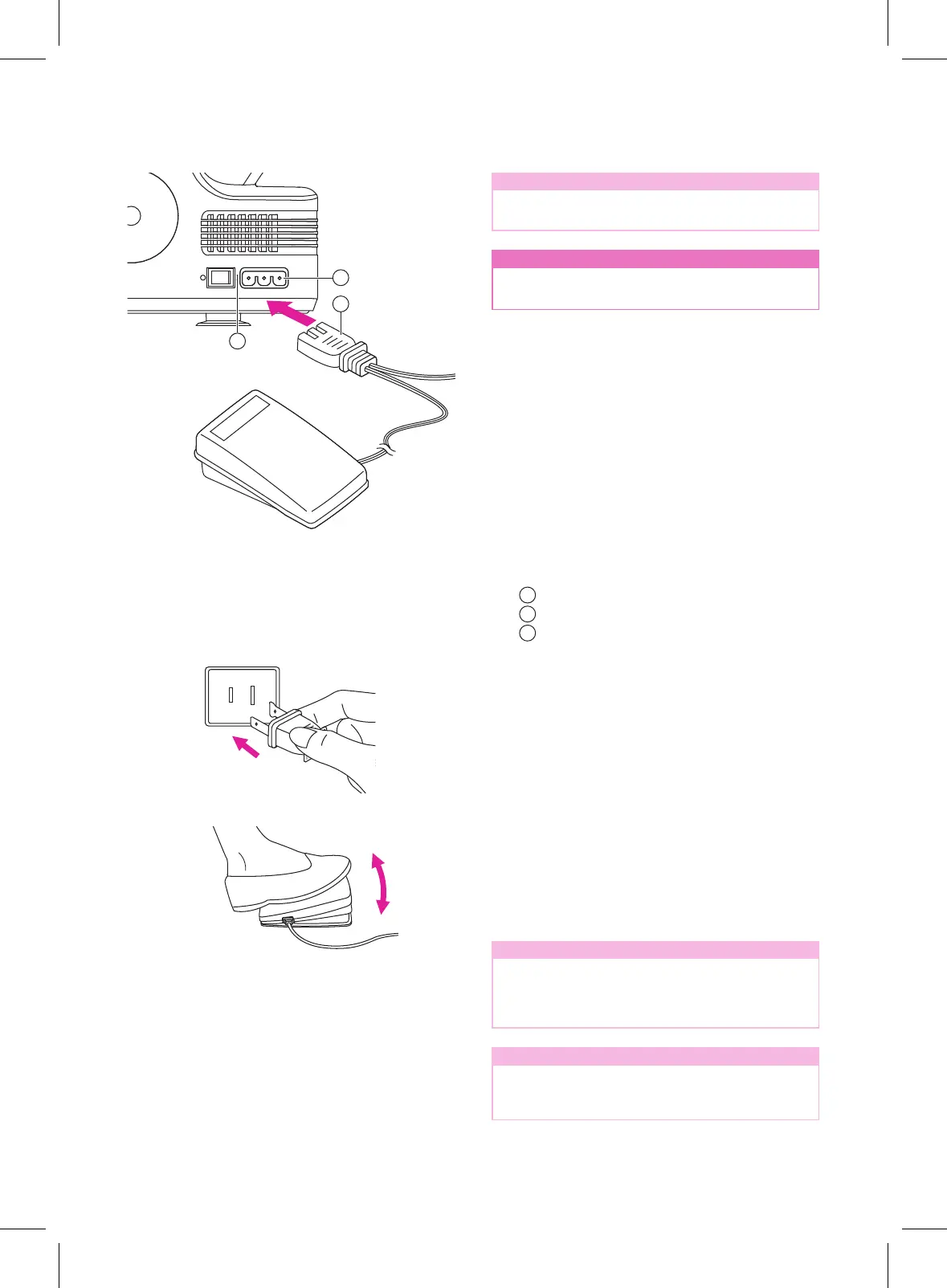
1. Connect the power line cord to the
machine by inserting the 2-hole plug into
the mains plug socket.
2. Connect the power line plug to the wall
outlet.
3. Turn on the power switch.
4. The sewing lamp will light up when the
switch is turned on.
Footcontrol/electricpowercord
Main plug socker
Power switch "I"
v
Foot control
Press the foot control to start sewing. Use
the foot control to adjust the sewing speed.
The harder you press, the faster the machine
will sew. To stop the machine from sewing,
remove your foot from the control.
Note
When the front cover is open the safety
switch is activated and prevents the
machine from sewing, even if the foot
control is pressed.
Note
Consultaqualiedelectricianifyouarein
doubt about how to connect the machine to
the power source.
v
Polarized plug information
Thisappliancehasapolarizedplug(one
blade wider than the other), to reduce the
riskofelectricalshock;thisplugwilltina
polarized outlet only one way. If the plug does
nottfullyintheoutlet,reversetheplug.Ifit
stilldoesnott,contactaqualiedelectrician
to install the proper outlet. Do not modify the
plug in any way.
1
2
3



 To Next Page