© by NECTA VENDING SOLUTIONS SpA
0210 206-00
40
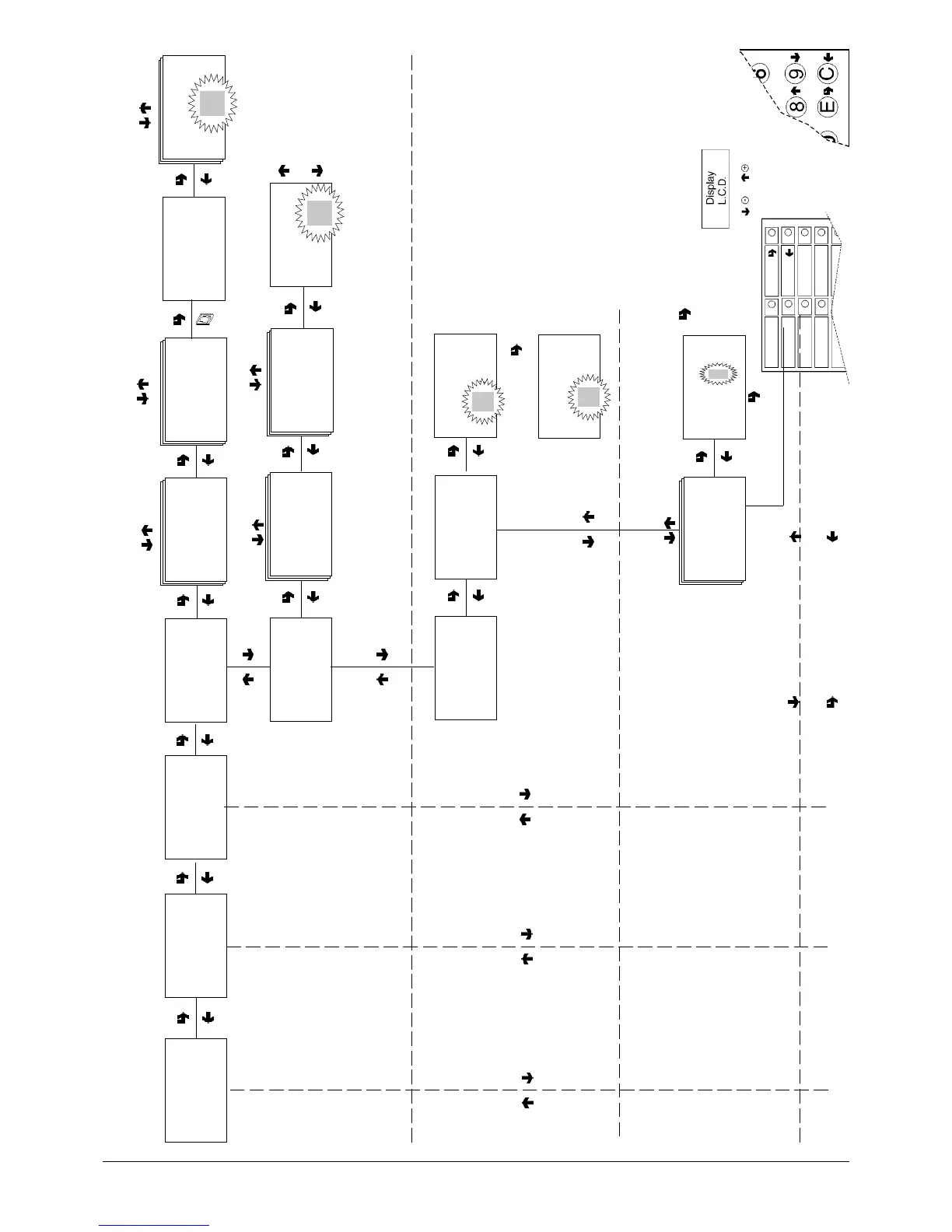
Technician menu - Summary
As alternative
CONFIRM DATA/
CONFIRM FUNCTION
DELETE DATA/
EXIT FUNCTION
PREVIOUS FUNCTION/
DECREASE DATA UNIT (-1)
NEXT FUNCTION/
INCREASE DATA UNIT (+1)
4 time bands plus band 0 (no time band
set) available with different prices for each
selection, applicable to the entire week or
only to some days
X + 1
X - 1
TECN >2.1.1.2.1
Band 0 - 4
TECN >2.1.1.1
Single
Selection
TECN >2.1.1.1.1
Band 0 - 4
TECN >2.1.1.1.1
Band #
Select button #
TECN >2.1.1.2.1
Band #
price
####
TECN >2.1.1.1.1
Band #"
Selection #
price ####
TECN >2.1.1.2
Global
Selections
TECN >2.1.1.1.1
Band #
Week - Day 1÷ 7
TECN >2.1.1
Prices
TECN >2
Programming
parameters
TECN >2.1.1.2.1
Band #
Week - Day 1÷ 7
####
TECN >2.1
Cash
TECN >2.1.1.3.2
Time band 1
Start band ##
End band ## ##
CLOCK
When confirming the blinking values, day,
month, year and week day are entered
one after the other. When confirming the
week day hour and minutes are displayed,
that can then be changed and confirmed.
TIME BANDS
When confirming the blinking values, hour
and minute for start and end of time band
are entered one after the other.
When start and end of time band are set
to 24.00 the bands are not activated.
TECN >2.1.1.3
Time bands
TECN >2.1.1.3.1
Set date and time
TECN >2.1.1.3.2
Time band 1- 4
##
TECN >2.1.1.3.1
Set date and time
Time: /##
TECN >2.1.1.3.1
Set date and time
Date: /##/## dd#
##
##



 To Next Page