8
© by NECTA VENDING SOLUTIONS SpA 09-2003 228 00
“Layout”
A number of Button/Selection combinations to choose
from is provided for each dose type model (the combina-
tions available for each layout are indicated in the dose
selection table supplied with the machine).
“Tank”
Intended as water supply from a tank. This can be enabled
or disabled (water supply from the mains):
FILLING THE WATER SYSTEM
When the machine is switched on the conditions of air-
break (full or empty), pump (electrical functioning and
water flow) and boiler (pressure) are checked.
If required by the conditions, the machine will automati-
cally start an installation cycle, and namely:
- the message “Installation” will be shown on the
display for the entire duration of the cycle;
- the water mains solenoid valve is opened or the water
supply pump is started to fill the air-break;
- the milk solenoid valve is opened so that the air may
be bled from the boiler and 400 cc. of water filled.
N.B.: If there is no water flow from the mains during the
installation cycle, the machine will stop until water is
resumed or the machine is switched off.
IMPORTANT NOTICE!!!
If a considerable amount of air bubbles is formed in the
water system, for example during maintenance, it is
possible that an installation cycle is automatically started
when the machine is switched on.
Versions with internal tank
For models with an internal tank, when the machine is
first switched on, the installation procedure MUST BE
carried out manually (see relevant chapter).
INSERTING THE PRODUCT LABELS
The menu and instruction labels are supplied with the
machine and must be inserted at the time of installation
according to the layout and to the language (see “selection
dose” table).
DOOR SWITCH
When opening the door a special microswitch disconnects
the power from the machine electrical system.
With the door open, there is no access to energised
parts. Inside the machine, the only parts that stay
energised are those protected by covers and carrying
a plate with the warning “Disconnect the power before
removing the protective cover”.
Before removing such covers disconnect the machine
from the power grid.
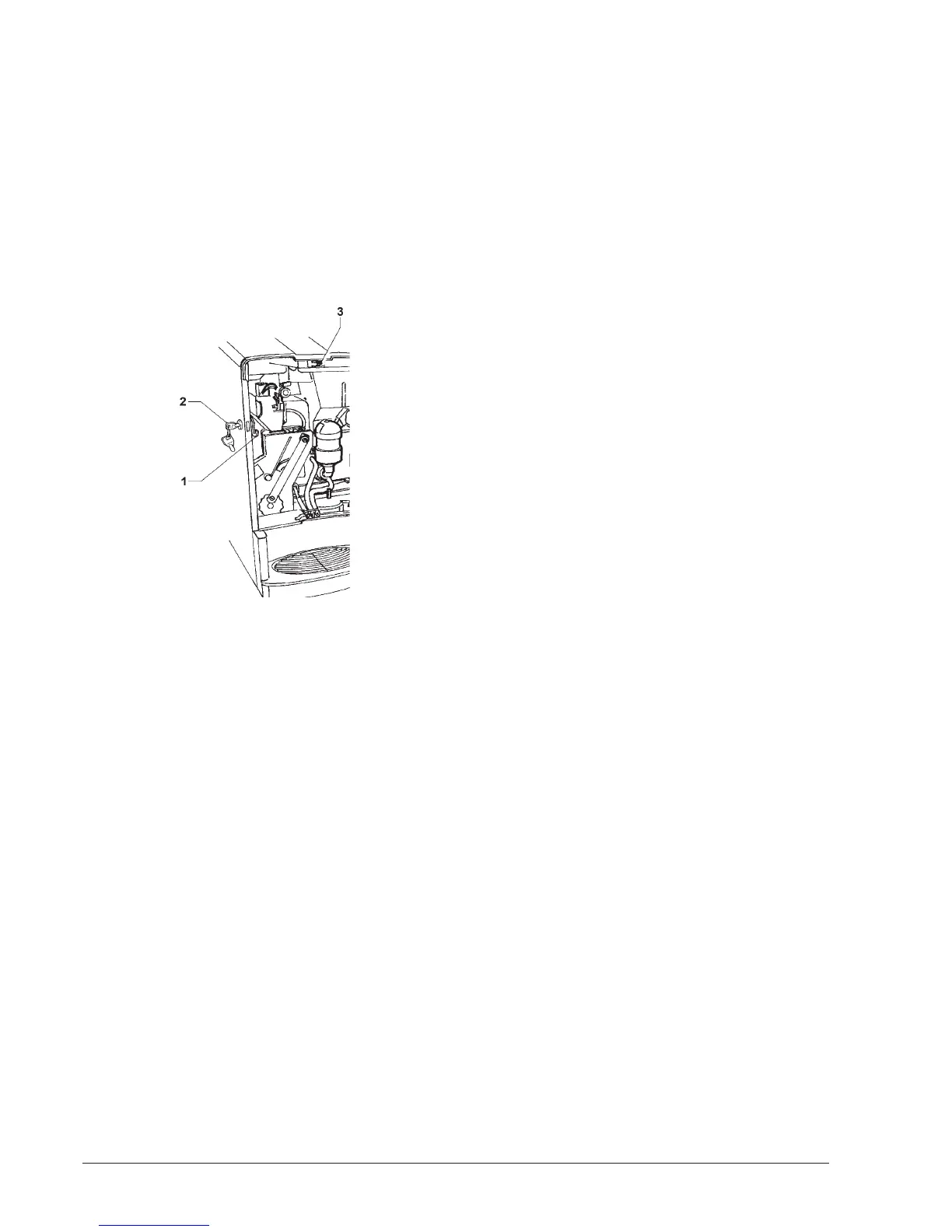
To energize the system with the open door, simply insert
the special key into the slot (see Fig. 6).
Fig. 6
1 - Door lock bolt
2 - Door lock
3 - Door switch
All operations requiring the machine to be energized
with the door open should be carried out with the door
switch key inserted, and therefore by qualified per-
sonnel informed about the specific risks of such
situation.
INITIALISING
The machine was designed for different market needs.
The software is capable of managing all possible configu-
rations.
For this reason, before starting the machine, some
parameters must be set.
“Model”
Defining whether the machine is Espresso or Instant.
“Country”
Intended as type of basic doses for the different selections
(e.g. strong coffee IT = 40 cc - strong coffee FR = 60 cc).
The available “Countries” are:
It - Fr - Es - Uk


 To Next Page