15
© by NECTA VENDING SOLUTIONS SpA 09-2003 228 00
SPECIAL FUNCTIONS
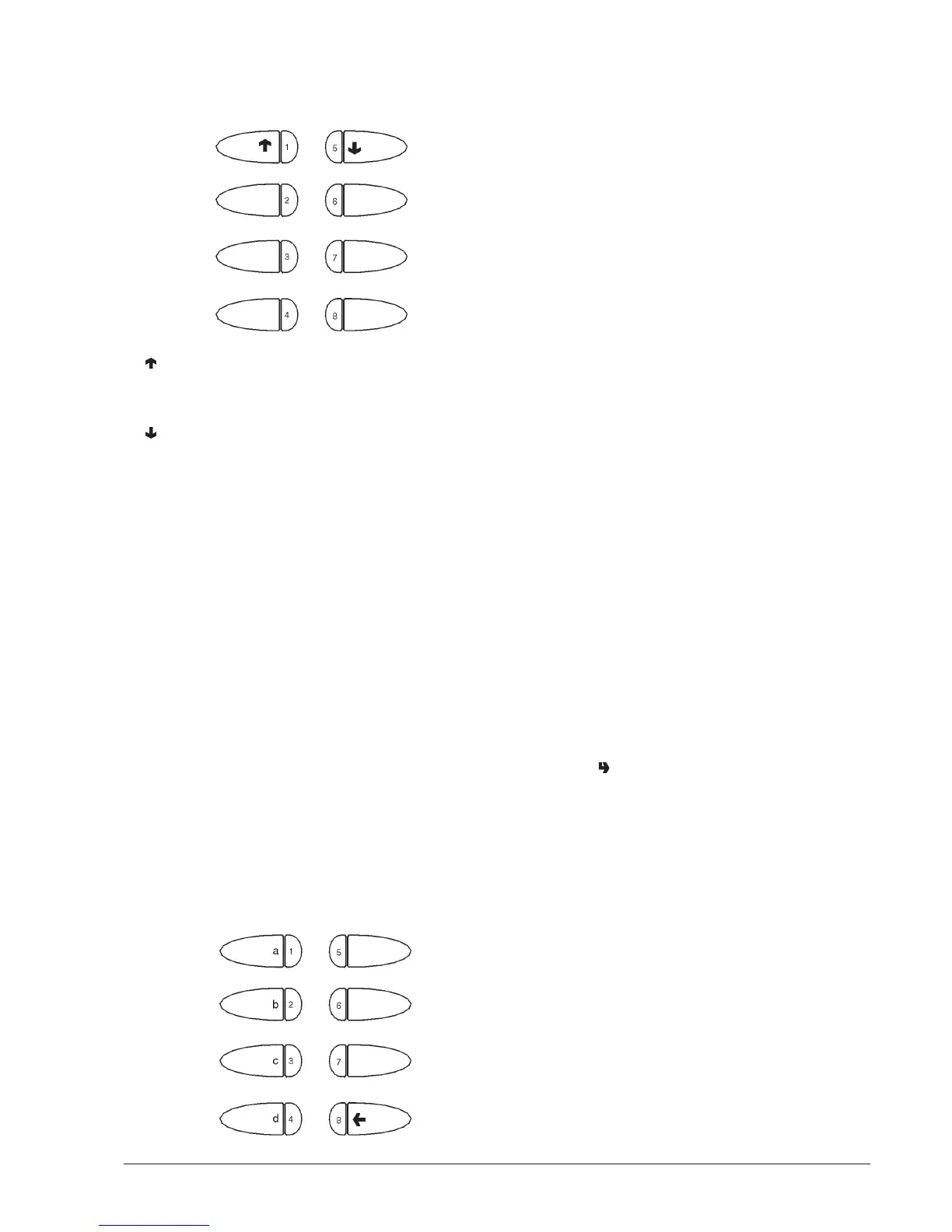
When the display shows “Special functions” the buttons
take on the following functions:
1 - Previous function
2 - Grind and release a coffee dose
3 -
4 - Autotest
5 - Next function
6 - Rotate coffee unit
7 -
8 - Empty air-break
In order to weigh the coffee dose using the “Grind and
release” function, the coffee unit must be remover. The
function stays enabled anyway.
If a coffee dose is accidentally released with the unit
installed, the unit will have to be rotated to unload the
excess coffee.
FILLING TUBES
With the display indicating the “filling tubes” function, do
as follow to manually fill the change-giver tubes:
- press any button to activate filling; the display will
indicate “Credit: —— “, which is the money value in
the tubes available as change;
- insert the desired coin into the selector (the display
will indicate the value of money in the tubes available
as change).
- press button “8” to end the operation.
AUTOTEST
This function allows testing of the main machine compo-
nents.
Before carrying out this operation, remove the waste tray
and the powder containers and disassemble the coffee
unit.
Press button “4” and the message “AUTOTEST” will be
start blinking.
Press button “2” to cancel the operation, confirm with
button “6” to start the autotest cycle.
In a sequence:
- activation of the doser units for 2 seconds
- activation of the mixers for 2 seconds
- (for espresso models only) the coffee unit is rotated,
coffee is ground and then released when a full dose is
reached.
- (for Espresso models only) the waste tray is de-
tected; the machine stops until the waste tray is
manually re-inserted
- the push-button panel is checked; the machine
displays the number of the button which must be
pressed and waits for this to be done before going to
the next button (number 9 corresponds to the clean-
ing button).
EMPTYING THE AIR-BREAK
This function is used to partially empty the air-break,
dispensing water from the milk solenoid valve for 8
seconds before blocking the machine, to allow the ma-
chine to be moved without spilling water; to restore normal
functioning the machine must be switched off and then on.
Before moving the machine on a long distance, especially
if involving the use of a vehicle, the water system must be
emptied manually.
DISPLAYING THE STATISTICS
Press button " " when the display indicates the “Display
statistics” function; then the stored data will be sequentially
shown on the screen, and more precisely:
VALIDATOR
1 - counter by type of coin cashed and total cash;
2 - counter by single selection;
3 - failure counter;
4 - counters by coin type.
MDB PROTOCOL
1 - MDB statistics
2 - counter by single selection;
3 - failure counter;
4 - counters by coin type.
When the function “Fill change tubes” is active, the buttons
take on the release tube functions ( a ÷ d ):


 To Next Page