EasyManua.ls Logo

Nederman FlexPAK 1000 - User Manual

Nederman FlexPAK 1000
358 pages
Print Icon
To Next Page IconTo Next Page
Loading...
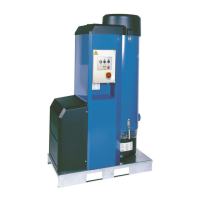
Compact dust collectors
FlexPAK 800/1000
Standard models
144830(03)2019-12-19
User manual
Original user manual
USER MANUAL EN
Translaon of original instrucon manual
VOD K OBSLUZE CS
BETJENINGSVEJLEDNING DA
BEDIENUNGSANLEITUNG DE
MANUAL DE INSTRUCCIONES ES
YTTÖOHJEET FI
MANUEL D’INSTRUCTION FR
FELHASZNÁLÓI KÉZIKÖNYV HU
MANUALE D’ISTRUZIONE IT
HANDLEIDING NL
BRUKSANVISNING NO
INSTRUKCJA UŻYTKOWANIA PL
MANUAL DE INSTRUÇÕES PT
РУКОВОДСТВО ПО ЭКСПЛУАТАЦИИ RU
ANVÄNDARMANUAL SV
说明书 ZH

Table of Contents

Other manuals for Nederman FlexPAK 1000

Questions and Answers

  • M
    Mary SchroederJul 25, 2025
    Why is there low vacuum or air flow in my Nederman FlexPAK 1000 Dust Collector?
    • M
      mark89Jul 25, 2025
      Low vacuum or airflow in your Nederman Dust Collector can stem from several issues. It could be due to deposits or blockages in the ducts, which require cleaning and a check of the transport velocity. The duct system might not be properly dimensioned, necessitating re-dimensioning or the addition of an extra suction source. Valves in the duct system might be malfunctioning, so inspect those. Also, the filter cleaning might not be working effectively, requiring a check of its function.
  • M
    meganballJul 30, 2025
    Why is the filter cleaning not working on my Nederman Dust Collector?
    • B
      Brittany YoungJul 30, 2025
      If the filter cleaning on your Nederman Dust Collector isn't working, several factors could be responsible. There might be a problem with the (PS) cable; if the unit doesn't enter Idling mode after 10 seconds, manually break the PS cable by opening fuse holder F4 for at least 10 seconds to troubleshoot the cable. Low compressed air pressure or flow can also be a cause, so adjust the pressure and check the hose dimension. Ensure the solenoid valve is properly connected, and inspect the valve and air pressure. Blocked air lines, valve, or cylinder can also prevent cleaning; clean or replace these components and filter incoming compressed air. If the cylinder or valve is faulty, replace them. If the cleaning interval is too short, extend it.
  • M
    Monica BrownAug 4, 2025
    What to do if my Nederman FlexPAK 1000 Dust Collector goes directly into Running mode?
    • E
      Elizabeth PadillaAug 4, 2025
      If your Nederman Dust Collector unexpectedly goes directly into Running mode when you press the Standby/Running button, it could be due to a valve at a workstation being open and its micro switch activated, or the PS cable could be damaged with short-circuited wires. Press the Standby/Running button to put the unit into Off mode and investigate the fault. If necessary, loosen the PS cable from the control unit, see the electrical diagrams, and use an ohmmeter across the leads in turn to locate the fault.
  • J
    Jennifer ArnoldAug 14, 2025
    How do I troubleshoot a defective PT100 temperature sensor on my Nederman FlexPAK 1000 Dust Collector?
    • D
      denisethompsonAug 14, 2025
      To check whether the PT100 sensor is defective on your Nederman Dust Collector: Disconnect the PT100 sensor wire from terminal 77 and measure the resistance between terminal 78 and the disconnected sensor wire. Measure the resistance in the sensor using an ohmmeter. If the averaged output (in ohm) deviates more than ±2% from standard values, the sensor needs replacement. If the sensor has a resistance >150 ohm, a high temperature alarm will occur. To check the sensor input, disconnect the PT100 wire at terminal 77, connect a jumper between terminals 77 and 78, and press the OK button on the PLC to reset the alert. If the alert disappears, the PT100 sensor input is working, and the PT100 sensor needs replacement.
  • P
    Patricia LeeAug 19, 2025
    What happens if the compressed air pressure is less than 1 bar in my Nederman Dust Collector?
    • J
      Joseph KruegerAug 19, 2025
      Too low compressed air pressure can result in premature filter clogging on your Nederman Dust Collector. If the pressure is lacking or too low, the piston cannot open the FCV and lid properly, resulting in insufficient cleaning and premature filter clogging. The CAS is connected to terminals X1:15 and X1:16. If no CAS is installed, a jumper is linking the terminals to ensure that the CAS message is not displayed in PLC Logo!.
  • W
    wjonesNov 8, 2025
    How to check for a defect pressure sensor in my Nederman FlexPAK 1000?
    • D
      Daniel RossNov 8, 2025
      To check a defect pressure sensor on your Nederman Dust Collector: The pressure sensor is connected to PLC input 8 and at inverter input +AI1 terminal (2). The sensors measurement range is 0 to -40 kPa. The signal goes from 10 to 0 V and 0 to -40 kPa, which gives 10 V at 0 kPa and 0 V at -40 kPa. Measure the voltage signal at the inverter, between terminals 2 (+) and 7 (-). When the motor is off, the input signal at terminal 2 has to be 10 V, and when the motor is running, the signal is 0 to 10 V depending on the pressure level in the system. To check whether the sensor input is working, disconnect the pressure sensor wire at terminal 2 and connect a jumper between terminals 2 and 1. Press the OK button on the PLC to reset the alert. If the alert disappears, the pressure sensor input is wo...

Summary

Declaration of Conformity

English Declaration of Conformity

States that the Nederman product conforms to relevant EU directives and standards.

Figures

Preface

Introduction and Documentation

Provides essential context about the manual, product, and manufacturer's rights.

Safety Information

General Safety Warnings

Covers risks of injury, equipment damage, and important operational notes.

Product Description

Function

Details the core functionality and components of the FlexPAK 800/1000 unit.

Dimensions

Provides detailed physical measurements and specifications for the FlexPAK 800/1000.

Technical Data

Lists key technical specifications including power, flow rates, vacuum, and filter area.

Fuses

Details the types, sizes, and functions of the fuses used in the unit.

Main Components

Identifies and describes the primary physical parts of the FlexPak 800/1000 unit.

Connections

Explains the various input and output connections for the unit, including power and air.

Start and Control Unit

Details the components and functions of the unit's start and control system.

Frequency Converter

Explains the role and operation of the frequency converter in controlling the unit's motor.

Accessories

Unit Operation and Use

Before Initial Start-up

Essential checks and preparations required before operating the unit for the first time.

Initial Start-up Procedure

Step-by-step guide for the initial setup and verification of the unit's functions.

Starting the Unit

Instructions on how to safely start and operate the FlexPAK 800/1000 unit.

Unit Operation Modes

Describes the different operating states and modes of the unit.

PLC Messages and Alerts

Status Messages

Information on messages indicating the unit's current operating mode or status.

Warning Messages

Information on messages indicating a solvable problem while the unit continues to operate.

Alarm Messages

Information on critical messages that halt unit operation until the problem is resolved.

PLC Settings

Finding and Setting Parameters

Guide on how to navigate and modify parameter settings on the PLC display.

Key Parameter Settings

Overview of configurable parameters like SSR_Time, DIR_Time, and Weekly Timer.

Pneumatic Filter Cleaning

Filter Cleaning Operations

Procedures for filter cleaning in Standby/Running modes and button function.

Filter Cleaning Valve Function

Explains the operation of the pneumatic filter cleaning valve mechanism.

Maintenance and Servicing

Collector Bin Maintenance

Instructions for safely emptying the dust collector bin and replacing the bag.

Filter Package and Spare Parts

Guidance on replacing the filter package and ordering spare parts.

Recycling and Environmental Information

Guidelines for recycling the product and its environmental aspects.

Acronyms and Abbreviations

Nederman FlexPAK 1000 Specifications

General IconGeneral
BrandNederman
ModelFlexPAK 1000
CategoryDust Collector
LanguageEnglish

Related product manuals