EasyManua.ls Logo

Nederman FlexPAK 800 - User Manual

Nederman FlexPAK 800
358 pages
Print Icon
To Next Page IconTo Next Page
Loading...
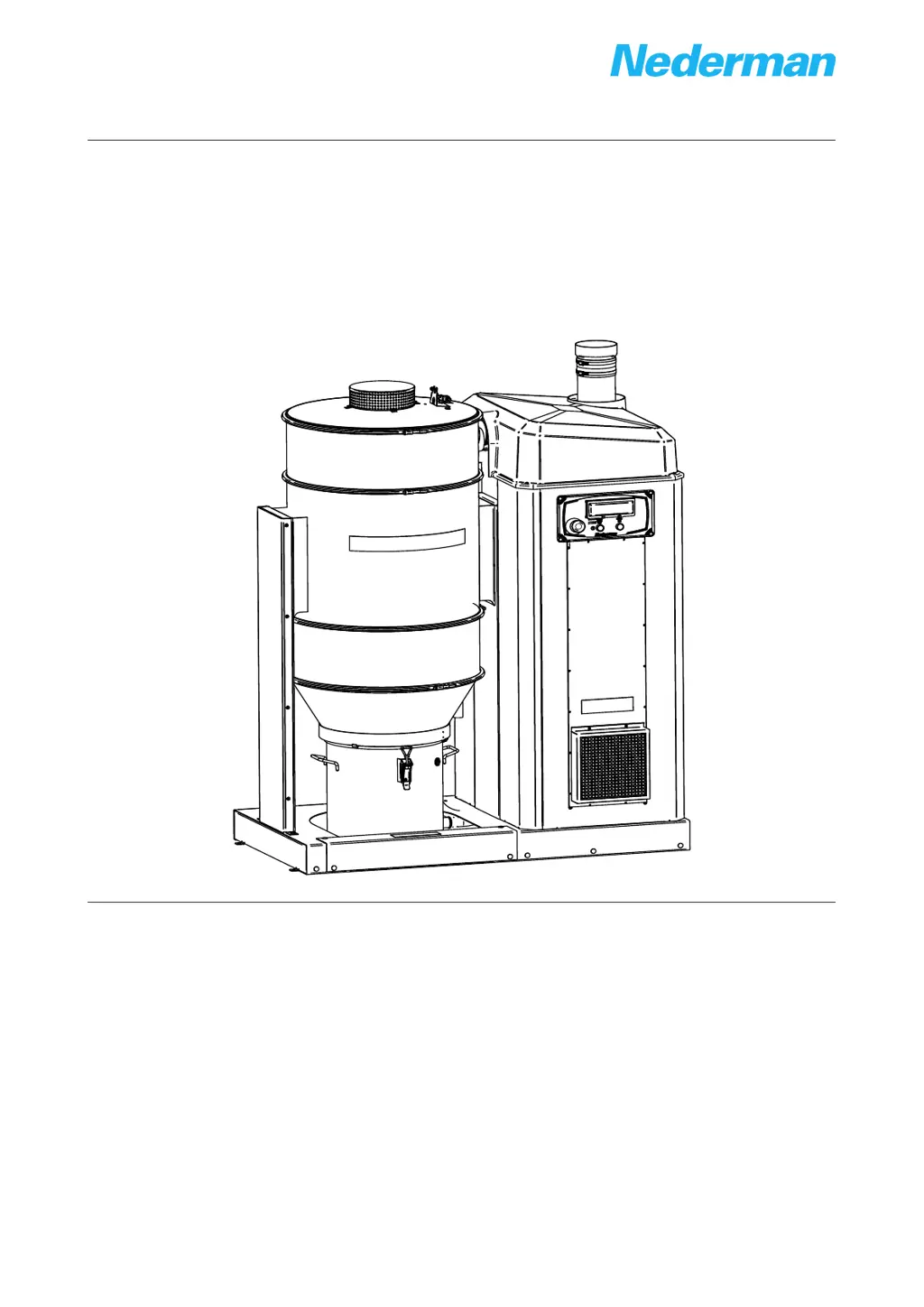
Compact dust collectors
FlexPAK 800/1000
Standard models
144830(03)2019-12-19
User manual
Original user manual
USER MANUAL EN
Translaon of original instrucon manual
VOD K OBSLUZE CS
BETJENINGSVEJLEDNING DA
BEDIENUNGSANLEITUNG DE
MANUAL DE INSTRUCCIONES ES
YTTÖOHJEET FI
MANUEL D’INSTRUCTION FR
FELHASZNÁLÓI KÉZIKÖNYV HU
MANUALE D’ISTRUZIONE IT
HANDLEIDING NL
BRUKSANVISNING NO
INSTRUKCJA UŻYTKOWANIA PL
MANUAL DE INSTRUÇÕES PT
РУКОВОДСТВО ПО ЭКСПЛУАТАЦИИ RU
ANVÄNDARMANUAL SV
说明书 ZH

Table of Contents

Other manuals for Nederman FlexPAK 800

Questions and Answers

  • N
    Nicholas CoxAug 2, 2025
    Why is there low vacuum or air flow in my Nederman FlexPAK 800?
    • L
      lchapmanAug 2, 2025
      Low vacuum or airflow in your Nederman Dust Collector can stem from several issues. It could be due to deposits or blockages in the ducts, which require cleaning and a check of the transport velocity. The duct system might not be properly dimensioned, necessitating re-dimensioning or the addition of an extra suction source. Valves in the duct system might be malfunctioning, so inspect those. Also, the filter cleaning might not be working effectively, requiring a check of its function.
  • C
    Carrie FloresAug 7, 2025
    Why is the filter cleaning not working on my Nederman FlexPAK 800 Dust Collector?
    • W
      wharveyAug 7, 2025
      If the filter cleaning on your Nederman Dust Collector isn't working, several factors could be responsible. There might be a problem with the (PS) cable; if the unit doesn't enter Idling mode after 10 seconds, manually break the PS cable by opening fuse holder F4 for at least 10 seconds to troubleshoot the cable. Low compressed air pressure or flow can also be a cause, so adjust the pressure and check the hose dimension. Ensure the solenoid valve is properly connected, and inspect the valve and air pressure. Blocked air lines, valve, or cylinder can also prevent cleaning; clean or replace these components and filter incoming compressed air. If the cylinder or valve is faulty, replace them. If the cleaning interval is too short, extend it.
  • J
    Jillian PhelpsAug 12, 2025
    What to do if my Nederman FlexPAK 800 goes directly into Running mode?
    • C
      Cody HortonAug 12, 2025
      If your Nederman Dust Collector unexpectedly goes directly into Running mode when you press the Standby/Running button, it could be due to a valve at a workstation being open and its micro switch activated, or the PS cable could be damaged with short-circuited wires. Press the Standby/Running button to put the unit into Off mode and investigate the fault. If necessary, loosen the PS cable from the control unit, see the electrical diagrams, and use an ohmmeter across the leads in turn to locate the fault.
  • T
    Troy RiosAug 22, 2025
    How do I troubleshoot a defective PT100 temperature sensor on my Nederman FlexPAK 800?
    • J
      Juan StevensAug 22, 2025
      To check whether the PT100 sensor is defective on your Nederman Dust Collector: Disconnect the PT100 sensor wire from terminal 77 and measure the resistance between terminal 78 and the disconnected sensor wire. Measure the resistance in the sensor using an ohmmeter. If the averaged output (in ohm) deviates more than ±2% from standard values, the sensor needs replacement. If the sensor has a resistance >150 ohm, a high temperature alarm will occur. To check the sensor input, disconnect the PT100 wire at terminal 77, connect a jumper between terminals 77 and 78, and press the OK button on the PLC to reset the alert. If the alert disappears, the PT100 sensor input is working, and the PT100 sensor needs replacement.
  • J
    James AllenAug 28, 2025
    What happens if the compressed air pressure is less than 1 bar in my Nederman FlexPAK 800?
    • C
      carlos16Aug 28, 2025
      Too low compressed air pressure can result in premature filter clogging on your Nederman Dust Collector. If the pressure is lacking or too low, the piston cannot open the FCV and lid properly, resulting in insufficient cleaning and premature filter clogging. The CAS is connected to terminals X1:15 and X1:16. If no CAS is installed, a jumper is linking the terminals to ensure that the CAS message is not displayed in PLC Logo!.
  • K
    Katherine RuizNov 16, 2025
    How to check for a defect pressure sensor in my Nederman FlexPAK 800 Dust Collector?
    • J
      Jessica MccormickNov 16, 2025
      To check a defect pressure sensor on your Nederman Dust Collector: The pressure sensor is connected to PLC input 8 and at inverter input +AI1 terminal (2). The sensors measurement range is 0 to -40 kPa. The signal goes from 10 to 0 V and 0 to -40 kPa, which gives 10 V at 0 kPa and 0 V at -40 kPa. Measure the voltage signal at the inverter, between terminals 2 (+) and 7 (-). When the motor is off, the input signal at terminal 2 has to be 10 V, and when the motor is running, the signal is 0 to 10 V depending on the pressure level in the system. To check whether the sensor input is working, disconnect the pressure sensor wire at terminal 2 and connect a jumper between terminals 2 and 1. Press the OK button on the PLC to reset the alert. If the alert disappears, the pressure sensor input is wo...

Summary

Declaration of Conformity

English Declaration Details

Statement of conformity for the Nederman product FlexPAK 800/1000 with EU directives and standards.

Product Figures and Diagrams

User Manual Preface

Safety Precautions and Warnings

Product Description and Specifications

Function, Dimensions, and Technical Data

Covers product function, physical dimensions, and technical specifications like fuses and components.

Connections and Control Systems

Details unit connections, start/control unit components, and frequency converter functionality.

Optional Accessories

Product Usage and Initial Setup

Pre-Operation, Start-up, and Modes

Covers pre-operation checks, initial start-up procedures, and unit operation modes.

PLC Messages and Settings

Understanding PLC Messages

Details status, warning, and alarm messages, including specific error codes.

Configuring PLC Parameters

Guides on finding and setting PLC parameters like timers and weekly timers.

Pneumatic Filter Cleaning System

Filter Cleaning Procedures and Valve Function

Instructions for filter cleaning in different modes and explanation of valve mechanism.

Maintenance Procedures and Safety

Collector Bin, Filter, and Spare Parts

Instructions for emptying bin, replacing filter, and ordering spare parts.

Recycling and Environmental Information

Information on product recycling, disposal, and environmental aspects.

Acronyms and Abbreviations Glossary

Nederman FlexPAK 800 Specifications

General IconGeneral
BrandNederman
ModelFlexPAK 800
CategoryDust Collector
LanguageEnglish

Related product manuals