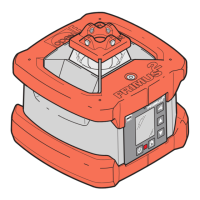
25EN Contents
1 About these operating instructions
1.1 Symbols used in these operating instructions ............................................. 26
2 Safety information
2.1 Documentation .......................................................................................... 27
2.2 Laser radiation ........................................................................................... 27
2.3 Intended use ..............................................................................................28
2.4 Transport and storage ................................................................................ 28
2.5 The environment ........................................................................................ 28
3 Description PRIMUS 2 H2N/H2N+
3.1 General product description ....................................................................... 29
3.2 Specifications ............................................................................................. 29
3.3 Scope of Delivery ....................................................................................... 29
4 Controls PRIMUS 2 H2N/H2N+
4.1 Control panel buttons................................................................................. 30
4.2 Displays ..................................................................................................... 30
5 Initial Startup PRIMUS 2 H2N/H2N+
5.1 Power supply safety instructions ................................................................31
5.2 General power supply notes ......................................................................31
5.3 Operating the laser with rechargeable batteries ......................................... 31
5.4 Operating the laser with batteries .............................................................. 31
6 Starting up the laser PRIMUS 2 H2N/H2N+
6.1 Install or set up laser for use ......................................................................32
7 Switch on the PRIMUS 2 H2N/H2N+
7.1 AUTOMATIC operating mode .....................................................................33
7.2 MANUAL operating mode .......................................................................... 34
8 The PRIMUS 2 H2N/H2N+ functions
8.1 TILT X axis/Y axis ....................................................................................... 35
8.2 Comfort functions of the buttons ..................................................... 37
8.3 Tilt monitoring ........................................................................................... 38
9 Description COMMANDER 2 H2N/H2N+
9.1 General product description ....................................................................... 38
9.2 Specifications ............................................................................................. 38
10 Equipment configuration COMMANDER 2 H2N/H2N+
10.1 Front .......................................................................................................... 39
10.2 Back ........................................................................................................... 39
11 Remote control COMMANDER 2 H2N/H2N+
11.1 Displays and controls of the remote control ............................................... 40
11.2 Additional functions of the remote control ................................................. 41
12 Laser receiver COMMANDER 2 H2N/H2N+
12.1 Displays and controls of the laser receiver .................................................. 42
13 Insert /replace rechargeable batteries/batteries COMMANDER 2 H2N/
H2N+
13.1 Insert /replace rechargeable batteries/batteries ......................................... 43
14 Maintenance/Care
14.1 Maintenance .............................................................................................. 43
14.2 Care ........................................................................................................... 43
14.3 Checking the horizontal accuracy ............................................................... 44
15 Warnings and error messages
15.1 Warnings PRIMUS 2 H2N/H2N+ ............................................................... 45
15.2 Error messages PRIMUS 2 H2N/H2N+ ...................................................... 45
15.3 Error messages COMMANDER 2 H2N/H2N+ ........................................... 45


 To Next Page
 Loading...