34 EN Operating instructions
7.2 MANUAL operating mode
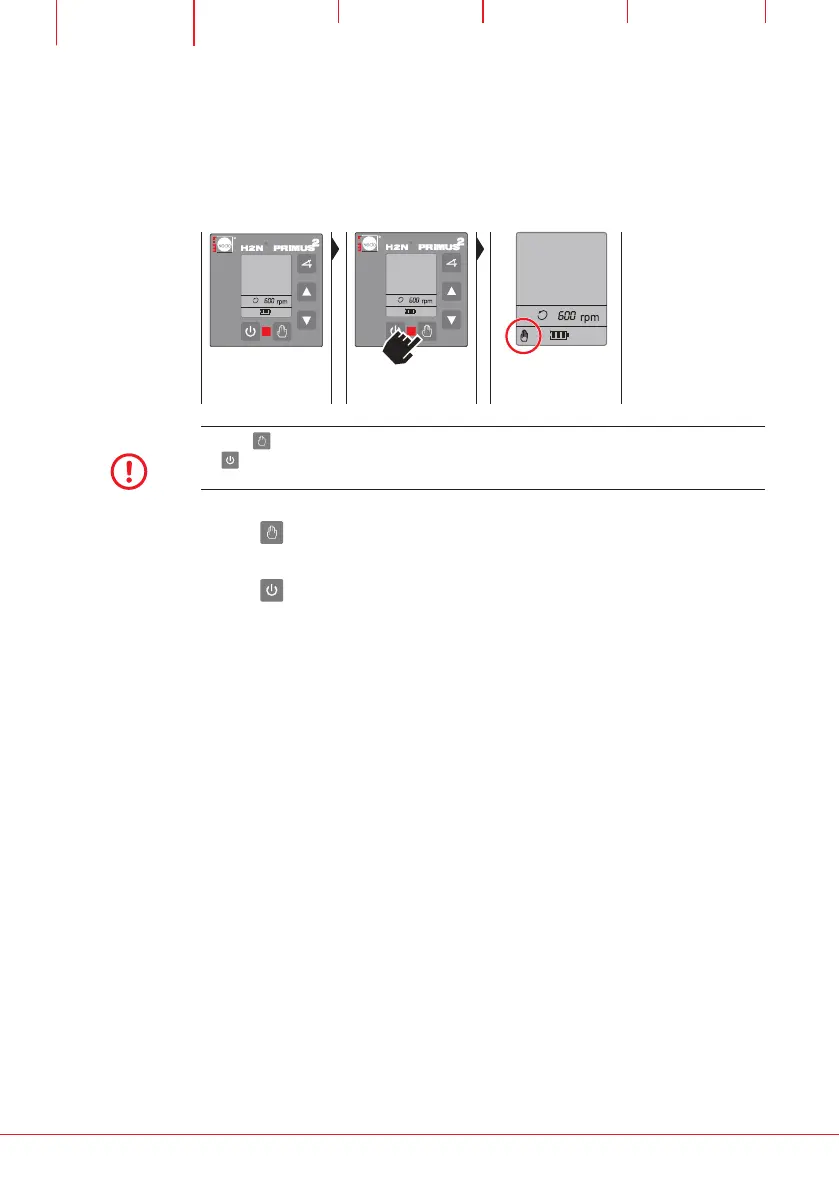
In MANUAL operating mode the laser does not detect any vibrations and
does not level itself horizontally.
AUTOMATIC opera-
ting mode is active
Set MANUAL opera-
ting mode
The hand symbol is
displayed
NOTE
Use the button to switch to MANUAL operating mode immediately after switching
on .
MANUAL operating mode is active. The following functions can be invoked:
Use the
button to switch to AUTOMATIC operating mode (Chapter 7.1).
The laser re-levels itself horizontally.
Use the button to exit the operating mode, switch off the laser.


 To Next Page