42
Steam Sauna
NB! The steam sauna should only be
taken on the vibrating bed!
Place the vibrating bed onto the bath tub
and plug in the power cord into the backside
of the equipment.
After the warm-up cycle, the cocoon’s hood
can be opened and the client can lie down
onto the vibrating table. The cocoon’s hood
should be closed slowly and carefully.
Place a special piece of cloth onto the
opened area near the client’s head. The
Neck Cloth will prevent excessive steam
escaping from the cocoon during treatment.
Neck Cloth is available in NeoQi® supporting
products range.
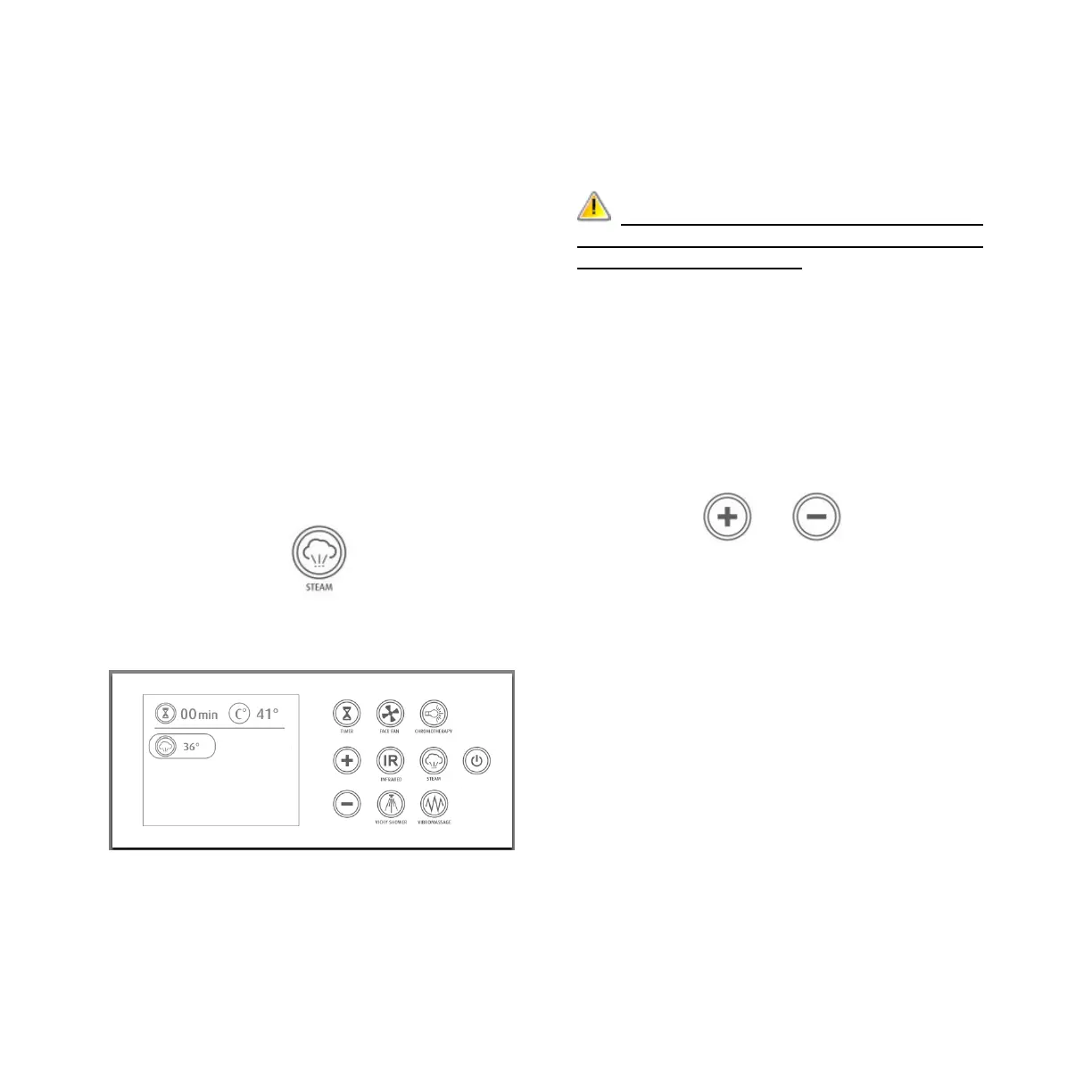
To activate the steam function, press on the
STEAM button on the Control Panel A.
Steam indicator will appear on the screen
surrounded by a circle (steam will be
generated within few minutes).
To select desirable temperature, press the
+/- buttons on control panel A, while the
steam indicator is surrounded by a circle.
You will see the temperature on the display.
WARNING: Be careful with the
steam jets! Do not place your legs on or
too near steam outlet!
The NeoQi® energy cocoon will
automatically maintain this temperature
level. Temperature can be modified
throughout the session. For that, you must
hold your finger for at least 2 seconds on
the STEAM button, steam indicator will be
surrounded by a circle and you can adjust
the temperature by pressing the +/-
buttons.
The temperature must be selected according
to the individual needs of each person and
we recommend to use lower temperature
settings for the first sessions. The most
commonly used temperature is between 38-
42ºC.
It is important to communicate with the
client throughout the session to ensure that
the selected temperature is comfortable.
If you open the hood of the cocoon during
the session, the steam function will remain
on. We recommend to stop the function
before opening the hood.
To turn off the function, press the STEAM
button.


 To Next Page