52
BLUETOOTH AUDIO
To use built-in Bluetooth audio, you can use your phone or any other transmitter device with
Bluetooth support.
Here is the simple instruction how to pair your phone with built-in Bluetooth.
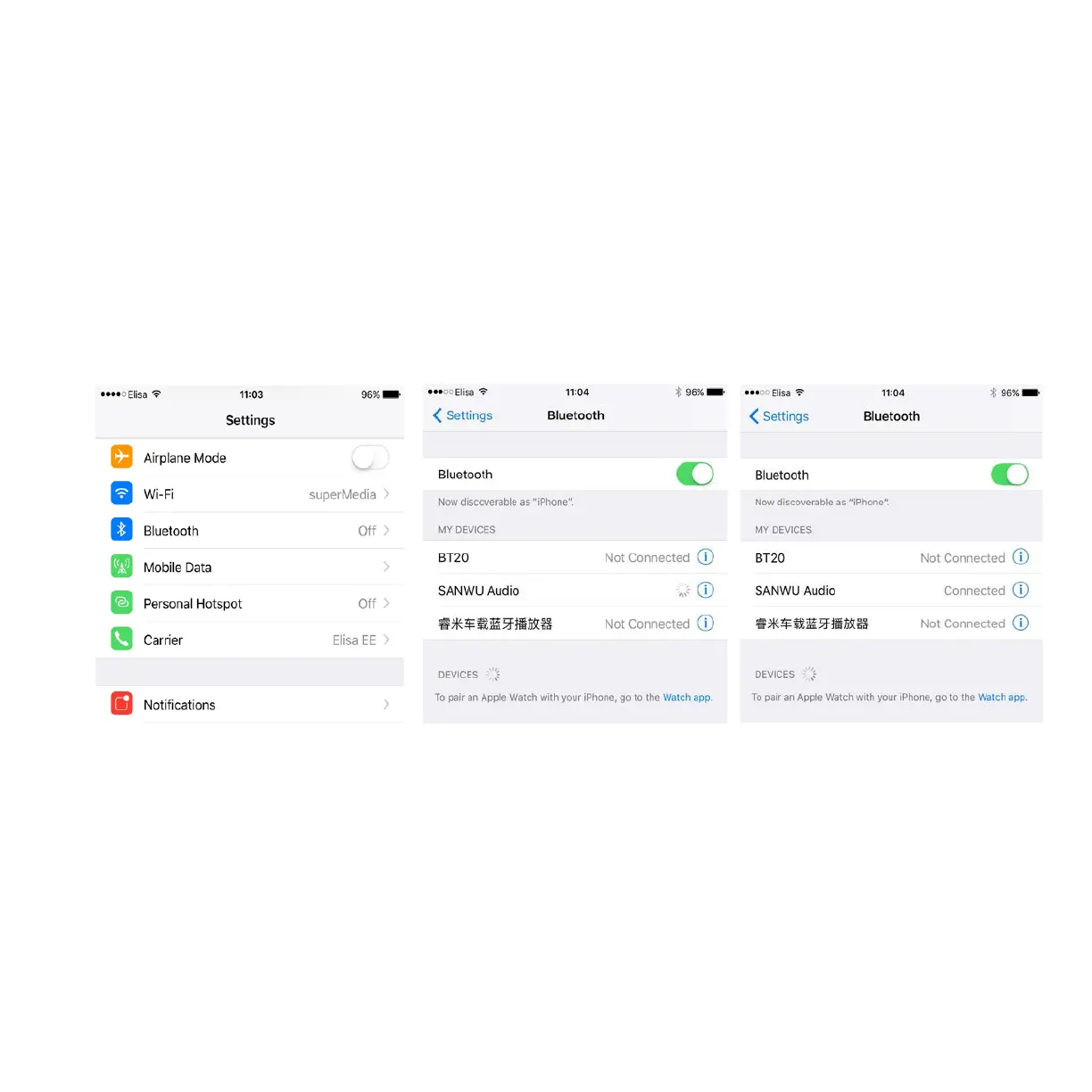
1.
Please go to your phone
settings and enter the
Bluetooth section
2.
Enable Bluetooth and start to
search device (It should find
the SANWU Audio device)
3.
Click
connect/pair to SANWU
Audio device
Now you phone is paired with built-in Bluetooth and you can transmit your music from the
phone to the Cocoon.


 To Next Page