VIRDI AC 1000 User Guide 46
UNION COMMUNITY CO.,LTd.
3Fl. Hyundai Topics Bldg, 44-3 Bangi-dong, Songpa-gu, Seoul, Korea 138-050,
Tel: 82-2-6488-3000, Fax: 82-2-6488-3099, E-Mail:sales@unioncomm.co.kr,
4.2. Time Attendance control
- Menu “3.Option” Æ “1.Application” Æ [1] T&A (Time Attendance) settings
- If the start/leave time is fixed, set <start time>, <leave time>, and <normal
time> to reduce user input errors.
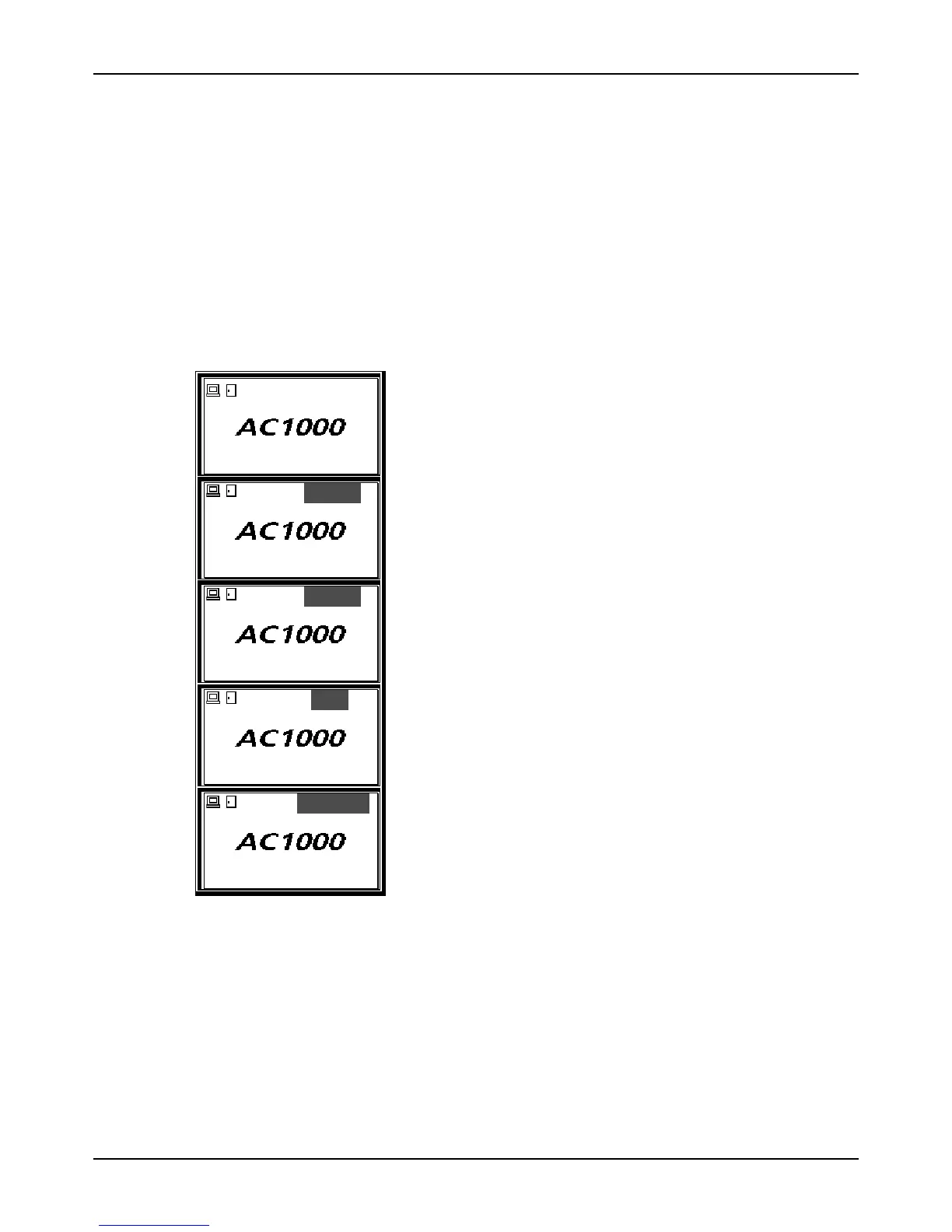
4.2.1. Authentication mode
- Authentication mode display screen
07/08/25 PM 4:58
Normal mode; authentication with [Ent]
START
07/08/25 PM 4:58
Start mode; authentication with [F1]
LEAVE
07/08/25 PM 4:58
Leave mode; authentication with [F2]
OUT
07/08/25 PM 4:58
Outside work mode; authentication with [F3]
RETURN
07/08/25 PM 4:58
Return mode; authentication with [F4]
- Card authentication
Before place the card, change the authentication mode by pressing the
corresponding function key. or place the card for authentication.
- Password authentication
After entering the user ID and changing the authentication mode by pressing
the corresponding function key, enter the password for authentication.



 To Next Page