28
Programming - Navigator Configuration
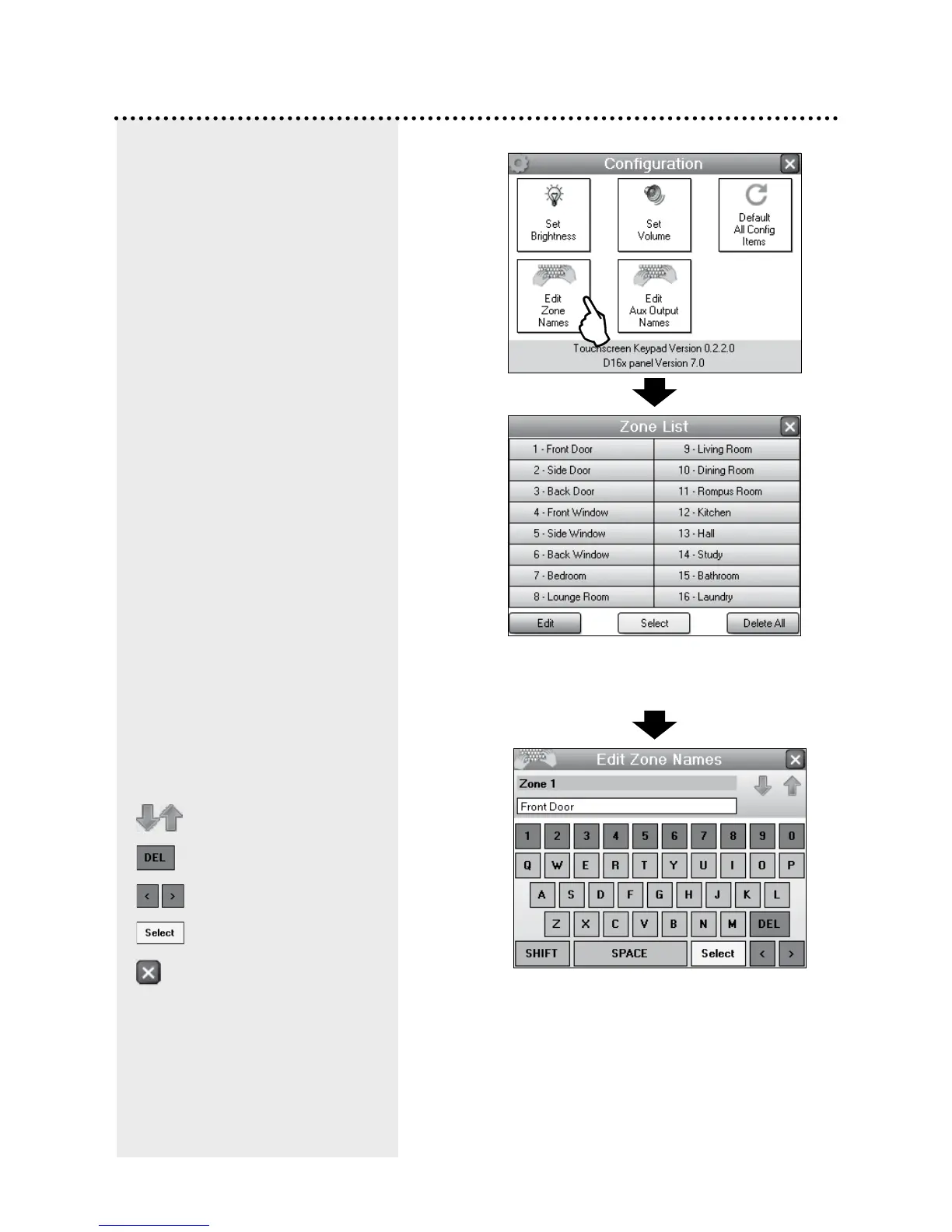
Touch a zone name. If you have a
Navigator D8x panel this display will
show 8 zones.
Edit the name of the zone.
EDIT ZONE NAMES
Edit the zone names to suit your
own premises. For example,
instead than meaningless
numbers, zones can be given
names that mean something to
you, such as Front Door, Back
Door, Lounge Room, etc.
You can choose from a library
of common zone names or type
your own names using the on
screen QWERTY keyboard.
EDIT AUX OUTPUT NAMES
If your installer has installed
automation options, you can edit
the names of the four auxiliary
outputs.
The example opposite shows
how to edit Zone Names. Follow
the same procedure to edit Aux
Output Names.
Next/Previous zone
Backspace
Move cursor Left/Right
Opens zone name library
To return to the zone list



 To Next Page