12
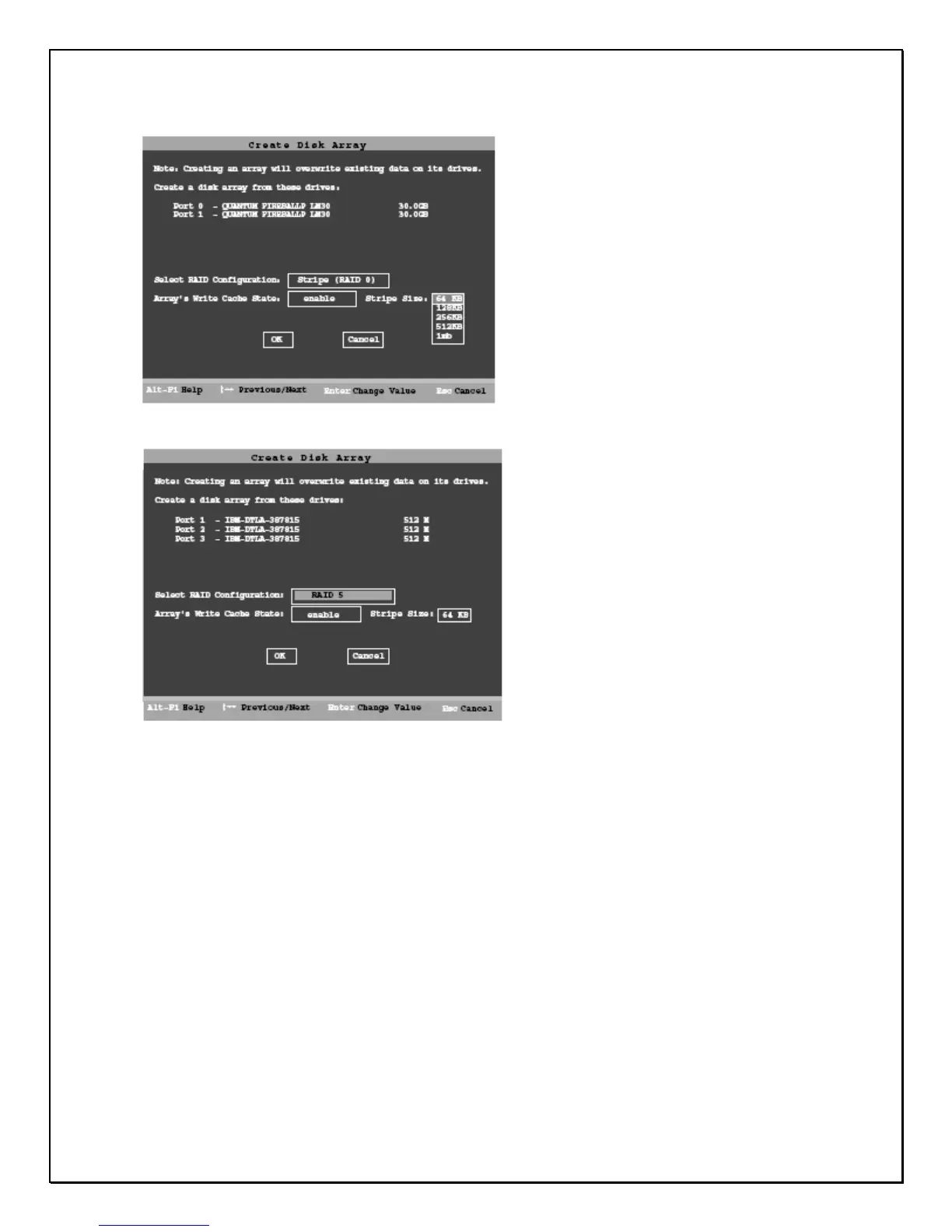
Figure D. Create Disk Array Display, RAID 0 Example
Figure E. Create Disk Array Display, RAID 5 Example
Select RAID configuration
The PRO 16/8 RAID DVR gives you a choice of four RAID configurations. Select
one.
• Stripe (RAID 0): maximizes performance and capacity through a process
called striping. High performance arrays write portions of a single file across
multiple drives. There is no fault tolerance.
• Mirror (RAID 1): duplicates or “mirrors” the data on both drives. No data will be
lost if one of the drives fails.
• RAID 10 (0+1): combines mirroring and striping, providing both fault tolerance
and high performance. RAID 10 arrays require a minimum of four drives.
Configurations consist of 4, 6 or 8 drives.
• RAID 5: combines parity data and striping, providing fault tolerance, high
capacity and high storage efficiency. The parity data is distributed across all
drives, rather than being concentrated on a single disk. RAID 5 arrays require
a minimum of three drives. Configurations consist of at least 3 drives and up
to 8 drives.



 To Next Page