34
Chapter 4
CONFIGURING THE CAMERAS
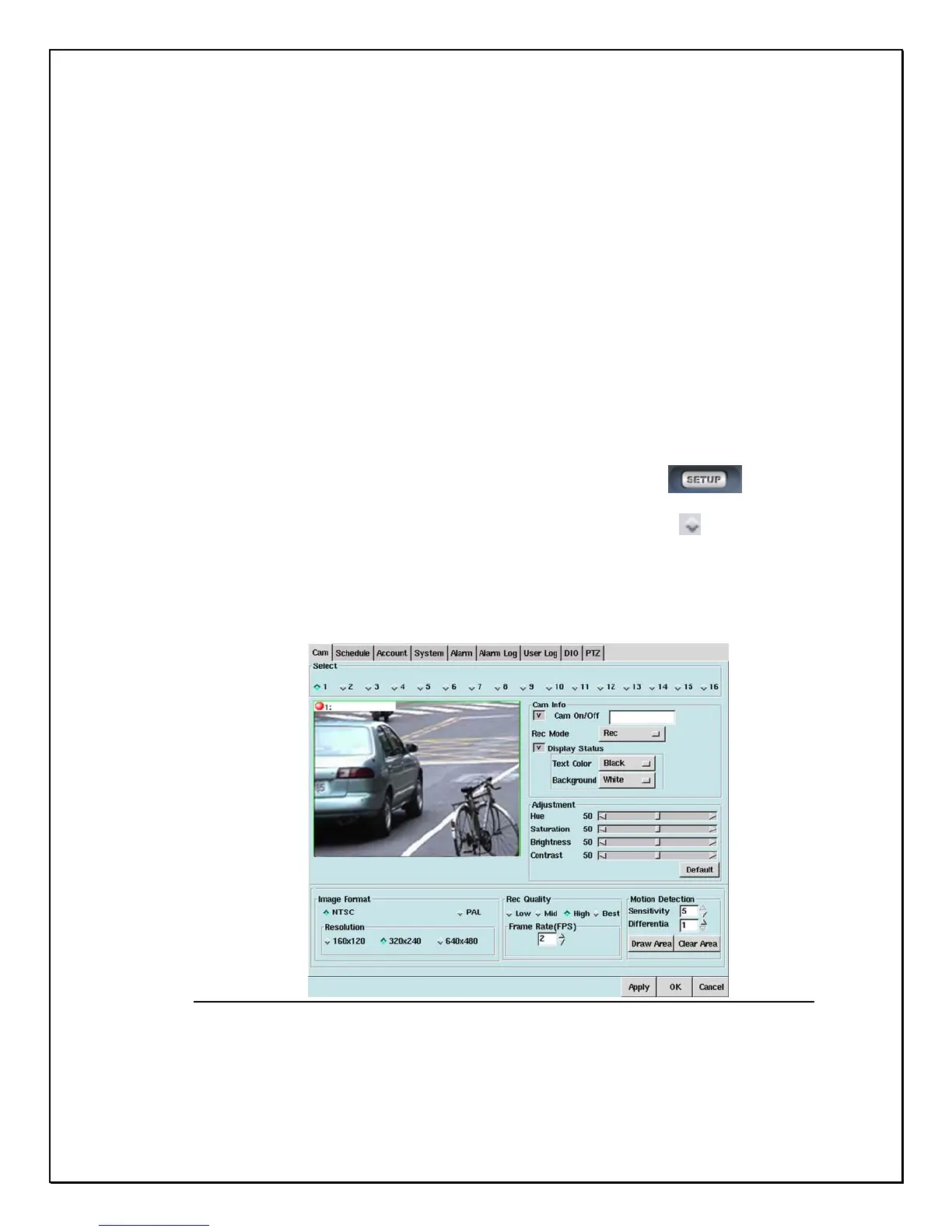
This chapter explains how to setup and configure the cameras connected to your PRO
16/8 RAID digital video recorder. Once you have connected all the cameras to your
DVR, you need to enter “Setup” to configure each individual camera. Here users can set
the camera information shown on-screen, set the background colours, adjust the lighting
of each camera, set the image format and resolution, change the image quality, frame
rate, and adjust the motion detection zones.
Camera Settings
To change each camera settings for the DVR follow these instructions:
1. Click the “Setup” icon on the Main Screen…………………………….
2. Click the “diamond” icon for the camera you want to configure………
3. The small window under the camera selection will then display the selected camera in
Real-Time mode.
Figure 4-1: Main Camera Settings Window



 To Next Page