84
Chapter 13
PLAYBACK
Playback allows a user to view recorded history video data, as the system is
recording, in live view mode and remotely. Other features within “Playback” are:
Blur, Snapshot, Export, Tag, File, Alarm, Fast Forward, Slow Motion, Reverse
Play & Rewind. All these features are covered later in this chapter. Lets first take a
look at how we can review playback.
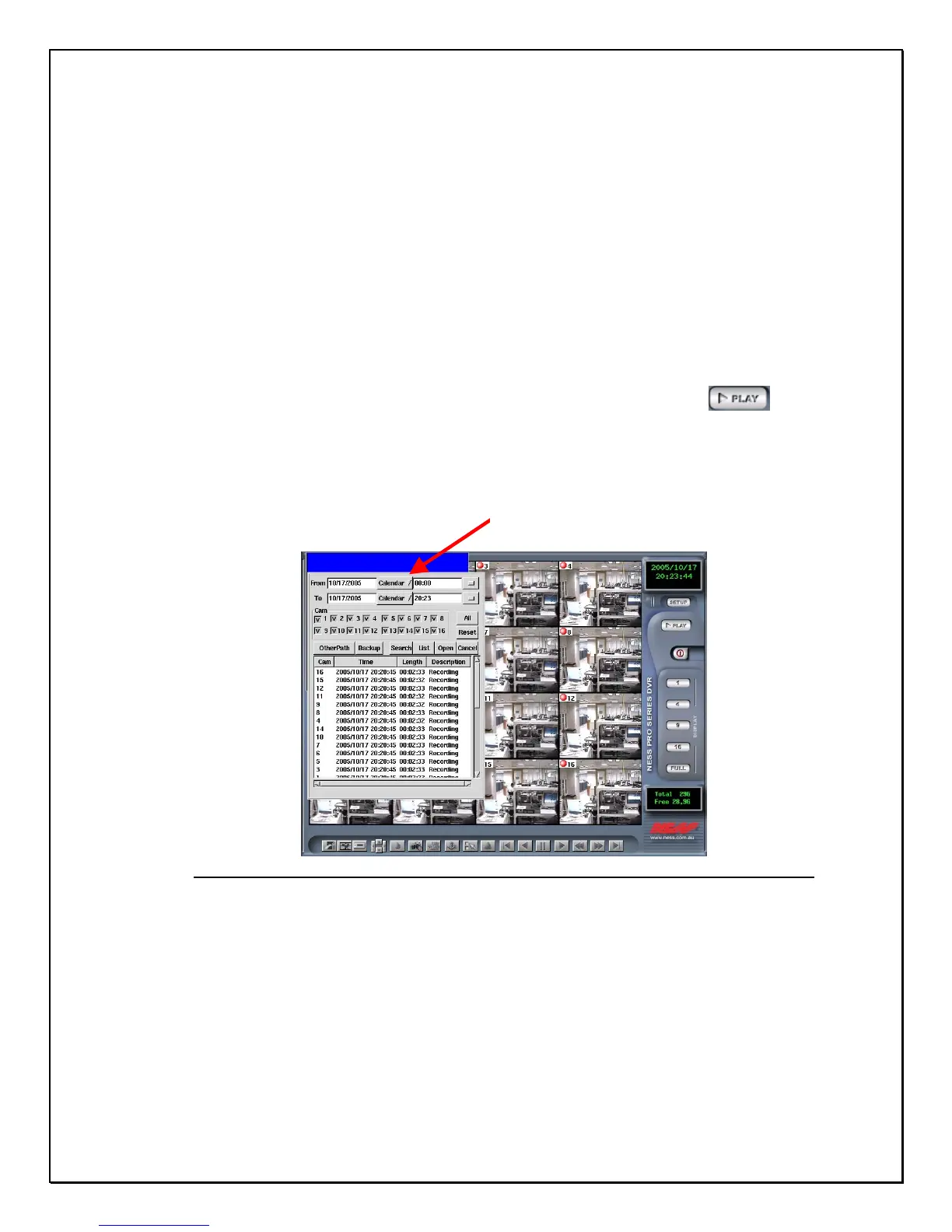
To view Playback click the “playback” icon………………………………
A pop-up database will appear giving you the choice of selecting a file, selecting the
date, searching, or by checking the list. At the bottom of the screen you will notice a
set of icons. These icons will help later when using the playback image.
Bottom Toolbar
Figure 13-1: Playback Screen
P
-
D



 To Next Page