102
Chapter 15
REMOTE SURVEILLANCE
The PRO SERIES DVR offers up-to-date IT technology standards and places
itself in a unique bracket of excellence. The PRO SERIES DVR provides users
with the capability to view live, and recorded data remotely. Currently many
systems can support network capability but not many can support the same
functions like the PRO SERIES DVR. All functions available on the local system
can be operated from a browser remotely. Once you have setup the local LAN
and Internet functionality from the System Window you are able to easily and
conveniently view material from your digital video recorder remotely. Let’s take a
closer look at what happens when you want to view data remotely.
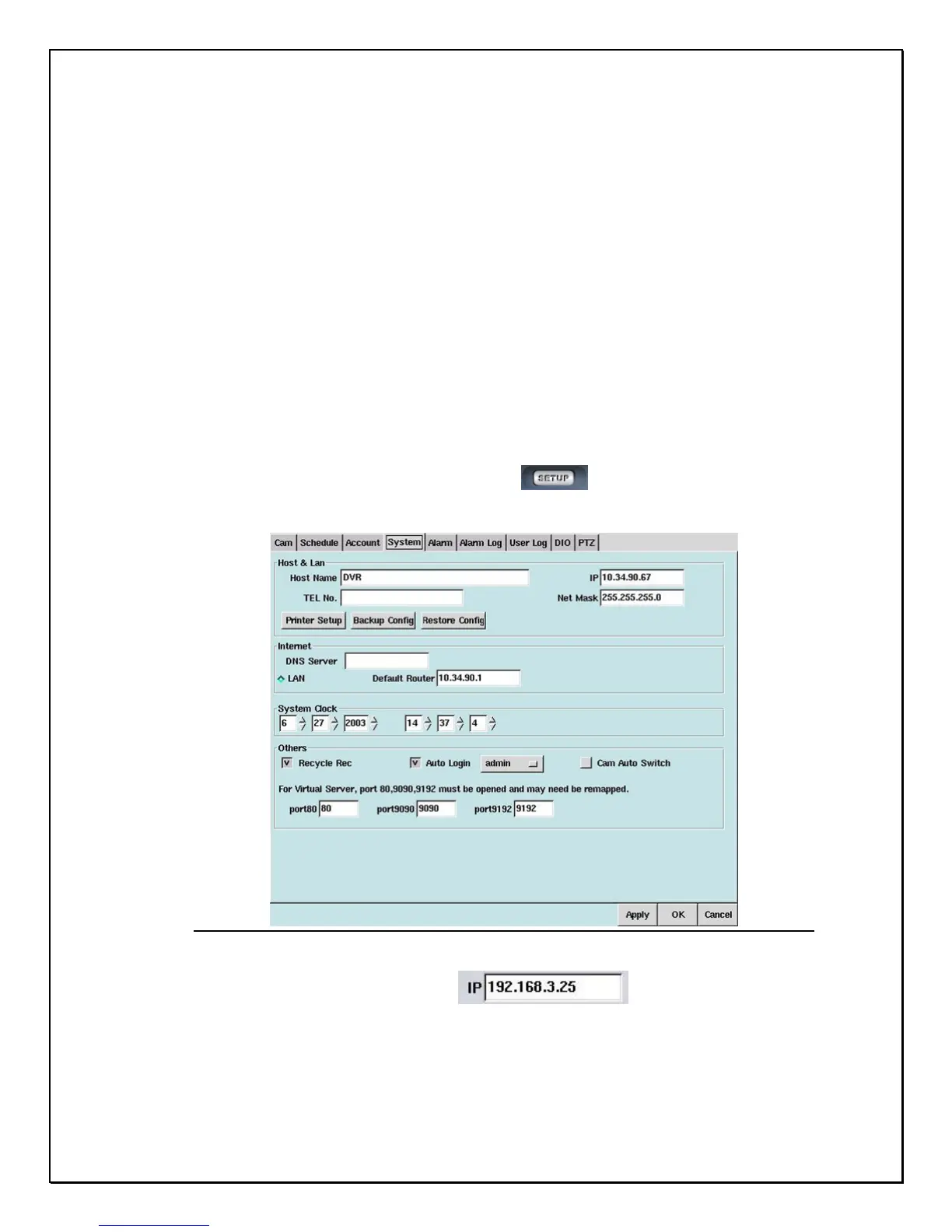
1. Click on the Configuration icon from the Main Screen
2. Click the System Tab
Figure 15-1: System Tab Screen for LAN identification
3. Identify your IP address
4. Open your browser



 To Next Page