39
Chapter 5
SCHEDULE RECORDING
This chapter explains how to set schedule recording times for each camera connected to
your PRO 16/8 RAID digital video recorder. Each camera can be configured to record at
different times. There are four choices: Once, Daily, Weekly, and Monthly. Recording
under different modes will affect the overall capacity of your Digital Video Recorder.
Schedule your recordings according to your requirements.
Schedule Settings
Once the PRO 16/8 RAID DVR is in record mode, various scheduling times must be
set for each camera according to the option chosen. Follow these instructions to
configure scheduling:
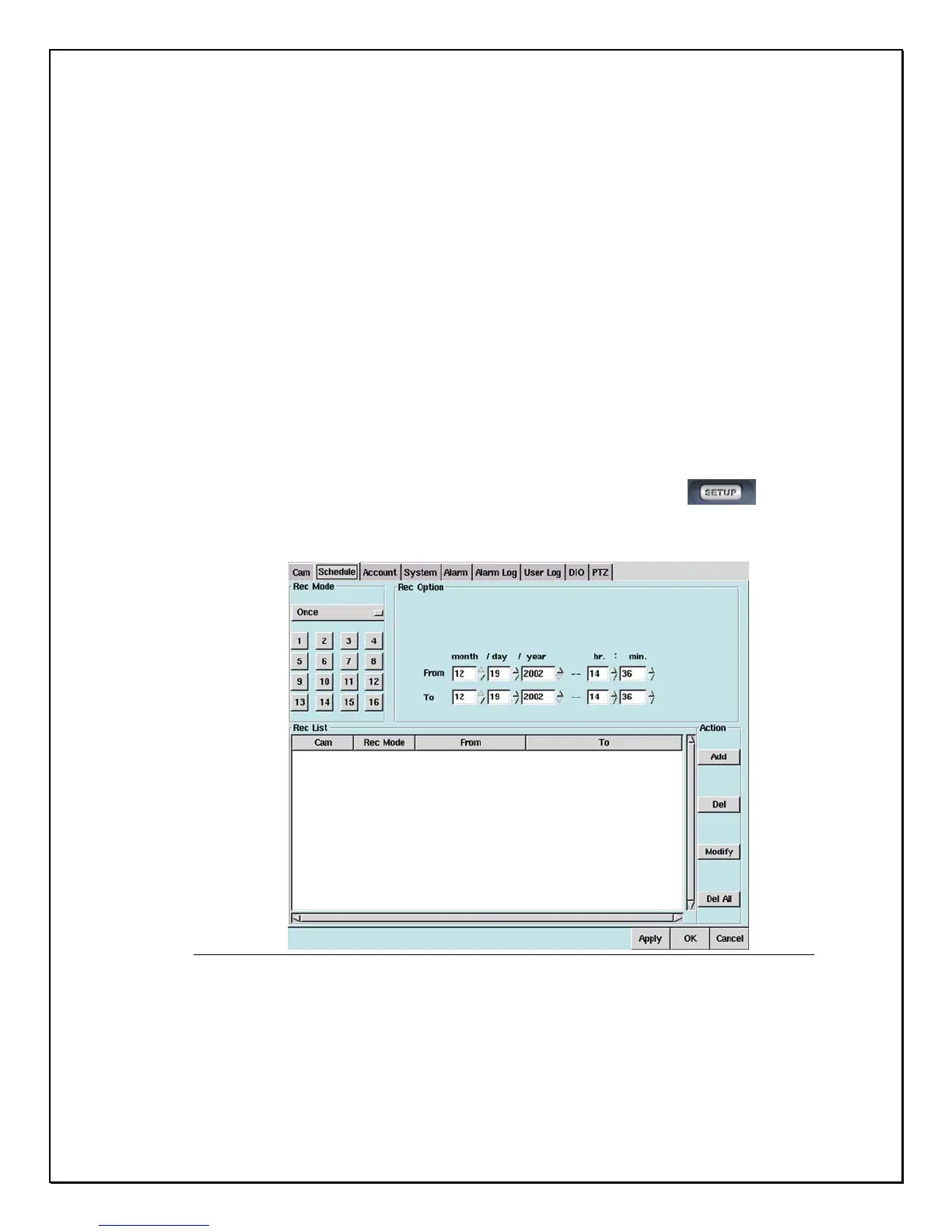
1. Click on the “Setup” icon on the Main Screen…………………………….
2. Click on the “Schedule” Tab
Figure 5-1: Schedule Tab Window
3. Under REC Mode (Recording Mode), there are four choices:
i. Once – Provides a recording option for a period of time (Month/Day/Year,
Hr./Min)



 To Next Page