74
Chapter 10
USER LOG
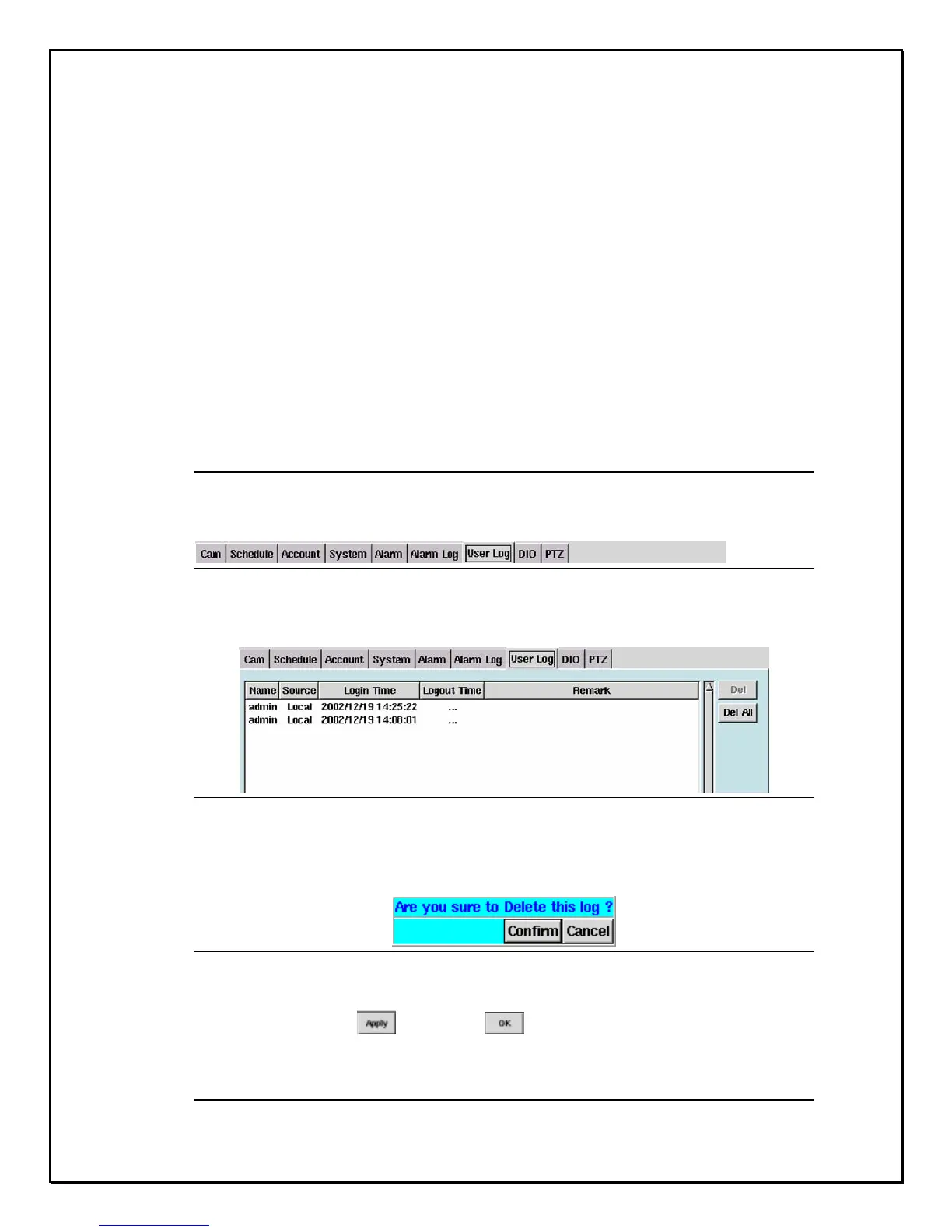
The User Log provides the administrator of the DVR to monitor all users that have
accessed the DVR. This database tells the administrator who accesses the system,
from where they accessed the system (local or remote), when they logged on, how
long users were logged on, and (if the connection was remote) what was the IP
address. This is only a log and the information cannot be cleared or changed.
Information in this log can only be deleted or the entire log file can be deleted.
Follow these few steps to delete files.
Deleting a Log
1. Click the “User Log” Tab
Figure 10-1: User Log
2. Select the file you wish to delete
Figure 10-2: Selection File
3. Click “Del”
4. A confirmation pop-up screen will appear asking to reconfirm (see Figure
10-3 below)
Figure 10-3: Confirmation Window
5. Click “Confirm” to continue or “Cancel” to restart
6. Click “Apply” , then “OK” to complete the task
Deleting all Logs



 To Next Page