78
Chapter 12
PAN TILT ZOOM
Pan Tilt Zoom (PTZ) provides the administrator of the PRO 16/8 RAID DVR to
configure and monitor all PTZ cameras that are connected to the DVR. The PRO
16/8 RAID DVR can be configured with many PTZ cameras. Currently, the system
doesn’t have pre-configured PTZ camera support. Please consult your dealer for
more information on how best to configure your system with leading PTZ camera
providers. This chapter shows users how to configure a PTZ camera that is
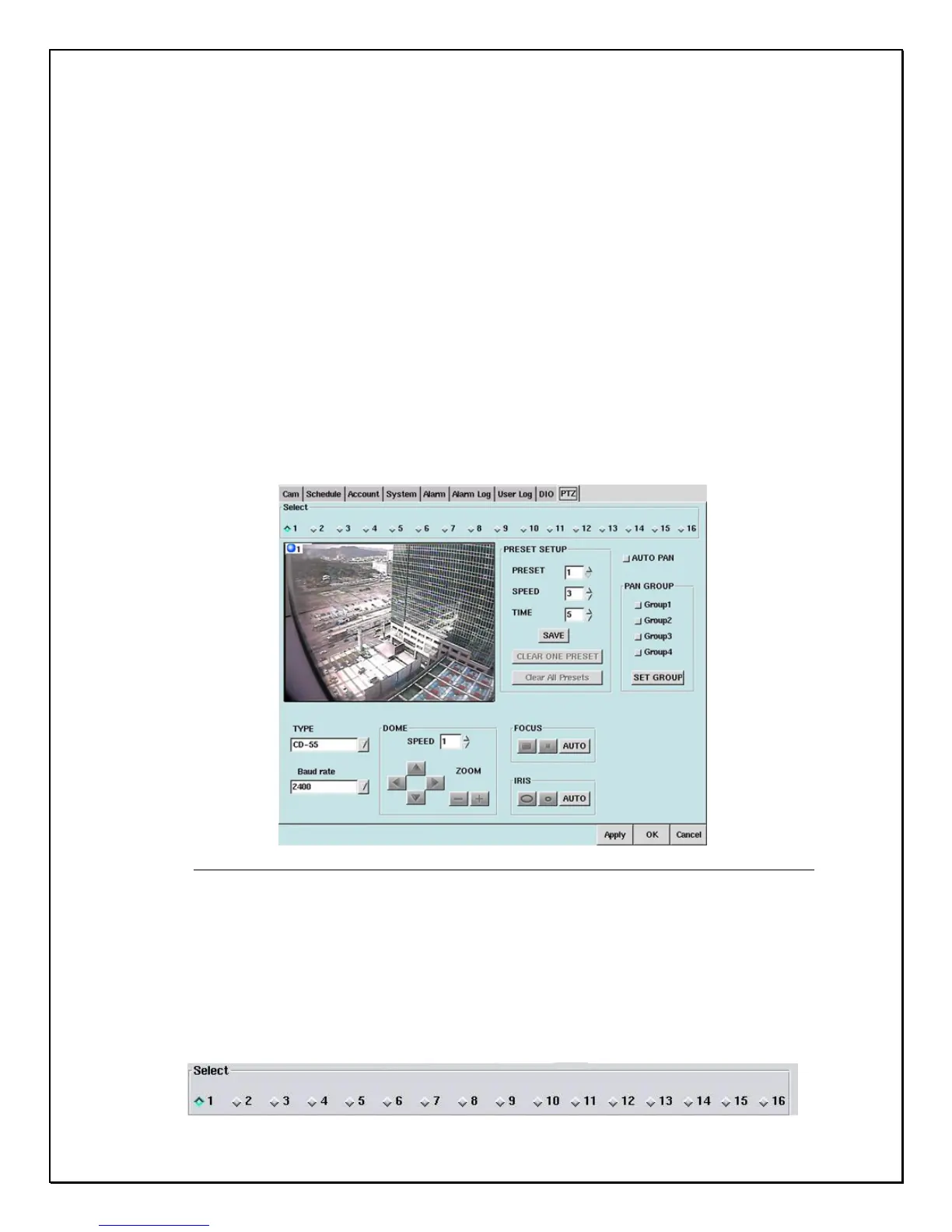
compatible with the PRO 16/8 RAID DVR. Let’s take a look at the PTZ “window” in
more detail.
Click the PTZ Tab
Figure 12-1: PTZ Tab
On the left side of the window you will see a live view from your PTZ camera.
This allows you to configure and see a “live” feed so you can adjust the system to
your requirements.
1. Select the “PTZ” camera to configure.



 To Next Page