79
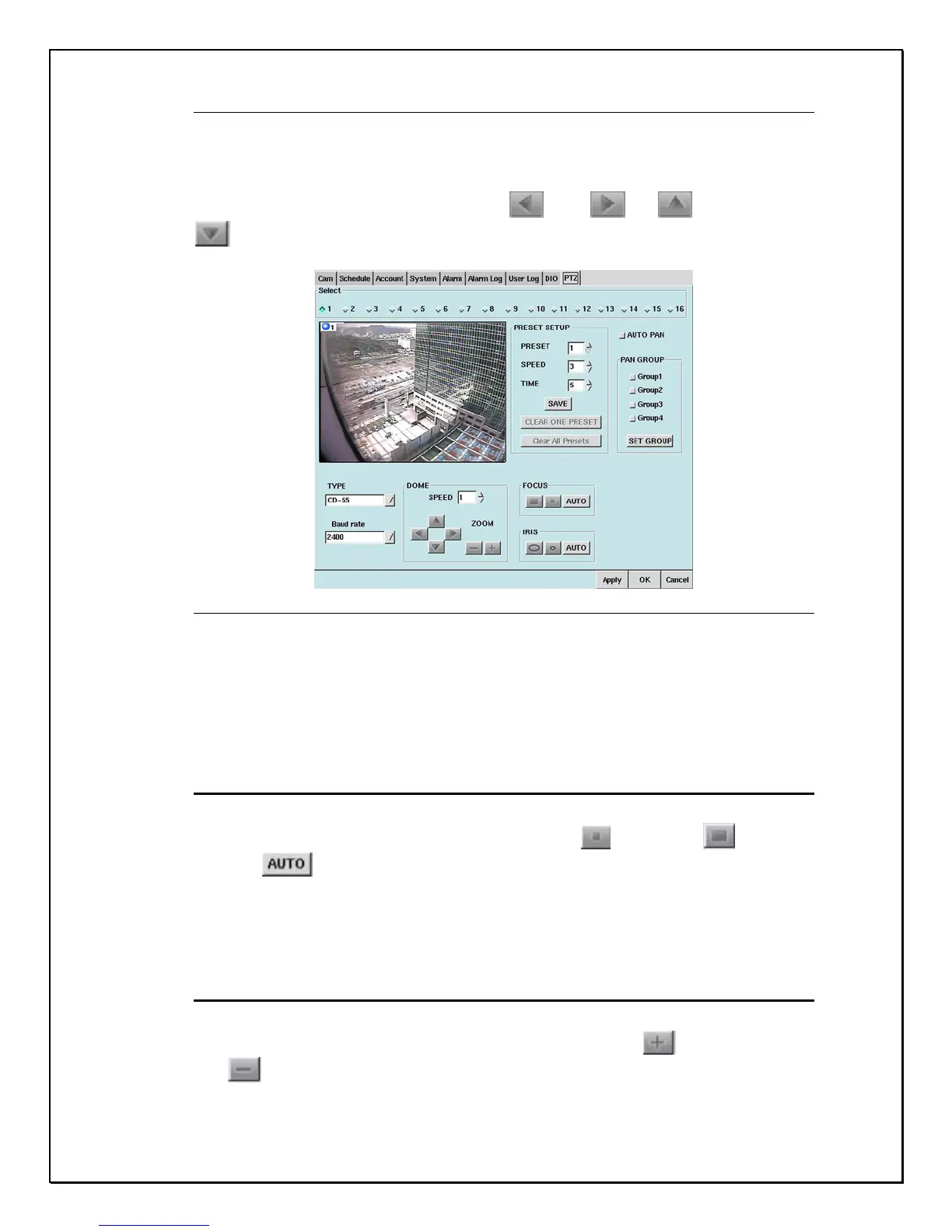
Figure 12-2: Camera Selection
Using the Dome controls to the bottom left of the “PTZ” window users can
configure their PTZ cameras to move left
, right , up , and down
. This can be done using the control keys as illustrated below.
Figure 12-3: Dome Settings & Dome Controls
To maneuver the PTZ camera at different speeds click the drop-down list next to
“Speed”. Users can set the speed range from 1 – 8. If you are not familiar with
this system or using a PTZ camera please consult your dealer for advice.
Focus
When connecting a PTZ camera to your PRO 16/8 RAID digital video recorder
you have the option to focus in on the picture. Use
to focus-in, to focus-
out, and
to have the camera be automatically adjusted.
Zoom
When connecting a PTZ camera to your PRO 16/8 RAID digital video recorder
you have the option to zoom in and out on the picture. Use
to zoom-in, or
use
to zoom-out.



 To Next Page