52
Chapter 7
SYSTEM SETTINGS
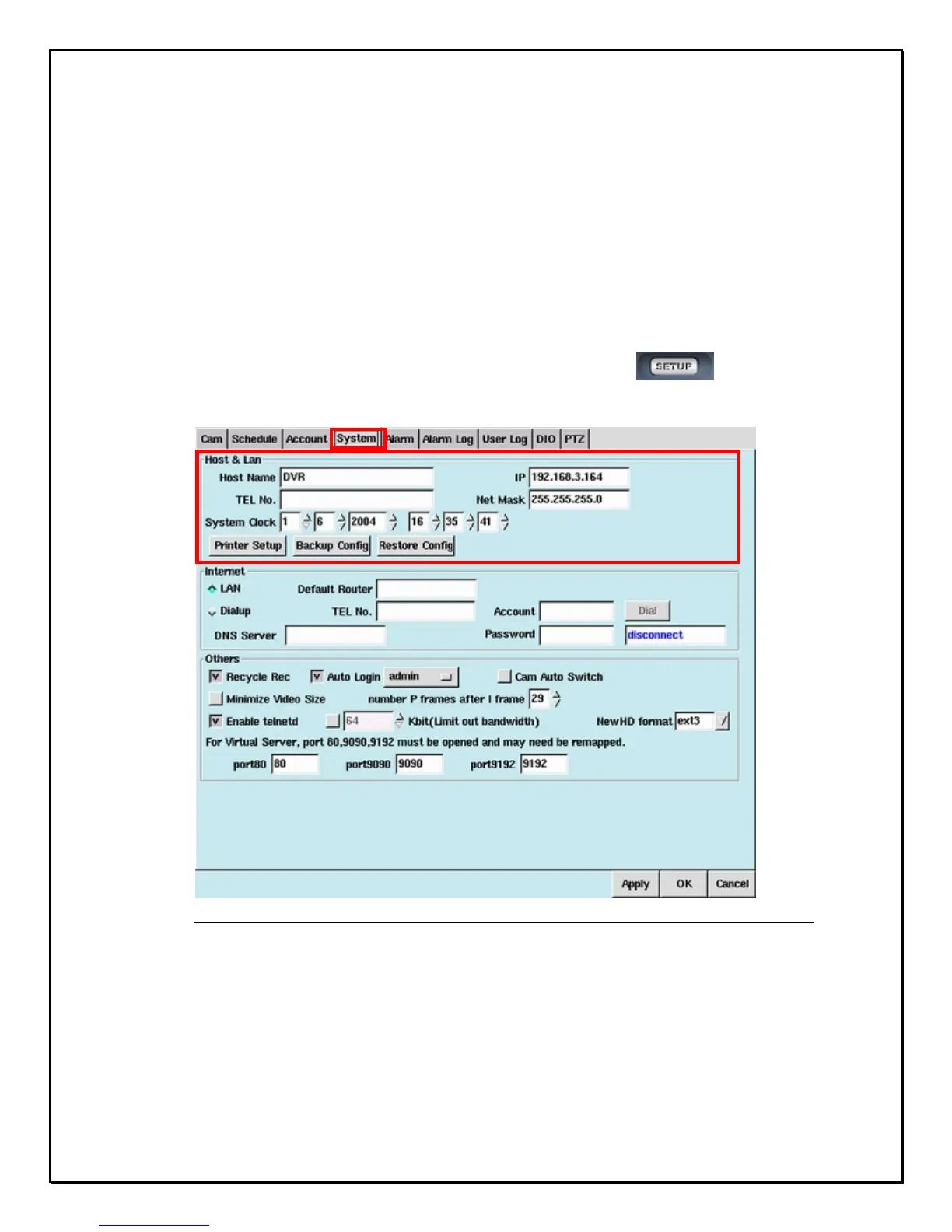
The System Settings Panel is for naming and setting basic configurations for the
DVR. These very important settings will ensure that the DVR system may be
correctly viewed both locally and remotely. Incorrect system configuration may result
in abnormal operation and could make tech support more complex and time
consuming. Follow these steps to set up your DVR.
1. Click the “Setup” icon on the Main Screen…………………………….
2. Click the “System” Tab
Figure: 7-1: System Menu



 To Next Page