128
Backup to NAS (Network Attached System)
Because the image data of the DVR are larger than common file data, the demand on
storage space will be higher. NAS can support IP network protocols; therefore users can
backup their DVR data to NAS through Internet/LAN at anytime.
Steps:
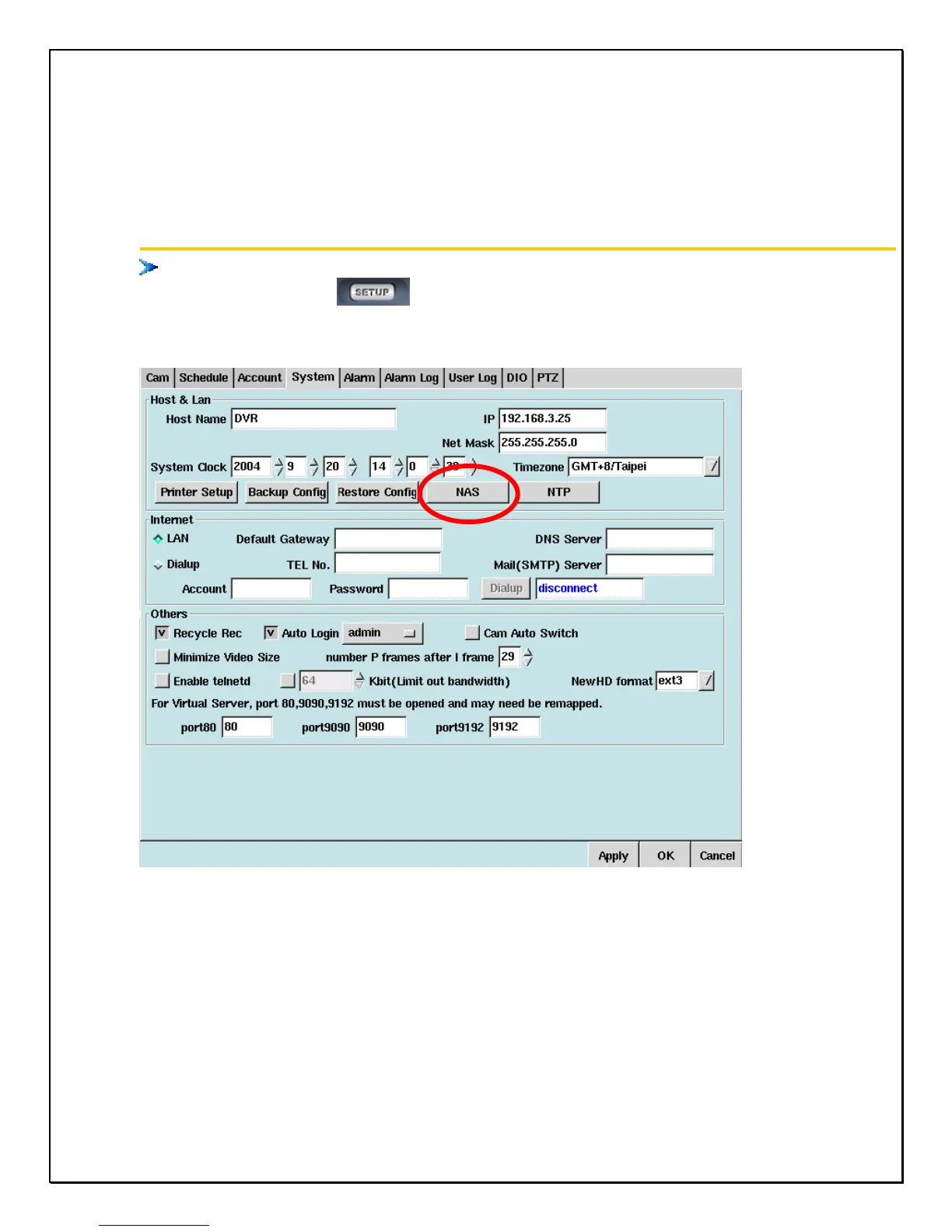
1. Click the ‘’Setup’’ icon
on the main screen.
2. Click the ‘’System’’ tab.
3. Click the NAS button to popup the NAS Setup windows.



 To Next Page