139
Appendix C
CONFIGURING ACTIVEX
ActiveX is a type of Vscript. Basing on the communication between ActiveX and
The main application, the naming space provided for the programmer can be managed
successfully.
ActiveX Settings
The relative settings about the security of ActiveX can be configured in the way
below:
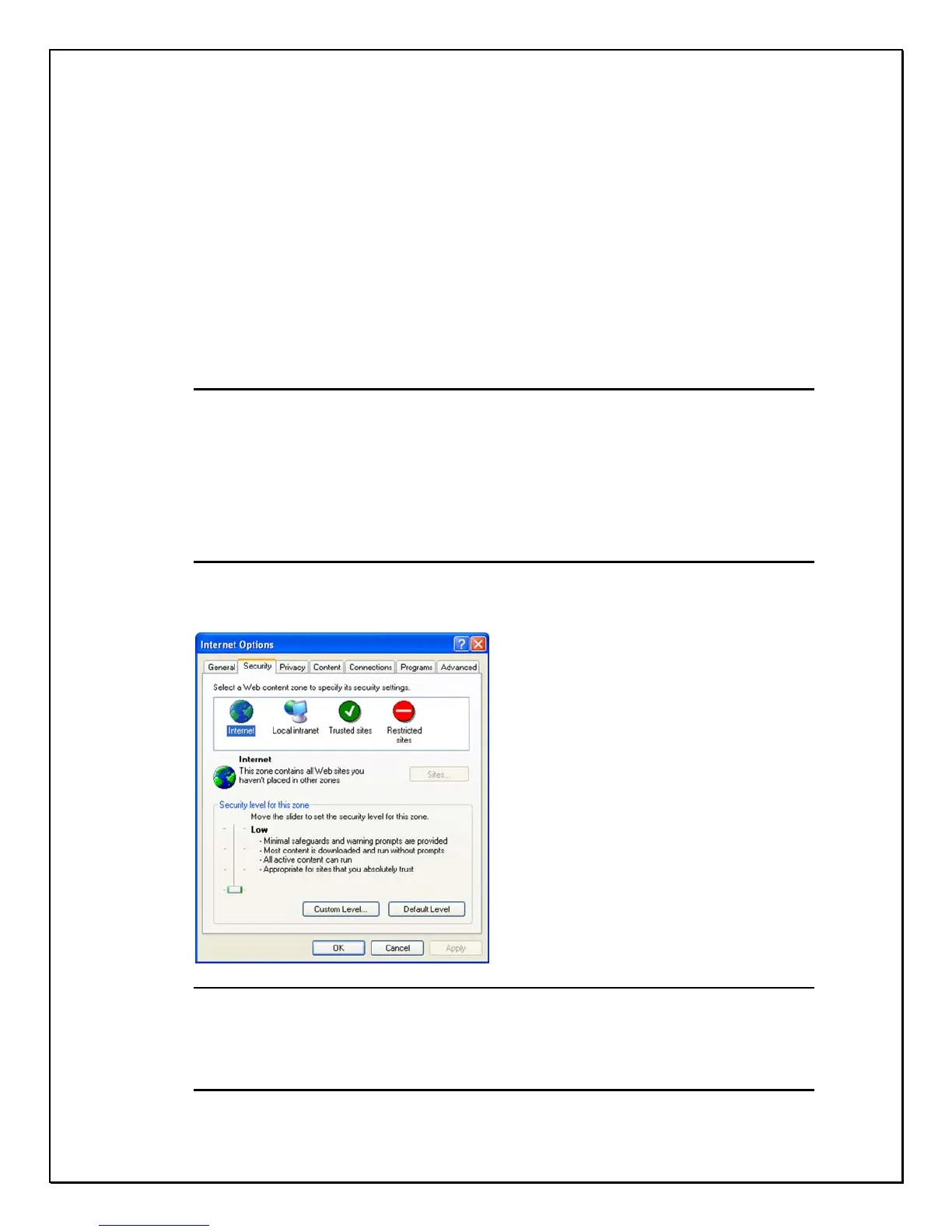
• Click the “ Tool” Icon under MS Internet Explore to select “ Internet”
choices.
• Click “ Security” Tab
Method 1: Lower the Security Level of Internet
Lowering the level is only required during setup, do not leave in this lowest
setting.
Figure b-1: Security Tab
Method 2: Set to be Trusted Sites
Only trusted sites authority of the configured website.



 To Next Page