27
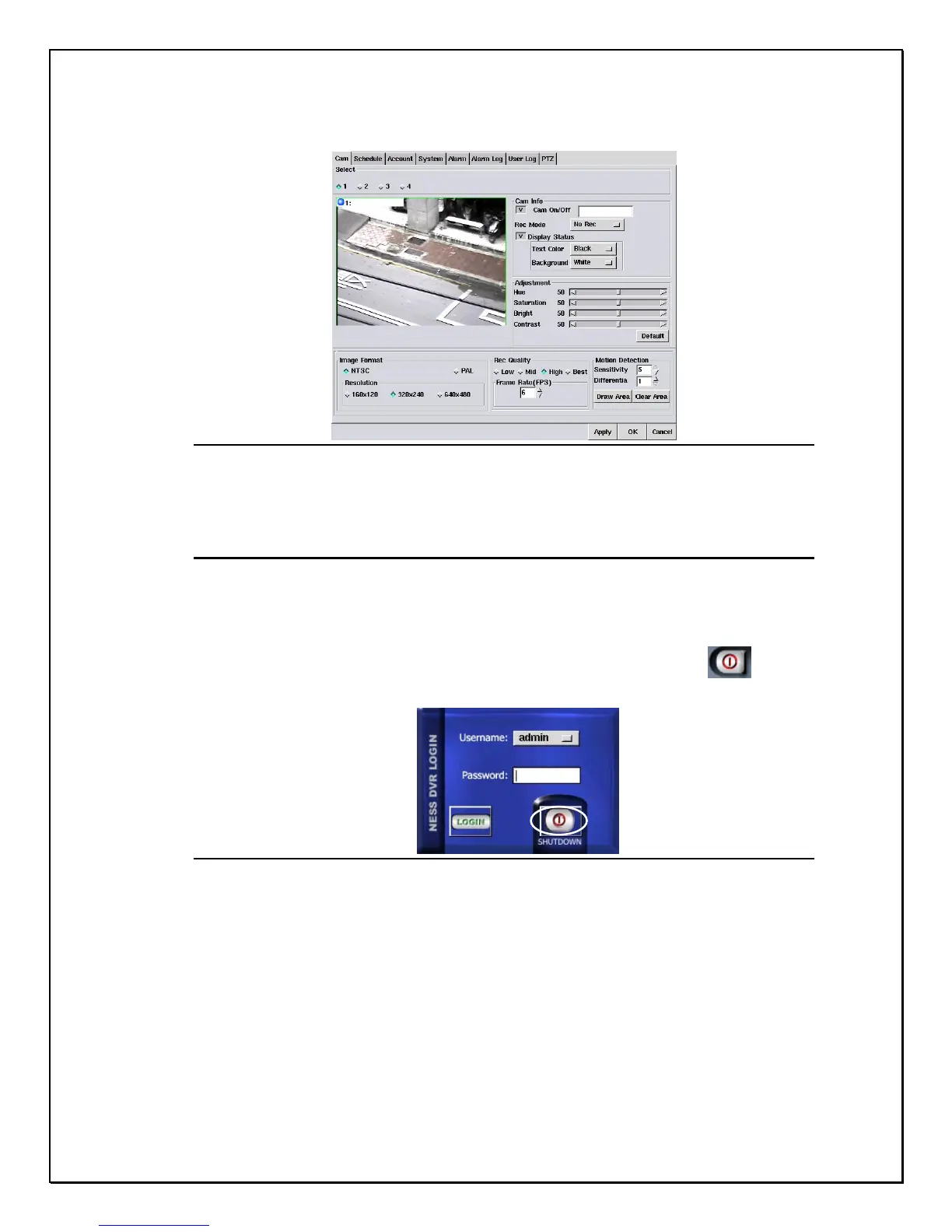
Once administration users logon they will see the screen below
Figure 2-7: The Main Settings and Programming screen
Shutting down the system
The PRO SERIES DVR is quite a versatile and easy to use Digital Recorder. It is
easy to Logon, Logoff and Shutdown. In order to shutdown the DVR follow these
few steps:
1. Step 1:Click the Logon Icon. -----------------------------------------------------------
2. Step 2: Click the “Shutdown” icon
Figure 2-8: Shutting down the system
After shutting down the system, the product version number of the system will be shown on
the top of right of the screen, for example, v3.1.2



 To Next Page