49
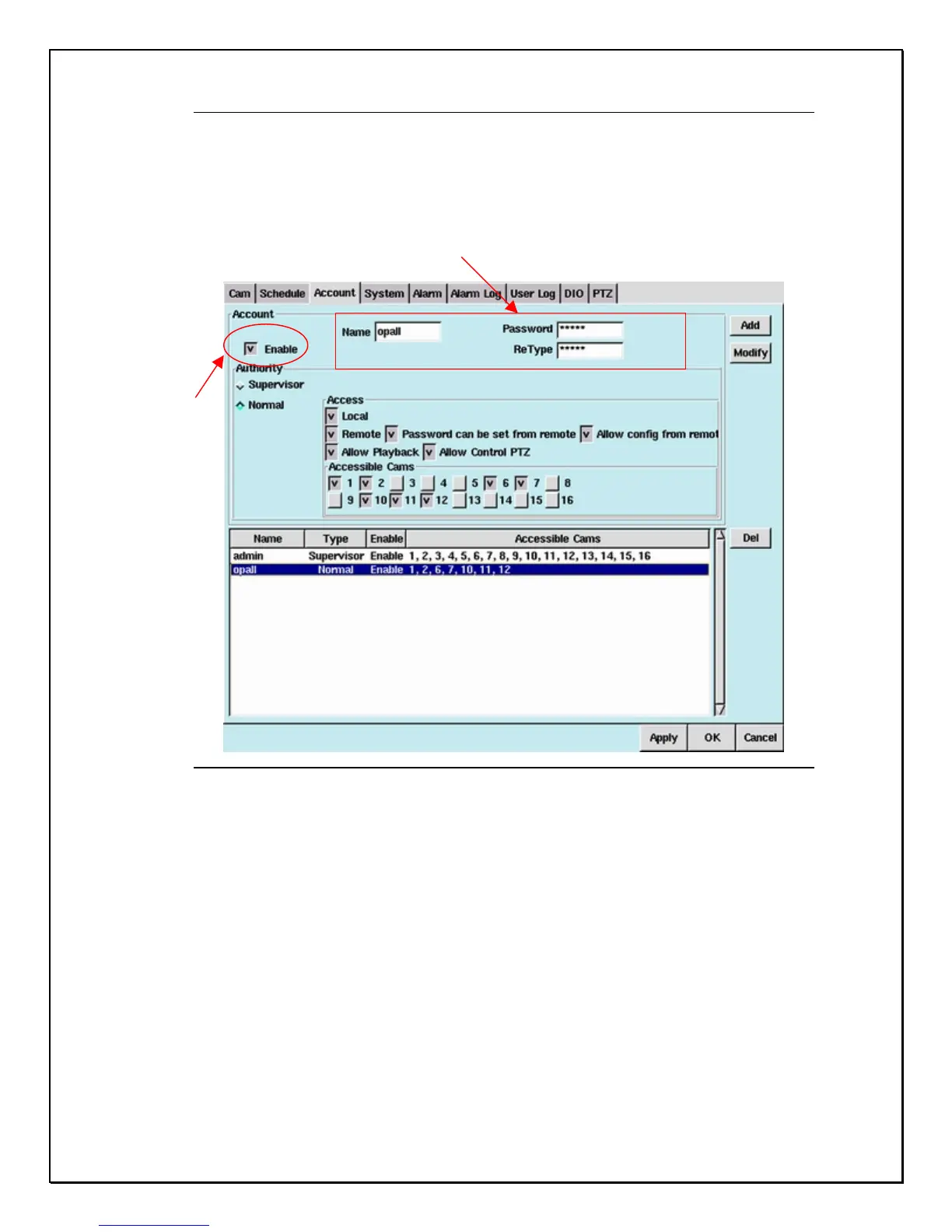
3. Enter the name of the user followed by a specified password.
4. Enter the password once again in the ”ReType” field to reconfirm.
Figure 6-2: Name, Password & Confirmation Field
5. Click the checkbox next to “ Enable” to select the user’s type and authority.
6. Select “ Supervisor “ to give a user total control over the DVR or “ Normal” to limit the
user’s access.
Click
Enter the name of the user followed by a
Specified password



 To Next Page