58
3. Click ”Apply”, then “OK” to activate the setting.
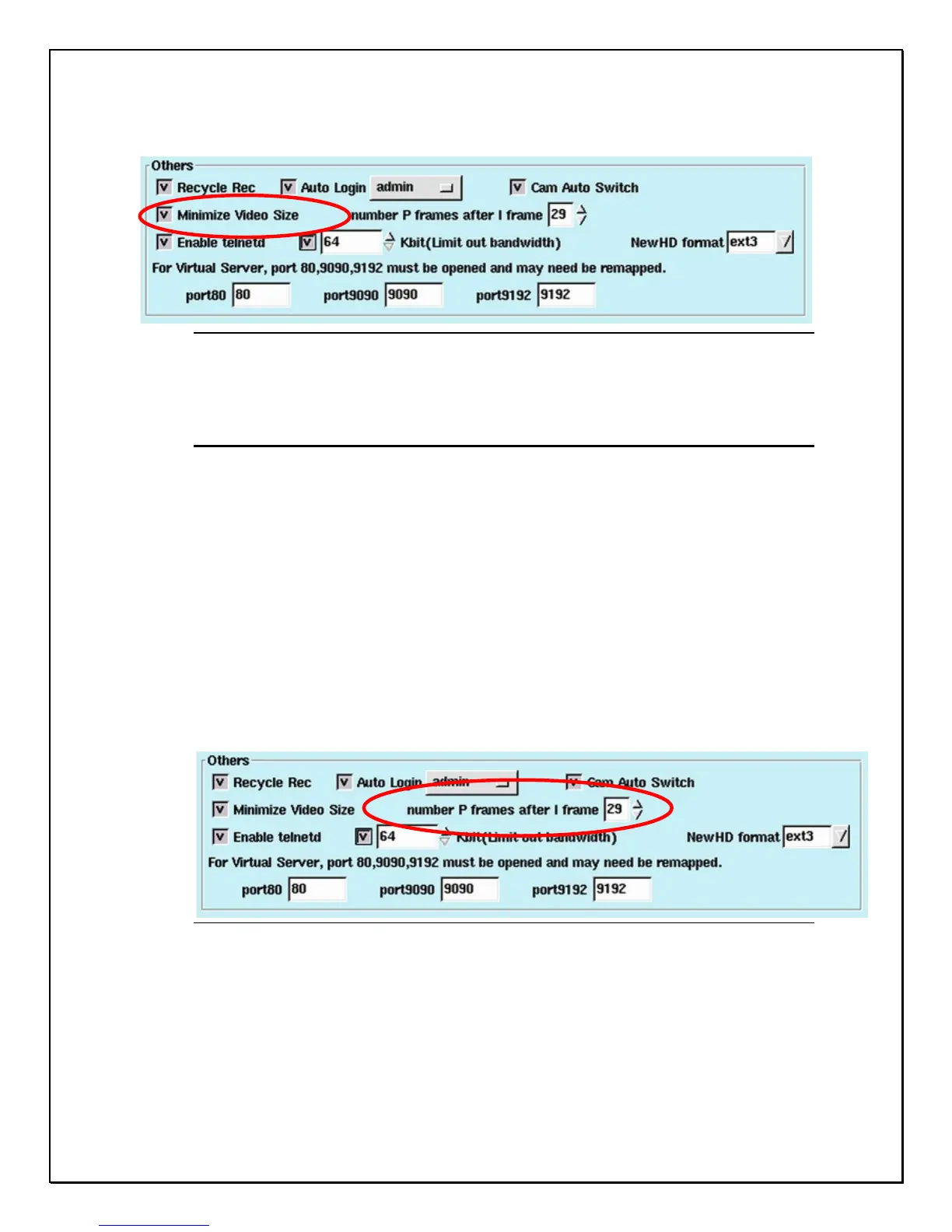
Figure 7-9: Minimize Video Size Settings
Number P Frames after I Frame
The “Number P Frames after I Frame” setting refers to the manner in which
MPEG-4 compression will be implemented by the DVR system. An “I” frame is
the initial full frame of video information for any given scene, while a “P” frame
consists only of the incremental changes necessary to form the next frame,
rather than an entire new frame. The greater the number of P frames after each I
frame, the more space will be saved on the hard disk, but the more computation
will be needed to uncompress the video for playback. To use this setting:
1. Click the ”system” settings tab
2. Under the “Others” item, adjust the ”Number P Frames after I Frame”
setting (29 is the default setting)
3. Click “Apply”, then “OK” to apply the change
Figure 7-10: Number P Frames after I Frame Settings
Use of the “Number P Frames after I Frame” function will influence
1. The quality of the video
2. Space used on the hard disk
3. The speed of data transmission



 To Next Page