Net.DO Lighting Control Equipment Co.,Ltd http://www.netdo.com.cn
FOX512 Moving Light Controller. PAGE: 29
9.9.1 Edit Fader Time
Path: PROGRAM FadeTime
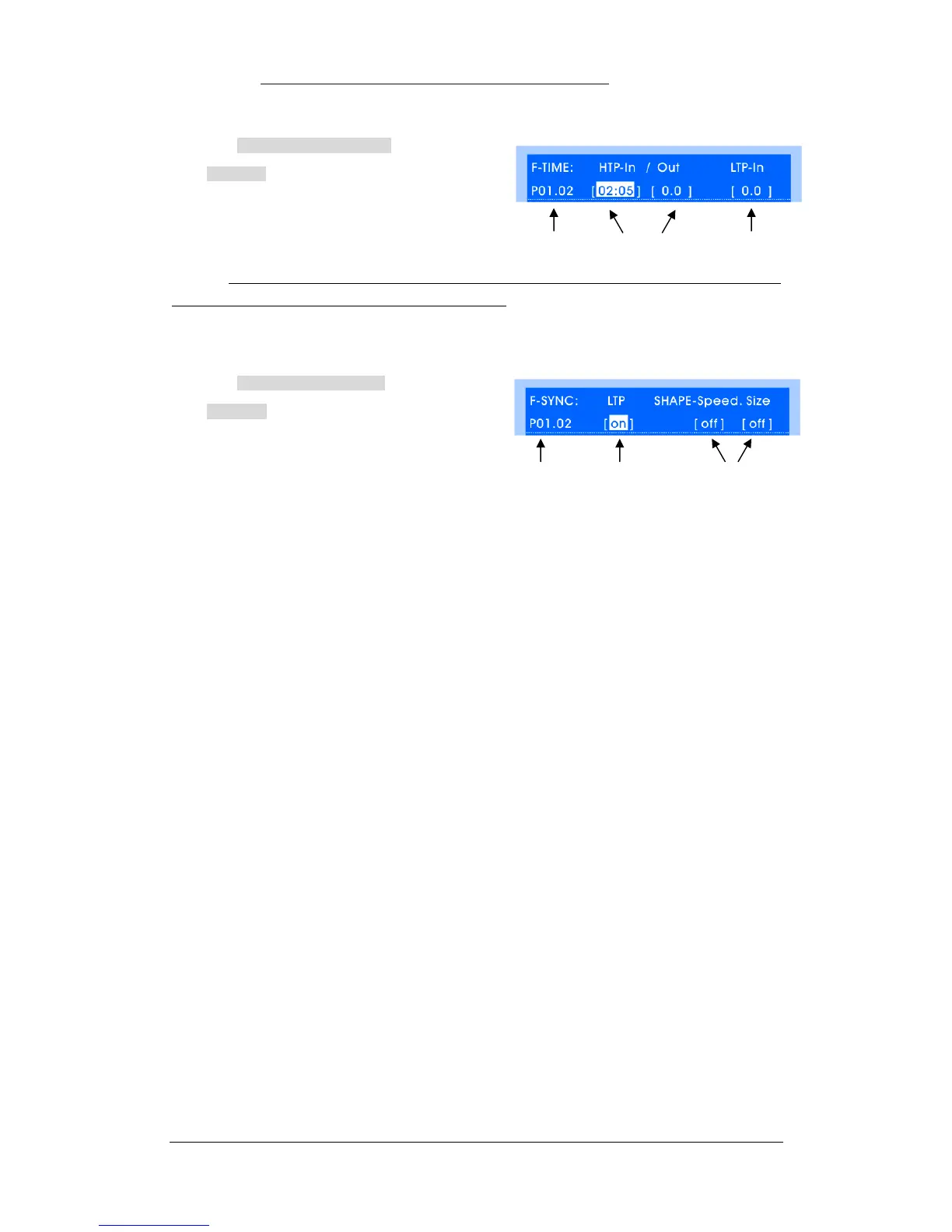
Enter FadeTime menu, as shown on the right:
Select program by Playback Key, set time by
Cursor Key or A/B Wheel. Range: 0.1s~59m 59s.
Clear the selected item by pressing CLR Time soft key.
Remark: The modification of time doesn’t affect the running program, modified time will be used until the
Playback Fader is pulled down to 0 and pushed up again.
9.10 Fader Synchronization of Playback
Path: PROGRAM FadeSync
Enter FadeSync menu, as shown on the right:
Select program by Playback Key, the following items of
Fader Synchronization can be open/close:
LTP-Sync
When it is on: LTP channel value will change correspondingly with the Playback Fader pushed
up / pulled down.
(Especially suitable for Pan/Tilt to follow the change of fader)
SHAPE--Speed Sync
When it is on: Speed of SHAPE in the program will be synchronously controlled by Playback
Fader, it is used for directly controlling of SHAPE speed.
SHAPE—Size Sync
When it is on: Size of SHAPE in the program will be synchronously controlled by Playback
Fader, it is used for directly controlling of SHAPE size.
Program No. HTP Time LTP Time
Program No. LTP-Sync SHAPE-Sync


 To Next Page