24
SCREENGUARD
™
INSTALLATION AND USER MANUAL
OPERATION
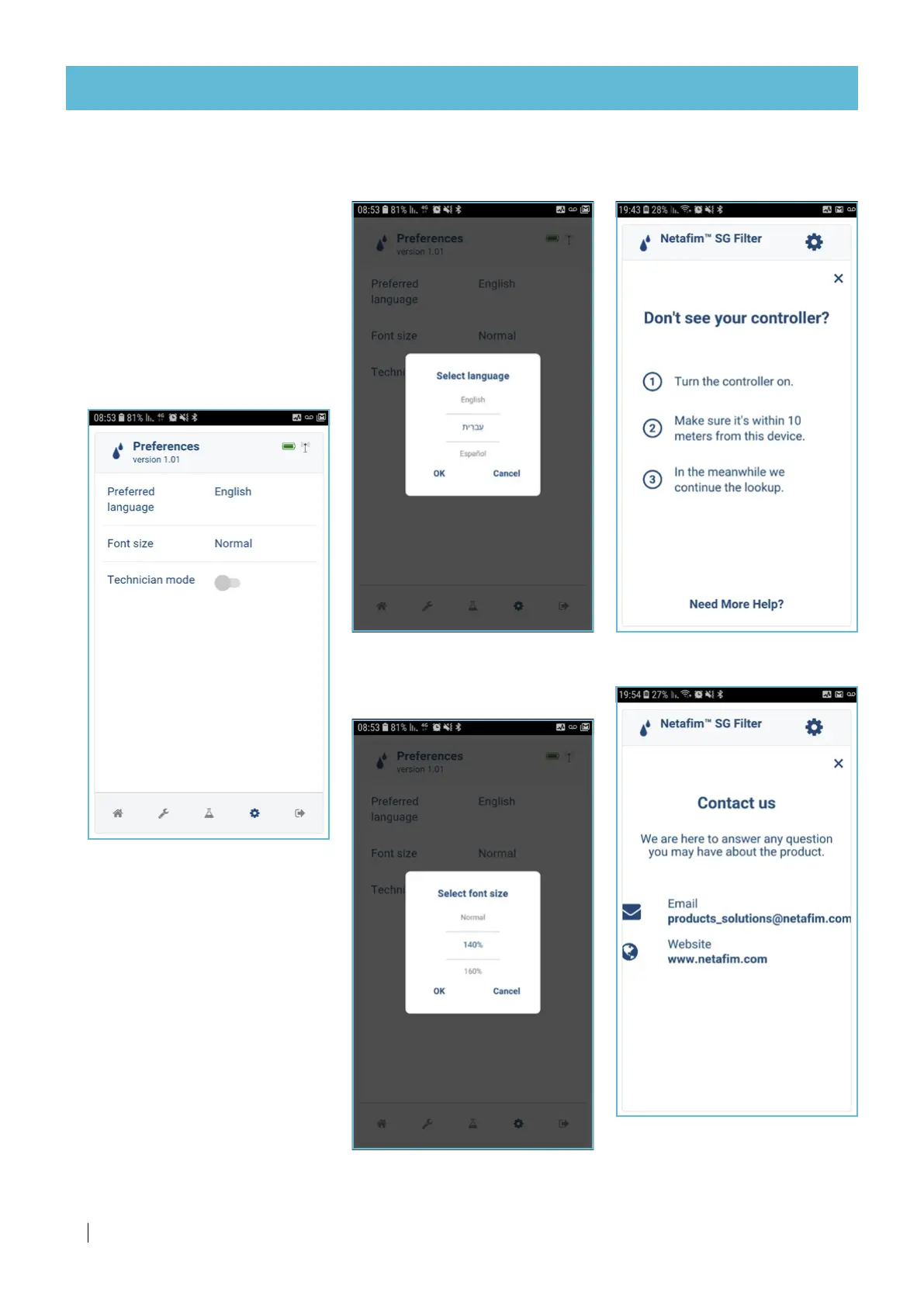
Preferences screen
This screen allows to select the
app's UI language and font size.
Press a parameter to edit it
(see the 2 next pages).
Technician mode - ON/OFF
ATTENTION
Only Netafim qualified
technicians are authorized to this
section by personal password.
Select language screen
Select the app's UI language
Select font size screen
Select the app's UI font size
Troubleshooting screen
Restore BT connection
Contact screen



 To Next Page