SCREENGUARD
™
INSTALLATION AND USER MANUAL
35
TROUBLESHOOTING
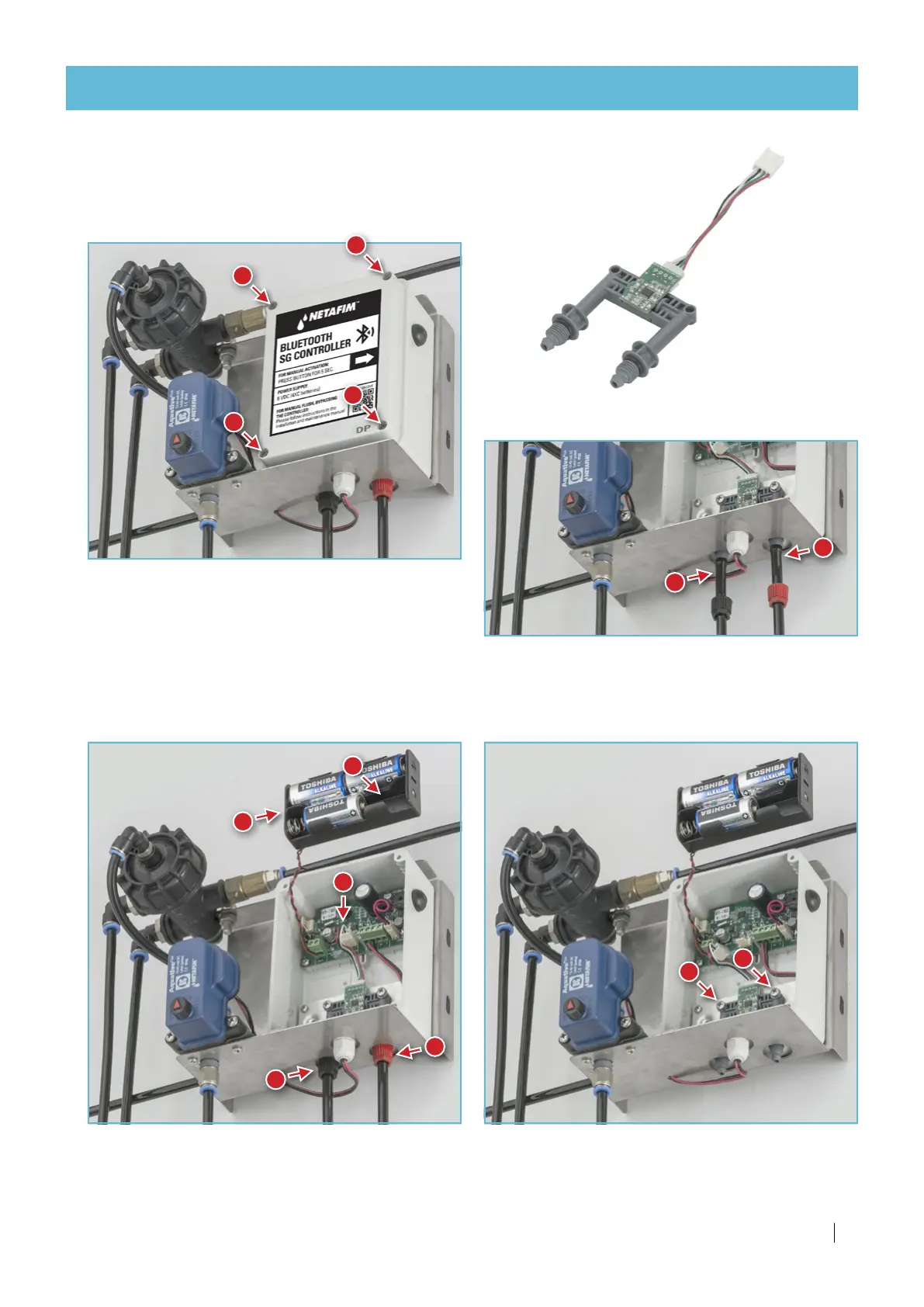
PD sensor unit replacement
1.
Open the flush controller box using a cross-head
screwdriver.
2.
Extract one battery to deactivate the controller
during the procedure.
3.
Take the battery compartment out to to allow
access to the PD sensor unit.
4.
Disconnect the PD sensor from the terminal block.
5.
Release the 2 control tube nuts by hand.
6.
Disconnect the 2 control tubes.
7.
Release the PD sensor unit 2 screws using a
cross-head screwdriver (mind the washers).
8.
Remove the PD sensor.
1
1
1
1
2
3
4
5
5
6
6
7
7
Continued on the next page
If your SG filter is equipped with the Filtron 1-10 flush controller, see its User Manual enclosed with it.



 To Next Page