EasyManua.ls Logo

Netafim SCREENGUARD - User Manual

Netafim SCREENGUARD
48 pages
Print Icon
To Next Page IconTo Next Page
Loading...
V 001.01 - APRIL 2019
INSTALLATION AND USER MANUAL
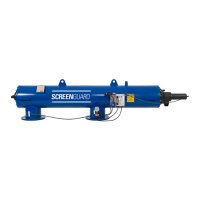
SCREENGUARD
AUTOMATIC HORIZONTAL SCREEN FILTER

Other manuals for Netafim SCREENGUARD

Questions and Answers

  • J
    James MayAug 15, 2025
    What to do if the Netafim SCREENGUARD Water Filtration Systems flushing cycle does not stop?
    • S
      Shelly HigginsAug 15, 2025
      If the filter flushing cycle doesn't stop, examine the battery and solenoid. Connect the solenoid wires directly to the battery to check their condition.
  • S
    Sarah StevensonAug 18, 2025
    What to do if the solenoid clicks and the Netafim SCREENGUARD Water Filtration Systems flushing cycle does not start?
    • W
      William BurnsAug 18, 2025
      If the solenoid clicks but the flushing cycle doesn't initiate, verify the inlet and outlet line pressures.
  • D
    David AndersonAug 21, 2025
    What to do if the Netafim SCREENGUARD flushing cycle doesn’t start?
    • E
      Emily ThomasAug 21, 2025
      If the flushing cycle isn’t starting, disconnect the control tube from the flushing valve's lower section and manually initiate a flushing cycle by operating the handle located on the solenoid.
  • M
    millerjoeAug 25, 2025
    What to do if the Netafim SCREENGUARD solenoid doesn't click at all (not operating)?
    • A
      Andrew KellyAug 26, 2025
      If the solenoid isn't clicking or operating at all, the suggested solution is to replace the solenoid.
  • M
    Melinda StoutAug 28, 2025
    What to do if flushing does not stop in Netafim SCREENGUARD?
    • S
      Sheri ByrdAug 28, 2025
      If flushing does not stop, clean the distributor unit aperture if it's clogged. If it's not clogged and the flushing valves still don't flush, disconnect the control tube from the actuator’s lower section and verify water pressure.
  • K
    Kyle RuizAug 31, 2025
    What to do if water doesn’t come out of the control tube in Netafim SCREENGUARD Water Filtration Systems?
    • K
      Katherine FullerSep 1, 2025
      If water isn’t coming out of the control tube, inspect the hydraulic flushing valve for any obstructions and replace it if necessary. If Control Water is present, it indicates a faulty solenoid that should be replaced. If there's no Control Water, check the distributor unit or control tube for any obstructions.
  • T
    theresa12Sep 4, 2025
    What to do if water comes out of the control tube in Netafim SCREENGUARD Water Filtration Systems?
    • C
      Christian JenkinsSep 4, 2025
      If water is coming out of the control tube, check the hydraulic flushing valve for obstructions and replace it if necessary.
  • A
    amoonSep 7, 2025
    What does it mean if the pressure reading is above 15 psi on Netafim SCREENGUARD?
    • E
      Emily LeeSep 7, 2025
      If the pressure reading is above 15 psi, it indicates a faulty solenoid.
  • H
    Holly JohnsonSep 12, 2025
    What does it mean if the pressure reading is below 15 psi on Netafim SCREENGUARD?
    • J
      Jason ZimmermanSep 12, 2025
      If the pressure reading is below 15 psi, it means the filter does not comply with the system operating requirements.

Summary

Introduction to ScreenGuard Automatic Horizontal Screen Filters

Purpose of the Manual

Explains the content and scope of the user manual for the ScreenGuard filter series.

General Information

Provides a general overview of the ScreenGuard self-cleaning filter and its applications.

Contacting Support

Information on how to obtain additional support from Netafim.

Safety Precautions for ScreenGuard Filters

General Safety Instructions

Covers essential safety guidelines for handling, operation, control, and maintenance of the filter.

Description of the ScreenGuard Automatic Horizontal Screen Filter

Automatic Horizontal Screen Filter Selection

Overview of ScreenGuard™ filter models and their filtration requirements.

Components and Structure

Identification and illustration of the ScreenGuard™ filter components.

Filter Operation - General Description

Explanation of the filtration and automatic self-cleaning process of the filter.

Filter Dimensions

Details external dimensions, inlet/outlet locations, and box dimensions.

Connection Diameter and Weights

Specifies connection diameters, weights, and head loss characteristics.

SG1 Smart Bluetooth Flush Controller

Details features, operation, and power options for the SG1 controller.

Controller Main Parts and Wiring

Identifies controller components and illustrates wiring connections.

Control Tube Connections

Explains the control tube connection scheme for troubleshooting.

Installation Guide for ScreenGuard Filters

Pre-Installation Preparations and Tools

Covers design recommendations, preparations, and tools required for installation.

Unpacking and Placement

Instructions for unpacking and safely placing the filter.

Hydraulic Installation

Guidance on connecting inlet/outlet pipes and the flush pipe.

Bluetooth Flush Controller Activation

Step-by-step instructions for inserting batteries into the flush controller.

Smartphone Application Setup

Instructions for downloading the app and linking it to the flush controller.

Powering the Controller Externally

Steps for connecting the flush controller to an external AC power supply.

Initial Operation and Setup

Pre-Activation Preparations Checklist

Ensures correct filter mounting, connections, and controller activation.

First Operation Steps

Guide for initial filter start-up, water flow, and flushing.

Operating the ScreenGuard Filter via Smartphone App

Application Overview

Introduction to the Netafim SG1 smartphone application interface.

Controller Home Screen and Mode Selection

Displays filter parameters and allows operation mode selection.

Flushing Interval and PD Setpoint Adjustment

Guides on setting flushing intervals and adjusting PD setpoints.

Settings and Looping Limit Configuration

Details settings for PD, looping limit, and other parameters.

Controller Naming, Calibration, and Units

Covers controller naming, PD calibration, and unit selection.

Manual Flushing and History Tracking

Interface for manual flushing and viewing filter flushing history.

App Preferences and Troubleshooting

Settings for app language, font size, and restoring Bluetooth connection.

Maintenance Procedures for ScreenGuard Filters

Maintenance Safety and Tools

Essential safety warnings and tools required for filter maintenance.

Weekly Maintenance Schedule

Tasks to perform weekly, including leak checks and flushing.

End of Season and Beginning of Season Tasks

Procedures for end-of-season shutdown and start-of-season preparation.

Screen Assembly Cleaning

Detailed instructions for disassembling and cleaning the filter's screen assembly.

Replacing Controller Batteries

Step-by-step guide for replacing batteries in the SG1 flush controller.

Filter Body Coating Repair and Algae Control

Instructions for paint retouching and cleaning filter screens for algae.

Winterization Procedure

Steps for preparing the filter for winter or freezing temperatures.

Troubleshooting Common ScreenGuard Filter Issues

General Malfunctions and Solutions

Identifies common problems like low pressure or frequent flushing and their solutions.

Filter Body Opening Procedures

Steps for disassembling the filter body from both strainer and piston sides.

Flushing Assembly and Nozzle Replacement

Instructions for releasing the flushing assembly and replacing nozzles.

Piston and Bearing Component Replacements

Procedures for replacing piston gasket, seal, and turbine brass bearing.

Centering Ring, Hydraulic Relay, and Connectors

Guides for replacing centering ring, hydraulic relay, and tube connectors.

Aquative Solenoid Replacement

Steps for replacing the Aquative solenoid on the flush controller.

PD Sensor Unit Replacement

Procedure for replacing the PD sensor unit in the flush controller.

Replacing the Analog PD Sensor Unit (Continued)

Continues the procedure for replacing the PD sensor unit in the flush controller.

Replacement Parts for ScreenGuard Filters

Filter Screens

Catalog numbers for replacement filter screens by model and micron grade.

Main Parts and Assemblies

Lists main filter parts with catalog numbers and quantities.

Metal Body Parts

Catalog numbers for metal body parts based on connection type and size.

Fine Screen Assembly Components

Catalog numbers for fine screen assemblies and their constituent parts.

Flush and Suction Assembly Parts

Catalog numbers for flush and suction assemblies and their components.

Piston Cover and Rod Assembly Parts

Catalog numbers for piston cover and rod assemblies and their parts.

Electronic Controller Assembly Components

Catalog numbers for the electronic controller assembly and its components.

Aquative, Relay, Washers, and Seal Kits

Catalog numbers for Aquative, relay, washer, and seal kit parts.

Pressure Gauge Assembly Components

Catalog numbers for the pressure gauge assembly and its components.

Warranty Information for ScreenGuard Filters

Limited Warranty Details

Details warranty periods and conditions for filter components.

Netafim SCREENGUARD Specifications

General IconGeneral
BrandNetafim
ModelSCREENGUARD
CategoryWater Filtration Systems
LanguageEnglish

Related product manuals