genie Basic Settings
20
N150 4-Port Wireless Router JNR1010
Internet Setup
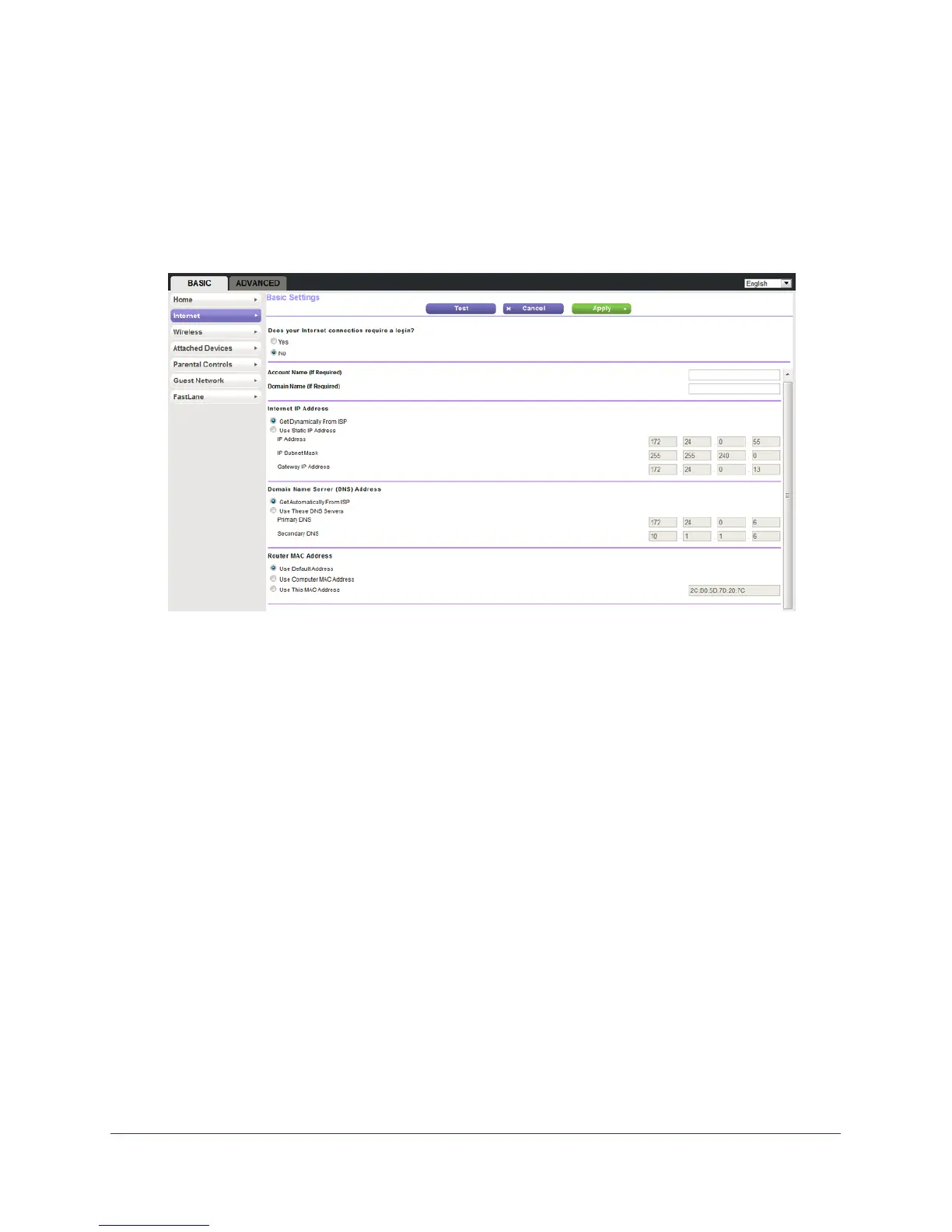
The Internet Setup screen is where you view or change ISP information.
1. From the Home screen, select Internet.
The following screen displays:
The fields that display in the Internet Setup screen depend on whether your Internet
connection requires a login.
2. Select a radio button in the Does your Internet connection require a login section as follows:
• Ye
s. Select the encapsulation method and enter the login name. If you want to
change the login time-out, enter a new value in minutes.
• No. Enter the account and domain names, only if needed.
3. Enter the settings for the IP address and DNS server
.
The default settings usually work fine. If you have problems with your connection, check
the ISP settings.
4. Click Apply to save your settings.
5. Click T
est to test your Internet connection.
If the NETGEAR website does not display within 1 minute, see Chapter 8,
Troubleshooting.


 To Next Page
 Loading...