NOTE: Most carriers issue a private wireless wide area network (WWAN) IP
address to your device. Some carriers have special plans that issue a public
WWAN IP, or can add a public WWAN IP to your existing plan for an additional
charge. Contact your carrier for more information if your situation requires a
public WWAN IP address.
To enable or disable IP passthrough:
1. Quickly press and release the Power button to wake your mobile hotspot.
The lock screen displays.
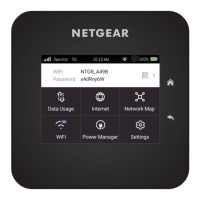
2. Swipe up to unlock your mobile hotspot.
The home screen displays.
3. Tap Settings > More > IP Passthrough.
The IP Passthrough page displays.
4. Tap the ON or OFF icon.
Your mobile hotspot asks you to confirm that it must restart to enable or disable IP
passthrough.
5. Tap Continue.
Your mobile hotspot restarts with IP passthrough enabled or disabled.
Perform a factory reset
In some cases, you might want to reset your mobile hotspot to factory settings.
Performing a factory reset clears all settings from your mobile hotspot and initiates the
first-time setup process.
To perform a factory reset:
1. Quickly press and release the Power button to wake your mobile hotspot.
The lock screen displays.
2. Swipe up to unlock your mobile hotspot.
The home screen displays.
3. Tap Settings > More > Factory Reset.
The Factory Reset page displays.
4. Tap Reset Now.
Your mobile hotspot prompts you to confirm the factory reset.
5. Tap Continue.
Your mobile hotspot restarts with factory settings.
User Manual49Adjust network, security, and
performance settings
Nighthawk M7 Ultra





 To Next Page