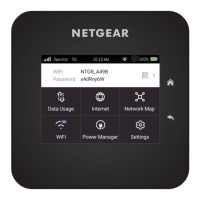
The lock screen displays.
2. Swipe up to unlock your mobile hotspot.
The home screen displays.
3. Tap Settings > More > GPS.
The GPS page displays.
4. Tap the slider button to enable or disable GPS.
Your settings are saved.
User Manual52Adjust network, security, and
performance settings
Nighthawk M7 Ultra





 To Next Page