Troubleshooting
38
Powerline 500 WiFi Access Point (XWN5001)
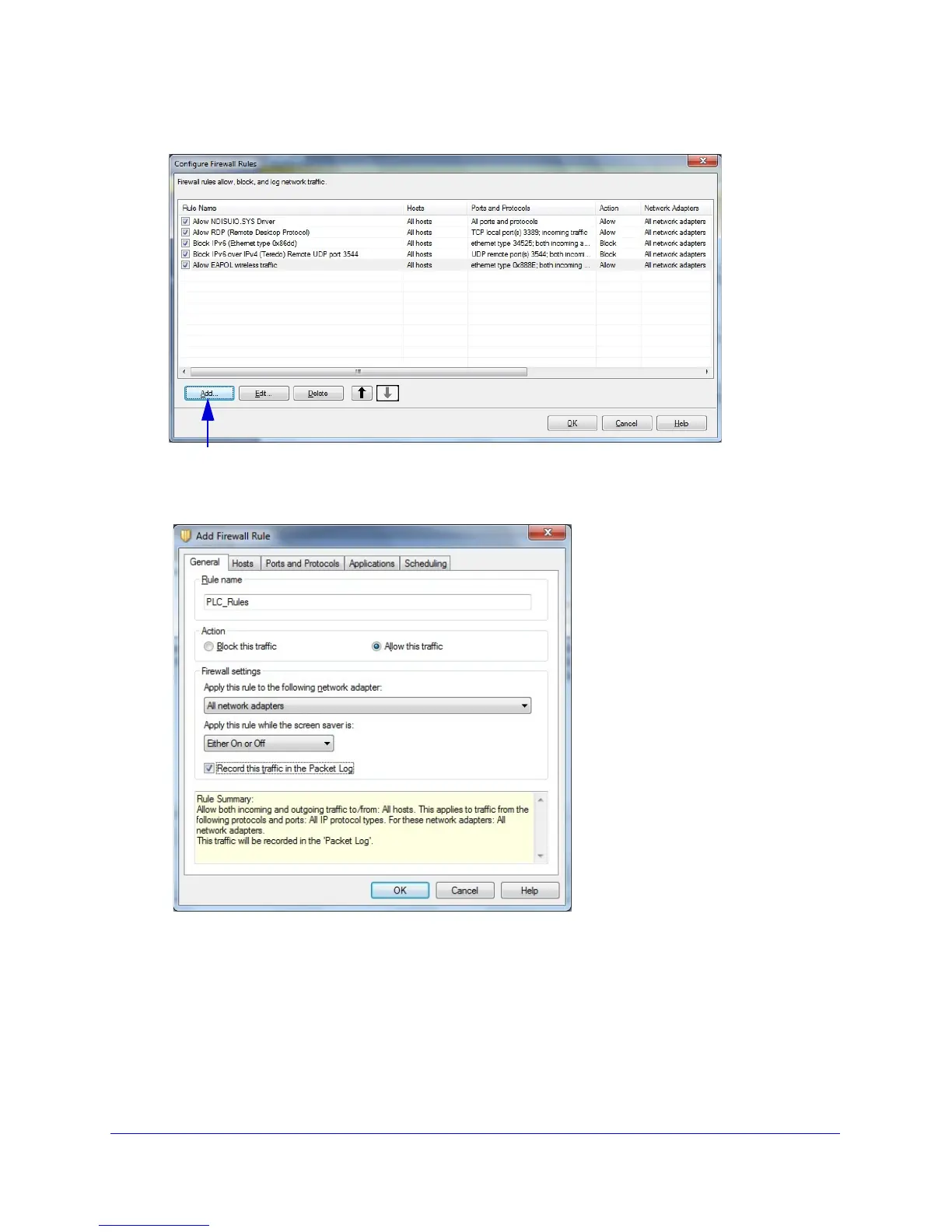
The following screen displays:
3. Click Add to add a firewall rule.
The following screen displays:
4. In the General tab, do the following:
a. T
ype a name for the firewall rule in the Rule name field.
b. Select the Allow this traffic ra
dio button.
c. Config
ure the firewall settings as shown or as you prefer.

 To Next Page
 Loading...