Troubleshooting
39
Powerline 500 WiFi Access Point (XWN5001)
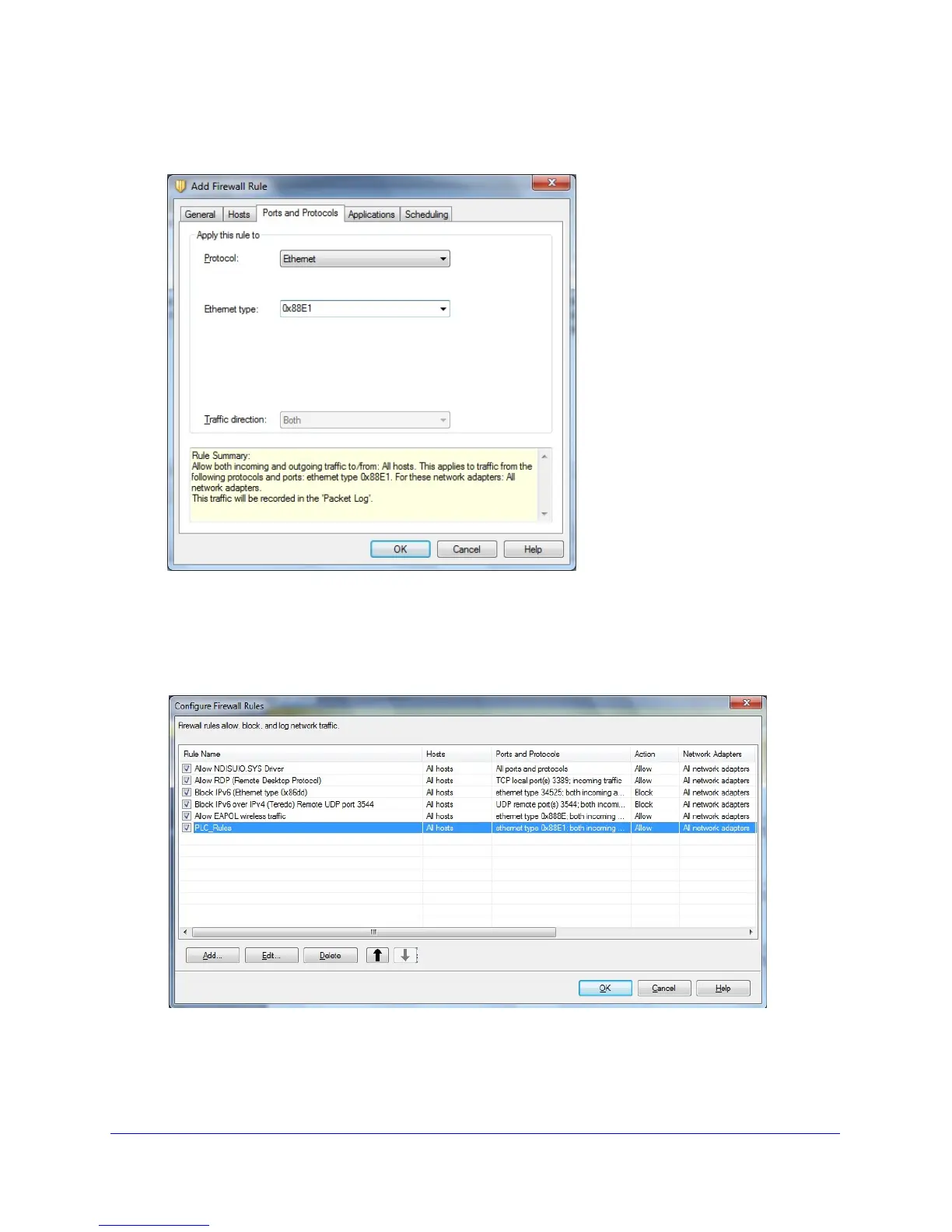
5. Click the Ports and Protocols tab.
The following screen displays:
a. From the Protocol drop-down menu, select Ethernet.
b. I
n the Ethernet type field, type 0x88E1.
c. Click OK to create the
firewall rule for your Powerline devices.
The rule appears in the firewall rule list.
6. Make sure that the check box next to the rule is selected, and click OK.
7. Rest
art the computer and launch NETGEAR genie. The Powerline icon should now display
on the Network Map screen.

 To Next Page
 Loading...