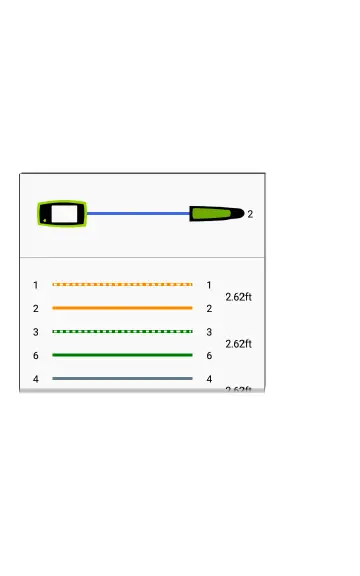
Wire Mapping
Connect the top RJ-45 port to a cable terminated
with an external WireView Cable ID accessory. A
WireView #1 is included with your LinkRunner G2.
Additional WireViews 2-6 are available for
purchase.
Figure 19: Wire Mapper Cable Test
The Wire Mapper Cable Test displays the number
of the WireView attached, unless a cable fault
prevents LR G2 from detecting the WireView.
A cable/drop port can be traced using a WireView
up to 300 ft/100 m from the LinkRunner G2.
65
LinkRunner G2 Tests and Results



 To Next Page