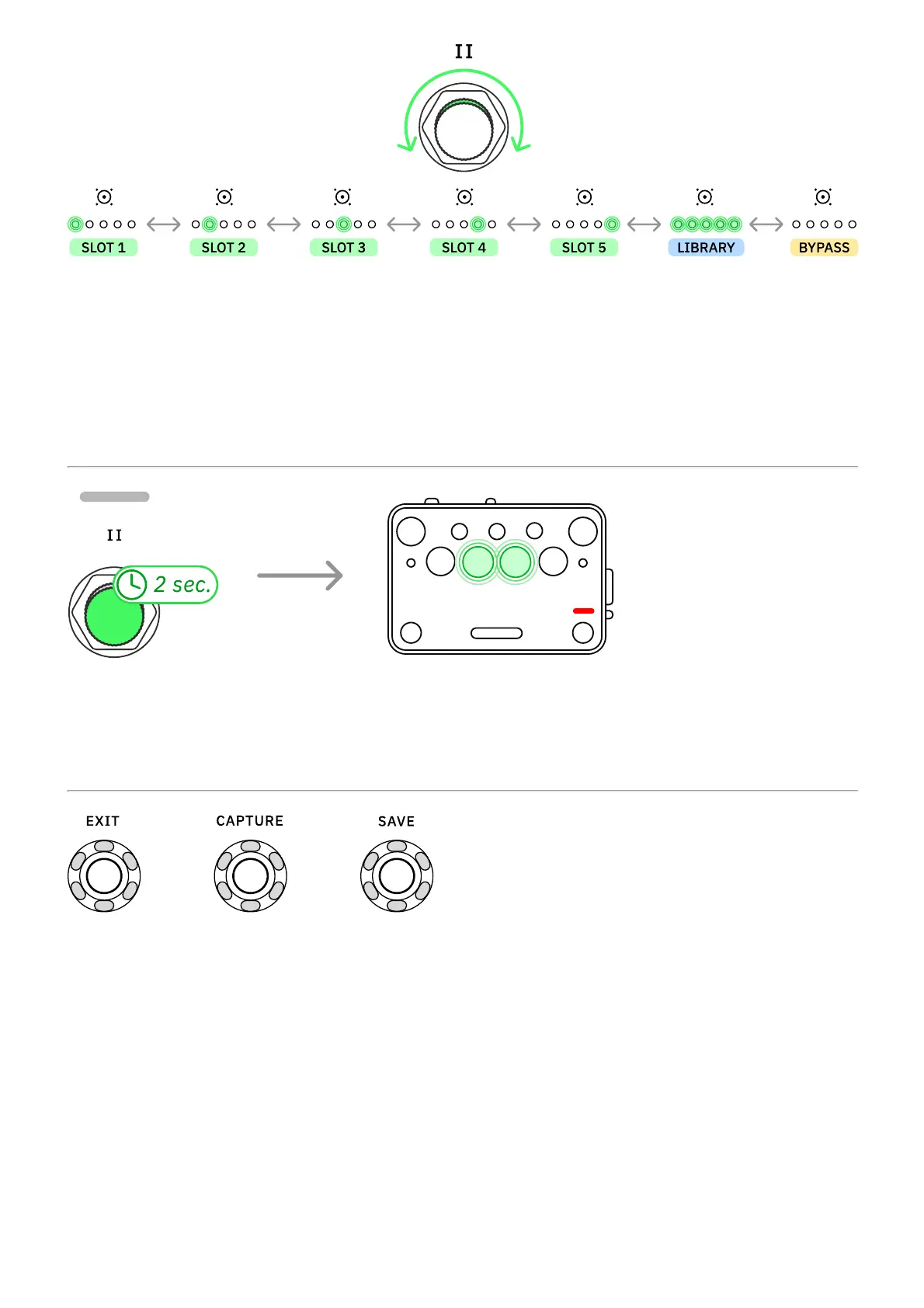
Turn Footswitch II clockwise or counterclockwise to navigate IR slots.
All the LEDs will turn on when using an IR from the library that is not currently assigned to any
slot.
Navigate to the last position, where the LEDs are not lit, to bypass the IR Loader.
Press-and-hold Footswitch II for 2 seconds to access the Tuner. Press Footswitch II to exit
the Tuner.
EXIT, CAPTURE, and SAVE buttons are reserved for the Neural Capture process, Preset
saving, and Bluetooth pairing.



 To Next Page