Bluetooth Pairing
BLUETOOTH ACCESS
Cortex Cloud uses Bluetooth to pair with your Nano Cortex. First, allow Bluetooth access for
the Cortex Cloud app in your smartphone’s settings.
• • •
PAIRING DEVICES
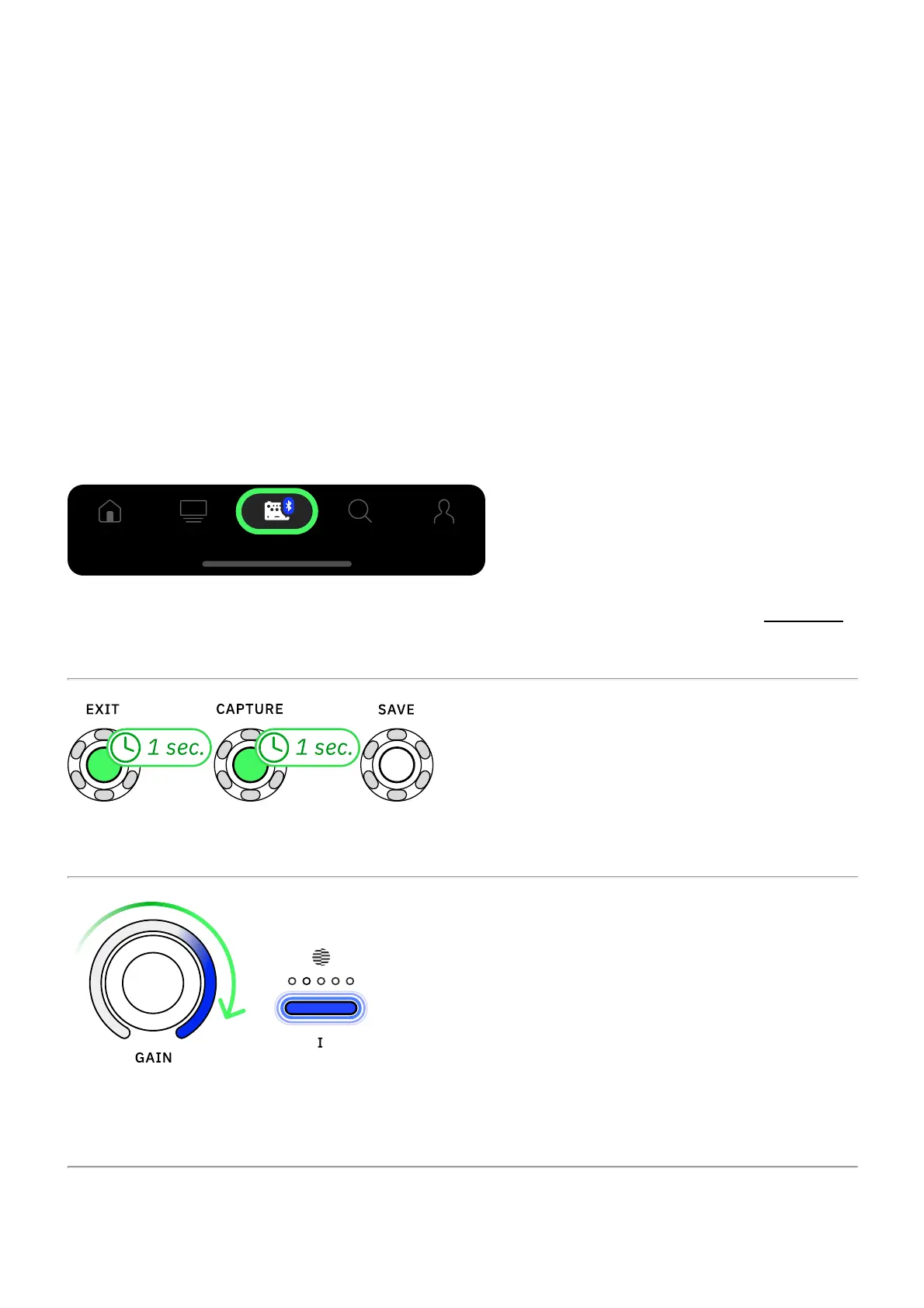
Open the Cortex Cloud app on your smartphone, access the Devices menu, and tap Add New.
Your smartphone will start searching for nearby Nano Cortex units.
Press-and-hold EXIT and CAPTURE for 1 second to put your Nano Cortex into Pairing Mode.
The GAIN LED ring will illuminate clockwise and Footswitch I's LED will blink slowly, indicating
that Nano Cortex is in Pairing Mode.



 To Next Page