Expression Pedal Conguration
Many of Nano Cortex's parameters can be controlled externally via any compatible expression
pedal.
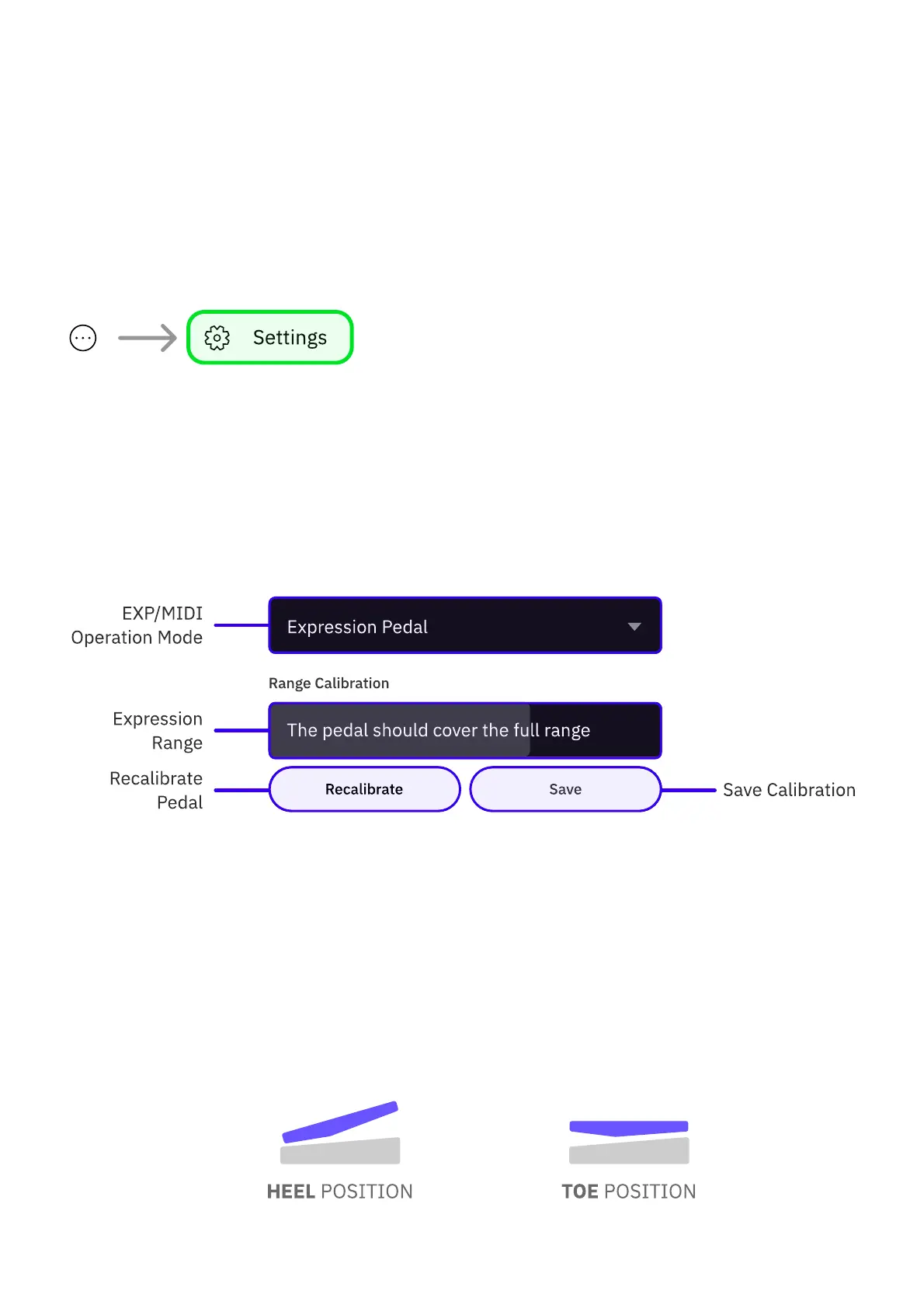
To enable expression pedal support, tap the contextual menu button at the app's upper-right
corner, go to 'Settings', and ensure the EXP/MIDI operation mode is set as EXPRESSION
PEDAL.
• • •
EXPRESSION PEDAL CALIBRATION
To ensure Nano Cortex responds to your expression pedal’s full sweep range, it may be
necessary to calibrate it during the rst use via the Settings screen.
1
Place the expression pedal on the surface where it will be used and connect it to the
Nano Cortex's EXP/MIDI input using a TRS cable.
2
Tap RECALIBRATE.
3
Rock the expression pedal back to its heel position and all the way down to its toe
position.
4
Tap SAVE.



 To Next Page