02 MONITORING DEVICES
Connect your headphones to HP OUTPUT or your Monitor Speaker to OUTPUT 1L.
03 TARGET DEVICE
Connect the Nano Cortex's OUTPUT 2R (CAPTURE OUT) to the target device's input.
04 RETURN TO NANO CORTEX
Connect the target device's output to the Nano Cortex's CAPTURE INPUT.
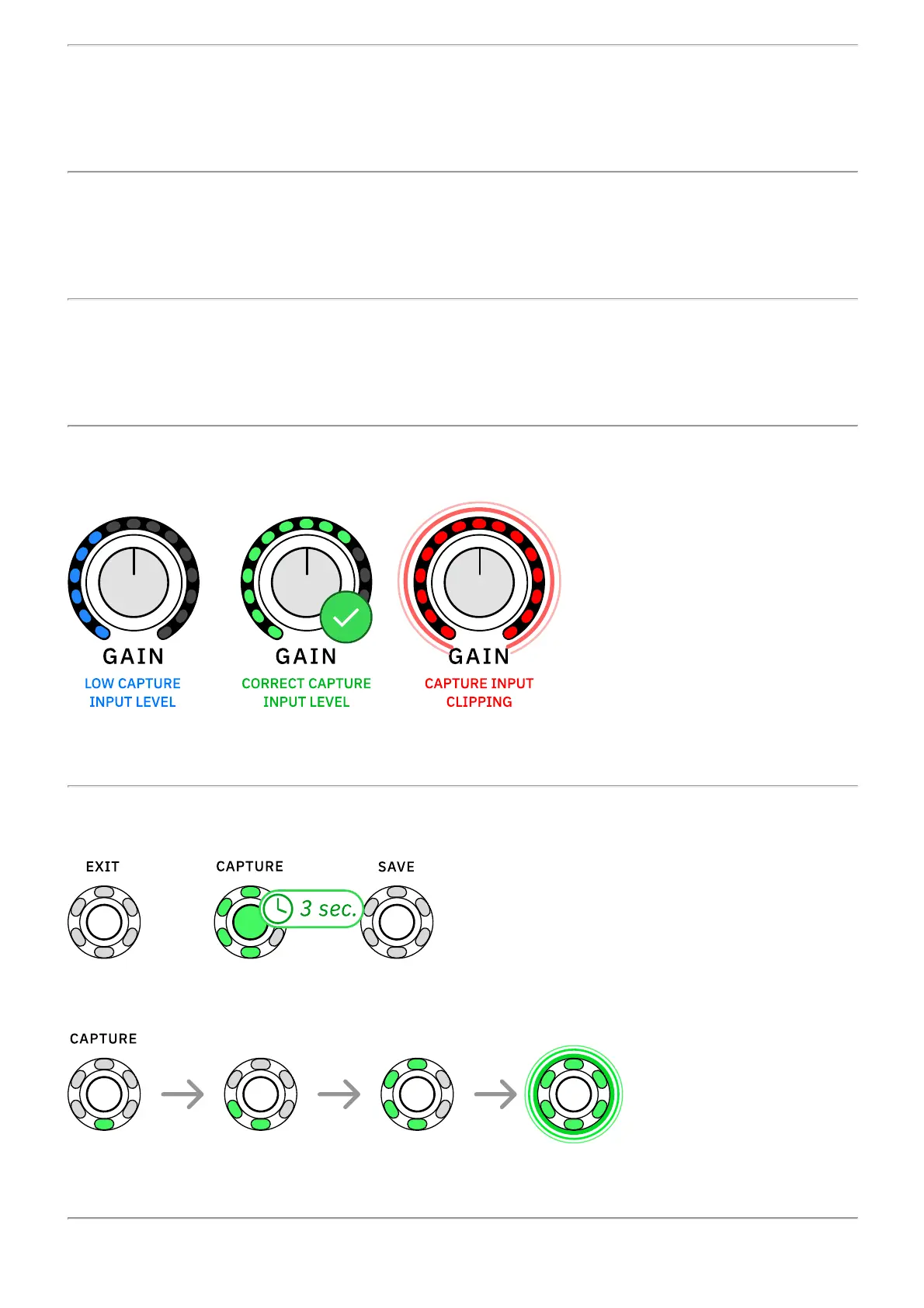
05 CAPTURE INPUT GAIN
Set the CAPTURE INPUT level by adjusting the GAIN knob.
06 CAPTURE
Press-and-hold CAPTURE for 3 seconds to begin the Capture process.
The CAPTURE LED ring will light up progressively as soon as the process begins.



 To Next Page