Expression pedal calibration settings remain active until a new calibration is performed.
• • •
EXPRESSION PEDAL ASSIGNMENTS
Tap the contextual menu button at the app's upper-right corner and tap Expression Pedal.
You can assign an expression pedal to control the range and bypass state of multiple
parameters.
PARAMETER RANGE
GAIN, BASS, MID, TREBLE, AMOUNT, and LEVEL knobs.
1
Tap the parameters you want to control via the expression pedal. Multiple parameters can
be assigned at the same time.
2
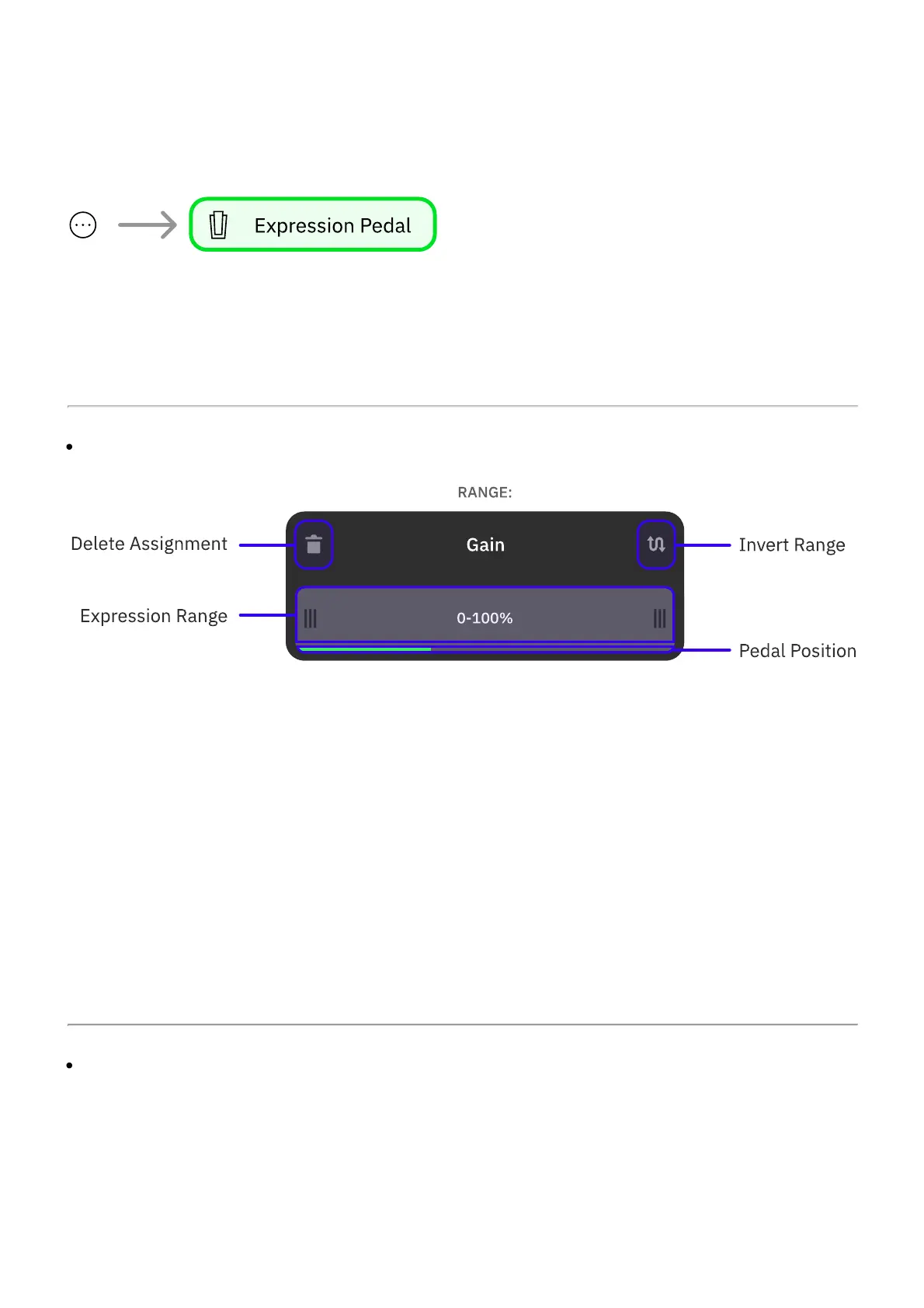
By default, the expression will range from 0 to 100%. Drag the edges of the bar to limit its
range.
3
Tap the top-right button to reverse the expression behavior, swapping the heel and toe
positions.
4
Alternatively, tap the top-left button to delete the assignment.
SLOT BYPASS



 To Next Page