CAPTURE, IR LOADER, and EFFECTS slots.
1
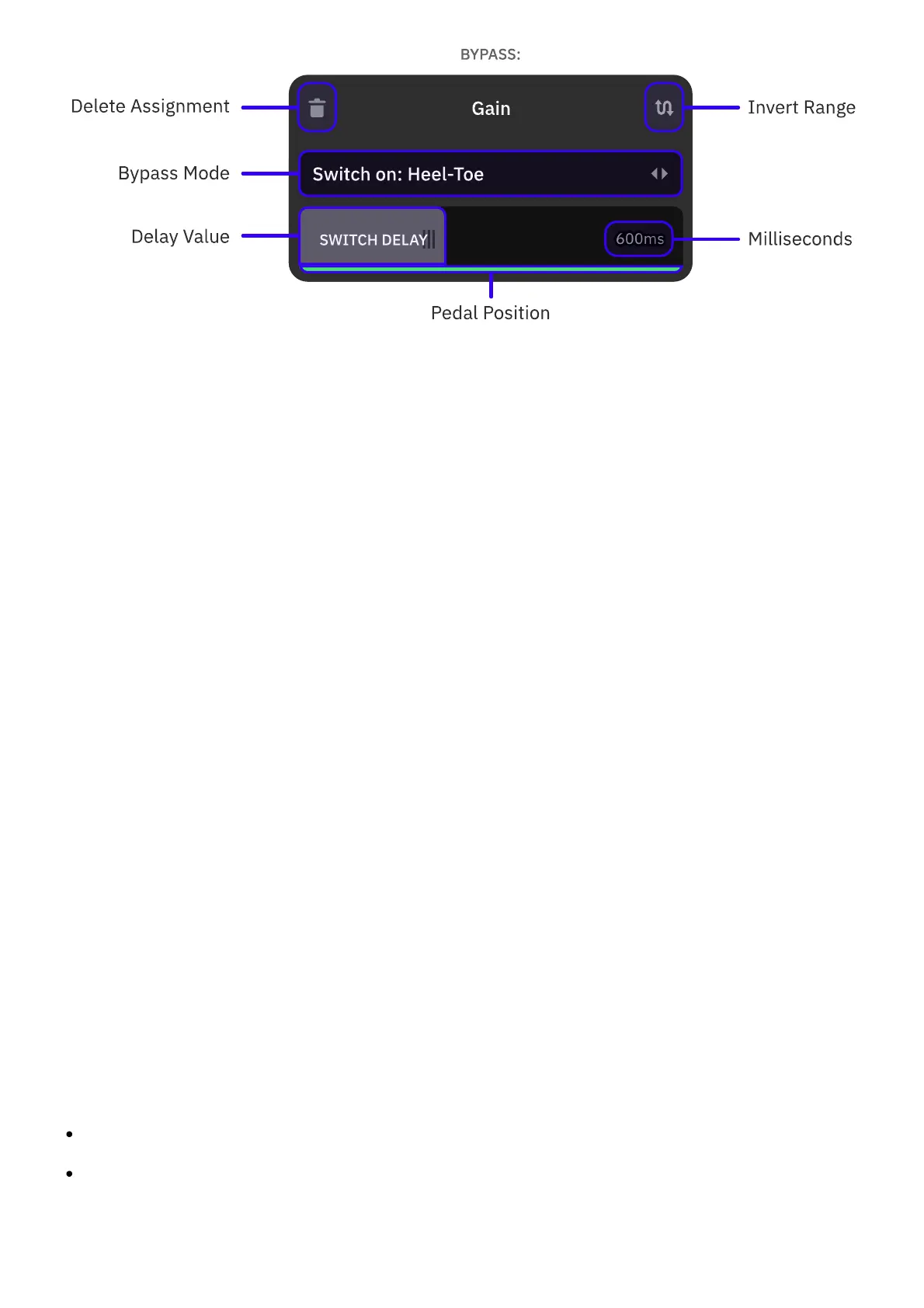
Tap the parameters you want to bypass via the expression pedal. Multiple parameters can
be assigned at the same time.
2
Tap the 'Switch on' eld to navigate through bypass modes.
SWITCH: Pressing the expression pedal toe switch will bypass/engage the slot. Activate
the Latch Emulation feature to modify the behavior of momentary toe switches
emulating a latching response.
STOP: Keeping the expression pedal still will bypass the slot. Drag the SWITCH DELAY
bar to set the time it takes for the slot to be bypassed.
HEEL-TOE: The slot will be bypassed when the expression pedal is at heel position. Drag
the SWITCH DELAY bar to set the time it takes for the slot to be bypassed (up to
2000ms).
3
Tap the top-right button to reverse the expression behavior, swapping the heel and toe
positions.
4
Alternatively, tap the top-left button to delete the assignment.
• • •
EXPRESSION PEDAL SUPPORT
Nano Cortex is compatible with any expression pedal that meets the following requirements:
TRS CONNECTOR: Single TRS expression output. Wah or Volume outputs are not supported.
CURVE: Pedals with linear and logarithmic curves will work properly after being calibrated
during the rst use.



 To Next Page