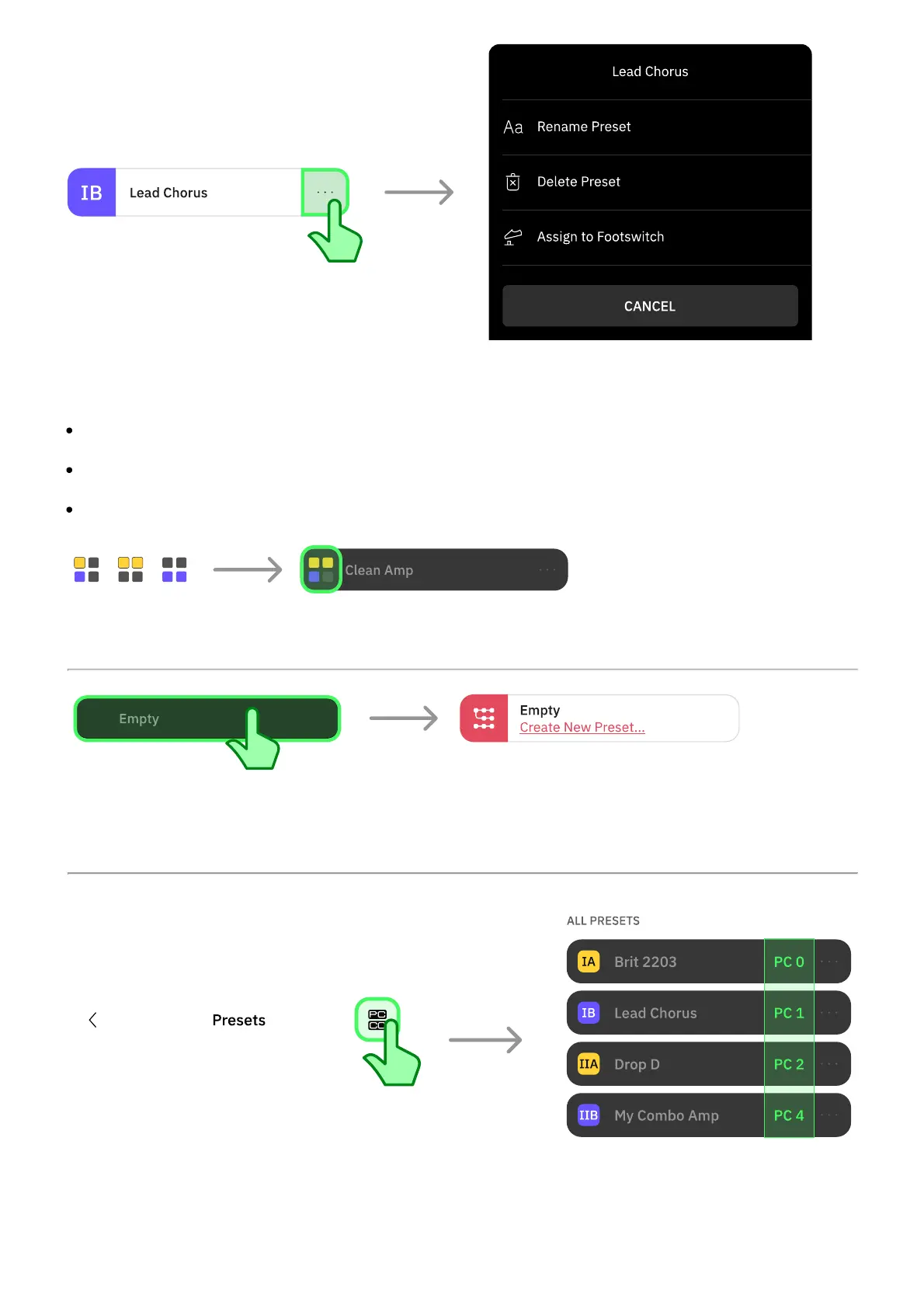
Tap the button to the right of any Preset to access its contextual menu:
RENAME PRESET: Tap to rename the selected Preset.
DELETE PRESET: Tap to delete the selected Preset.
ASSIGN TO FOOTSWITCH: Tap to assign or reassign the selected Preset to any Footswitch.
You can assign a single Preset to multiple footswitches simultaneously.
Tap an empty Preset to load it. Alternatively, tap Create New Preset... to create a new Preset
from scratch. Select at least one device and tap SAVE.
Tap the PC/CC button at the top-right corner to toggle the PC messages view in the Presets
list.



 To Next Page