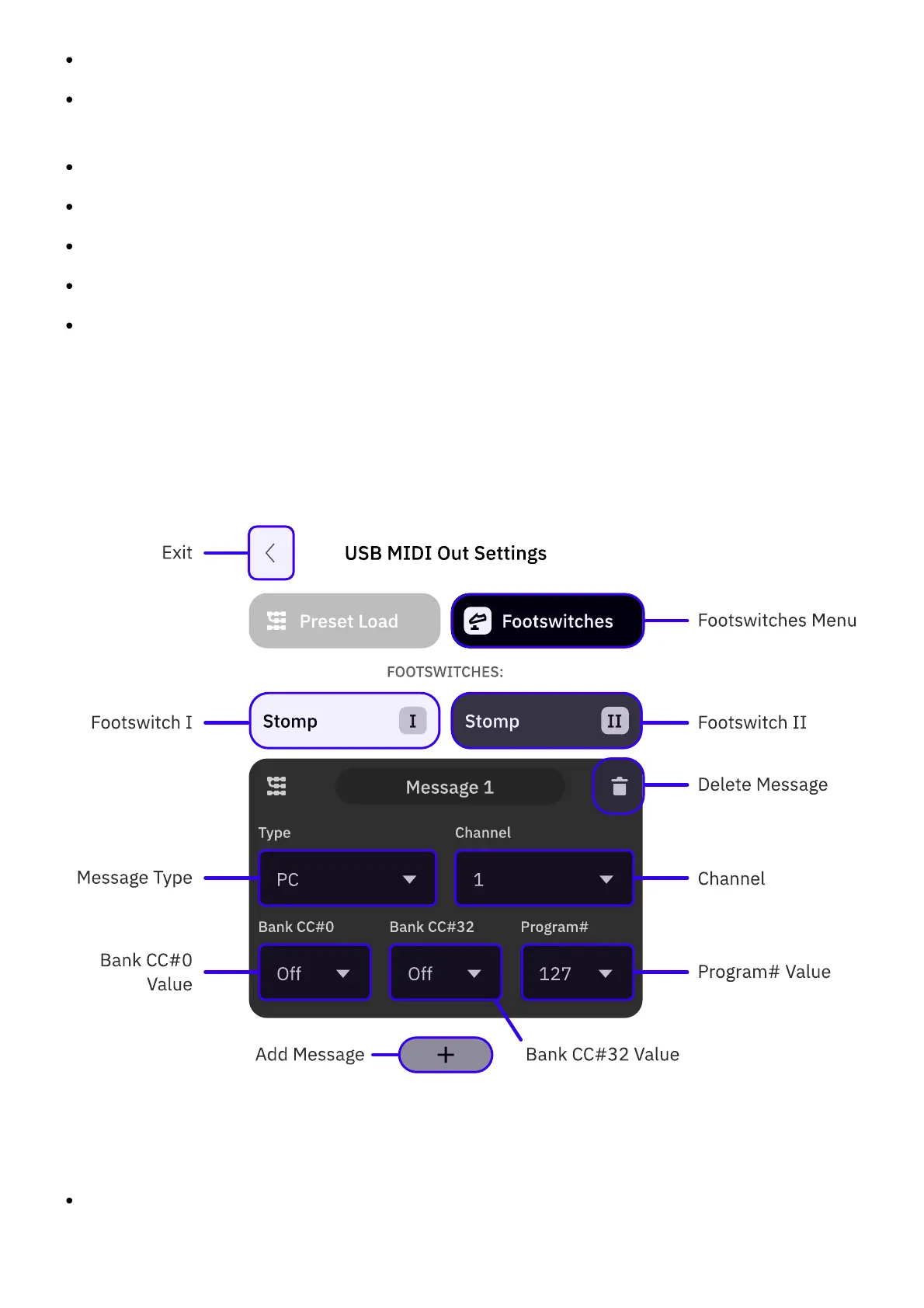
EXIT: Tap to exit the USB MIDI Settings screen.
CURRENT PRESET: Tap to access the Preset List. Choose a Preset to assign MIDI messages
to it. You can assign MIDI messages to multiple Presets.
ADD (+): Tap to create a MIDI message.
DELETE: Tap to delete a MIDI message.
TYPE: MIDI message type (CC or PC).
CHANNEL: MIDI message Channel (1 to 16).
MIDI MESSAGE COMPONENTS:
CC: CC# and Value.
PC: Bank CC#0, Bank CC#32, and Program.
• • •
FOOTSWITCHES
You can assign up to 12 MIDI messages per footswitch that will be sent via USB
simultaneously upon pressing a designated footswitch.
EXIT: Tap to exit the USB MIDI Settings screen.



 To Next Page