4.1.2.4.4 Machine Data Format WITH Checksum
Machine format with checksum can be selected via the analyzer control panel, or through the RS-
232 interface in Standard Access level. Machine format with checksum data is streamed in
packets defined by start/stop transmit bits. The order of data in each packet is as follows: Start
Transmit O
2
Concentration • Fault codes active • List of Fault Codes • Alarm-1 status • Alarm-2
status • Checksum • End Transmit. For detailed information on data formats, please contact the
Neutronics Service Department.
4.1.2.4.5 Tab delimited Data Format
Tab delimited format can be selected via the analyzer control panel, or through the RS-232
interface in Standard Access level. Tab delimited data is presented in static columns (the same
number of columns is always transmitted in a complete data message). Column headings from left
to right: Time since last re-boot • Mode
• O2 Concentration • Alarm-1 status
• Alarm-2 status
• list of
Fault codes active. For detailed information on data formats, please contact the Neutronics Service
Department.
4.1.2.5 Advanced Level 1 Access
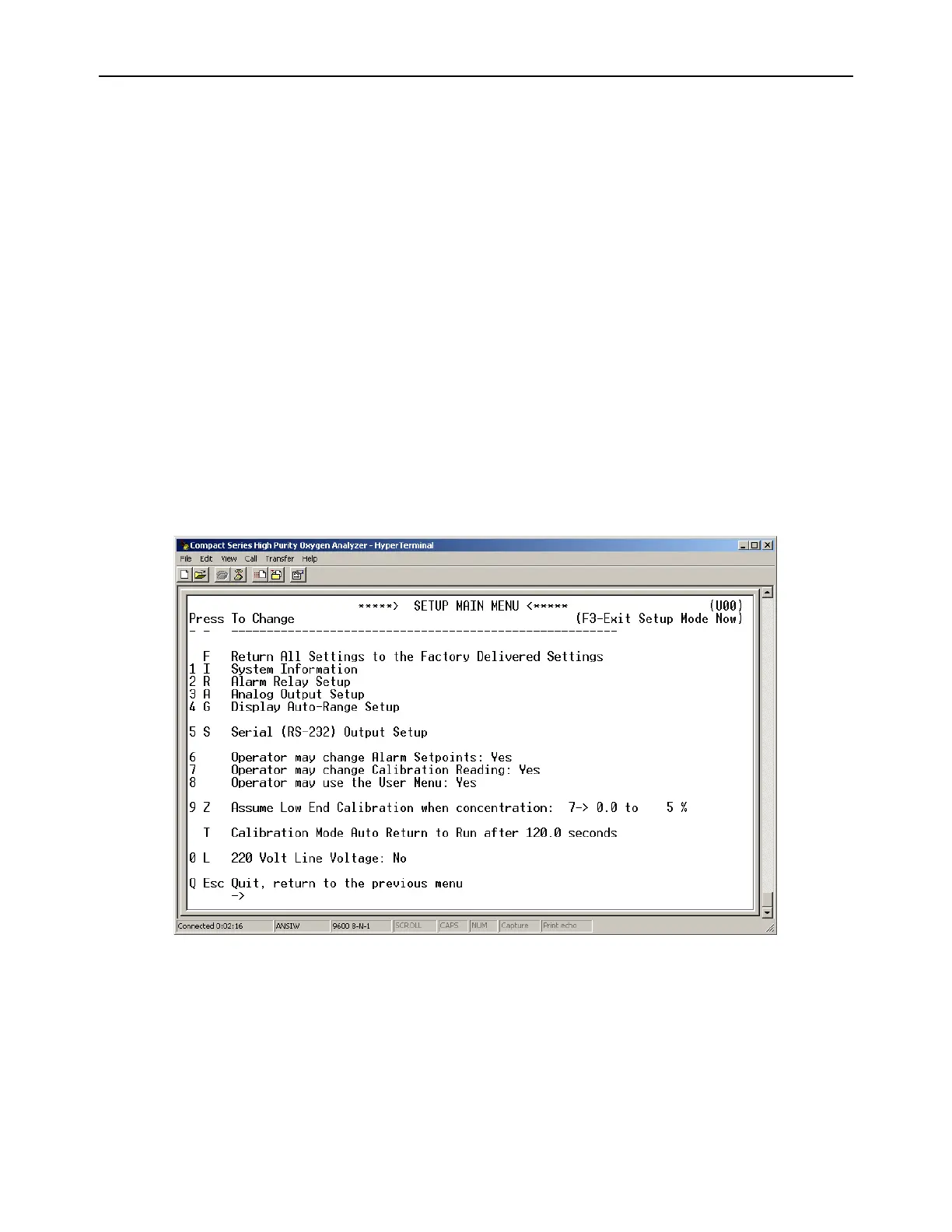
Advanced Level-1 access is the computer-interfaced user Setup mode. Access to Advanced
Level-1 can be accomplished on a PC by typing “setup” when viewing the Human Readable ASCII
output. The User Setup menu will be displayed on the PC screen allowing access for changing the
system setup.
Figure 12 – Level-1 Access (SETUP) Mode Menu
4.1.2.6 Advanced Level-2 Access
Advanced Level-2 access is available to the user via a PC by use of a password. This level of
access allows the manipulation of all code settings. Contact the Neutronics Inc. Service
Department for support before attempting to use Advanced Level-2 access.



 To Next Page