4.1.2.11.5 Force Maximum Voltage to O
2
Concentration
This menu sets the Oxygen concentration at which the Analog Voltage output is at maximum range
(section 4.1.2.11.1). This setting is entered in percent oxygen increments, and can be anywhere
from 0.0 % to 100.0 %. This menu is accessed from the Analog Output Setup menu by typing “5”
on the RS-232 terminal.
4.1.2.11.6 Force minimum Current Output to O
2
Concentration
This menu sets the Oxygen concentration at which the Analog Current output is at minimum range
(section 4.1.2.11.2). This setting is entered in percent oxygen increments, and can be anywhere
from 0.0 % to 100.0 %. This menu is accessed from the Analog Output Setup menu by typing “6”
on the RS-232 terminal.
4.1.2.11.7 Force Maximum Current Output to O
2
Concentration
This menu sets the Oxygen concentration at which the Analog Current output is at maximum range
(section 4.1.2.11.2). This setting is entered in percent oxygen increments, and can be anywhere
from 0.0 % to 100.0 %. This menu is accessed from the Analog Output Setup menu by typing “7”
on the RS-232 terminal.
4.1.2.12 (U14) Display/Auto-Range Setup
The RS-232 Display/Auto-Range Setup menu U14 provides access for the user to map the display
and Analog output range scale(s) of the Model 1100 to suit the application (Appendix E – Range /
Analog output Chart). The Analog Output Range may be set to 1 (fixed range 0-1 %) • 2 (fixed
range 0-10 %) • 3 (fixed range 0-25 %) • 4 (fixed range 0-50 %) • 5 (fixed range 0-100 %) • 8 (low
auto-range) • 9 (high auto-range) • 10 (full auto-range). This menu is accessed from the Setup
Main Menu by typing “4” or “G” on the RS-232 terminal. To navigate backwards, use the <Esc> or
“Q” key on the RS-232 terminal.
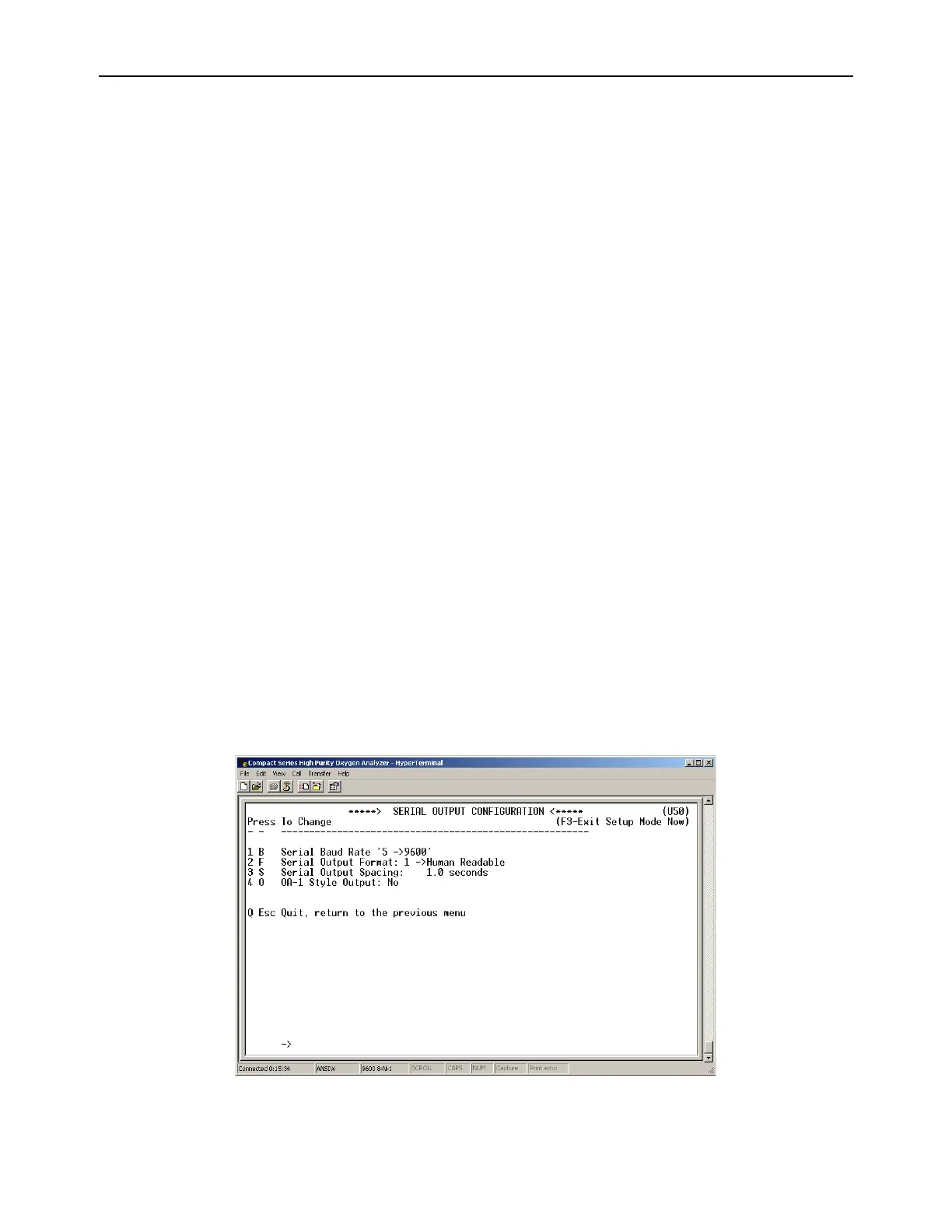
4.1.2.13 (U50) RS-232 Serial Setup Menu
This menu provides access to set the RS-232 serial communications options. It is accessed from
the Setup Main Menu by typing “5” or “S” on the RS-232 terminal. To navigate backwards, use the
<Esc> or “Q” key on the RS-232 terminal.
Figure 15 – Serial Output Configuration Menu



 To Next Page