EasyManua.ls Logo

Nevco MPCX2 - User Manual

Nevco MPCX2
30 pages
Print Icon
To Next Page IconTo Next Page
Loading...
Rev: 8/27/2015 135-0249
Scoreboard Operator’s Instructions
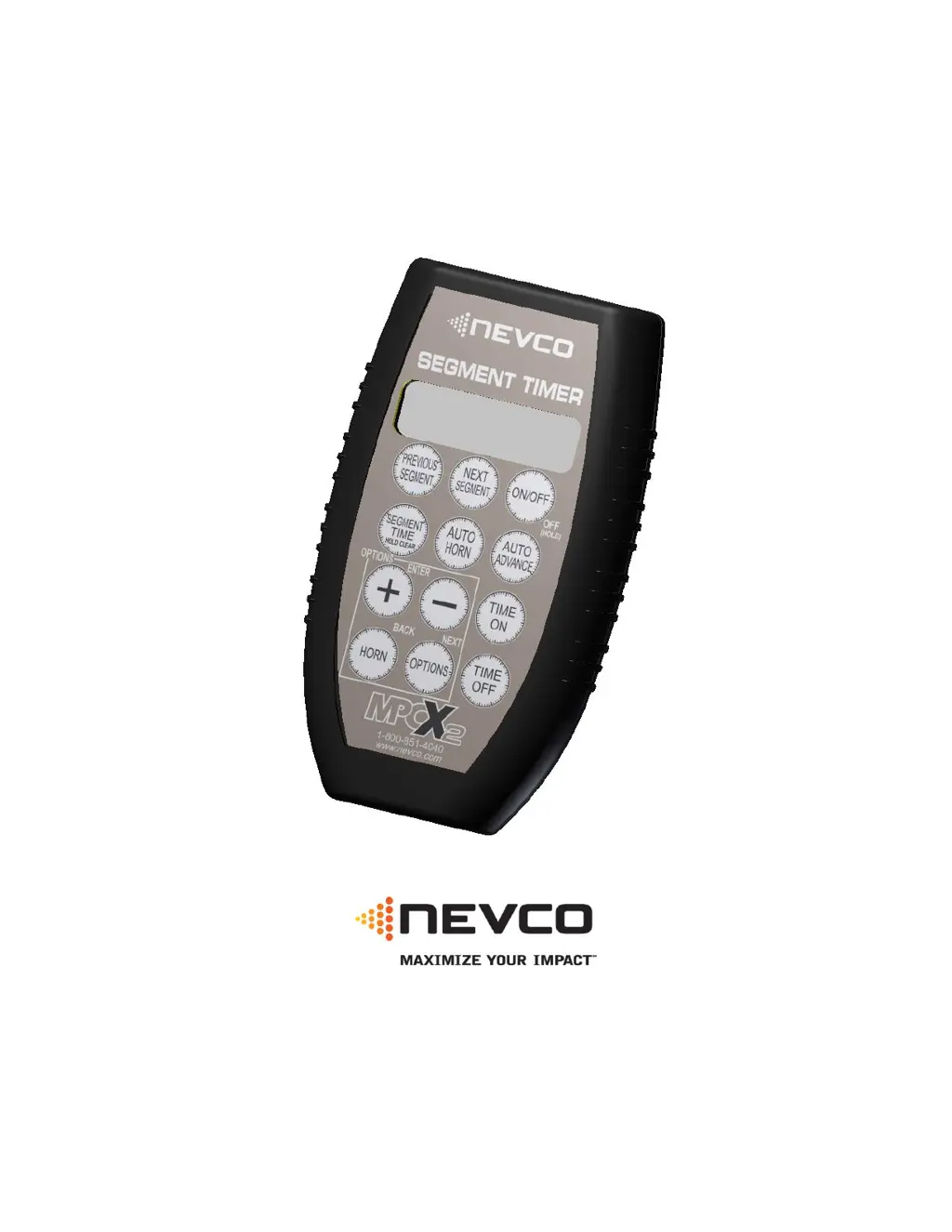
MPCX2 Segment Timer Control
Since 1934
Retain this manual in your permanent files

Other manuals for Nevco MPCX2

Questions and Answers

  • A
    ashleybrownAug 20, 2025
    What to do if Nevco Accessories control is ON but scoreboard/timer is OFF?
    • W
      William BlackAug 21, 2025
      If the Nevco Accessories control is on and the data is changing, but the scoreboard or timer is off, there are a couple of things to check: * **Power to Scoreboard:** Make sure the scoreboard is getting power by checking all switches, breakers, and fuses. * **Receiver Connection:** Verify all cables and connections between the receiver and the scoreboard module are secure.
  • A
    Amanda DavisAug 23, 2025
    How to fix Nevco MPCX2 control that is out of range?
    • R
      Robert OchoaAug 23, 2025
      If your Nevco Accessories control won't operate the scoreboard and it says 'Out of Range', this could be due to a poor connection or excessive distance. Try moving to a closer location where you have a direct line of sight to the scoreboard and check the signal strength. If that doesn't work, cycle the power to the controller.
  • G
    Gina HarveyAug 26, 2025
    What to do if Nevco Accessories scoreboard is ON but control is OFF?
    • M
      Michelle RoweAug 26, 2025
      If the Nevco Accessories scoreboard is on but the control is off, it could be due to discharged or removed batteries. Install new batteries to power the control on. If that doesn't work, try cycling the power at the scoreboard.
  • J
    Jennifer ThomasAug 27, 2025
    How to fix Nevco Accessories multi-control scoreboard system when not all controls operate the scoreboard?
    • V
      Victoria WilliamsAug 27, 2025
      If not all controls in a multi-control Nevco Accessories scoreboard system are operating the scoreboard, power cycle the controllers that are not working. This may be because multiple controllers were powered on at the same time and not all connected.
  • J
    Joseph KellyAug 30, 2025
    What to do if my Nevco Accessories scoreboard will not turn on?
    • K
      Kristy BoothAug 30, 2025
      If your Nevco Accessories scoreboard isn't turning on, several factors could be at play. First, the receiver might not be working, or the receiver/scoreboard isn't powered up; try cycling the power. A weak control signal could also be the culprit; check the signal strength in the Options menu. Low battery levels can prevent operation, so replace the batteries. Ensure the control has a clear line of sight to the scoreboard, as a poor location can interfere. Also, the control might be linked to unwanted receivers, or the intended receivers aren't powered on; verify receiver links in the Options Menu. The control may not be linked to the scoreboard, so use the correct control for this scoreboard. Finally, a failure to sync can occur; try turning the control off and then on.
  • J
    Joseph PhillipsSep 1, 2025
    Why is my Nevco MPCX2 Accessories control out of range of the scoreboard?
    • U
      uortizSep 1, 2025
      If your Nevco Accessories control is out of range, it may be due to a poor connection with a bad line of sight to the scoreboard, or the distance may be too great. Try moving closer to the scoreboard, ensuring a direct line of sight, and verify the signal strength. If this doesn't work, cycle the power to the controller.
  • H
    haysbrandonSep 3, 2025
    What to do if my Nevco Accessories scoreboard is on but doesn't respond to the control?
    • B
      Belinda WheelerSep 4, 2025
      If your Nevco Accessories scoreboard is on but not responding to the control, the control and receiver may not be communicating. Try turning the control off and then on to re-establish communication.
  • K
    Karen HancockSep 6, 2025
    What to do if my Nevco MPCX2 Accessories control is on but the scoreboard/timer is off?
    • B
      Brenda GardnerSep 6, 2025
      If your Nevco Accessories control shows data changing but the scoreboard/timer is off, the scoreboard may not be receiving power. Check all switches, breakers, and fuses. Also, there might be a bad connection between the receiver and the scoreboard module; inspect all cables and connections.
  • S
    Sarah ClarkSep 8, 2025
    What to do if the Nevco Accessories scoreboard is displaying incorrect data when connected to MPCX2?
    • R
      randolphkellySep 8, 2025
      If your Nevco Accessories scoreboard connected to MPCX2 is showing data in the wrong places, displaying incorrect data, or the horn sounds constantly, the control might not be configured for the correct scoreboard model series. Reconfigure the control using the options menu.
  • C
    Charles RyanSep 10, 2025
    What happens if Nevco MPCX2 Accessories scoreboard is on but the control is off?
    • V
      Valerie WangSep 12, 2025
      If the Nevco Accessories scoreboard is on but the control is off, it could be because the batteries were removed while the scoreboard was on. Install batteries and power it on. Alternatively, the batteries may have completely discharged while the scoreboard was on; in this case, cycle the power at the scoreboard.

Summary

MODEL TYPE CONFIGURATION

Model Type Compatibility

Lists compatible scoreboard models for different MPCX2 control types (A-F, X6XX).

Changing Model Types

Step-by-step guide on how to change the scoreboard model type setting.

FACTORY AND DEFAULT SETTINGS

STARTUP AND BASIC OPERATION

Segment Insertion

Provides instructions on how to add a new segment to the timer project.

Segment Editing and Time Control

Explains how to modify segments, start, and stop the segment timer operation.

MPCX2 CONTROL FUNCTIONS

Segment Function Options

Configures Auto Advance and Auto Horn settings for individual segments.

Segment Management Operations

Covers removing, inserting, and managing segments and their specific functions.

Time Off Segment Operations

Details how to select and set time for segments when the timer is in the 'Time Off' state.

OPTIONS MENU AND SETTINGS

ADVANCED CONTROL CONFIGURATION

MPCX2 CONTROL AND RECEIVER SETUP

SCOREBOARD MODEL CONFIGURATION

TROUBLESHOOTING GUIDE

Nevco MPCX2 Specifications

General IconGeneral
BrandNevco
ModelMPCX2
CategoryAccessories
LanguageEnglish

Related product manuals