Page 10
4 Controls
Channel Strip
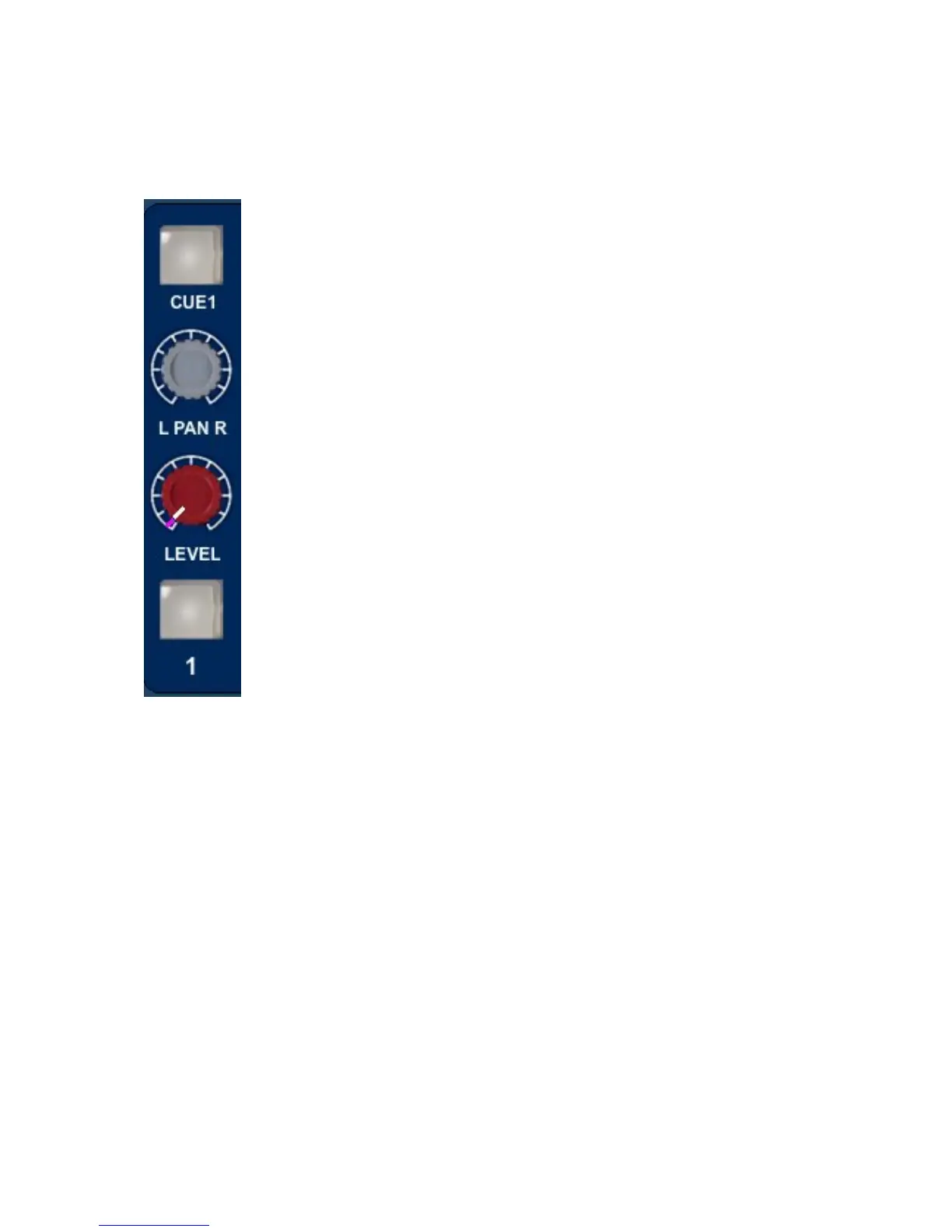
The channel strip comprises a cut/solo button, a rotary level control, a
rotary pan control and a cue select button.
Level Control
The Level Control has a range of
∞
dB to +15dB with 0dB set at "12
O’Clock". This range is deliberately chosen to be able to
accommodate most line inputs levels whether they be professional
+4dBu inputs or semi-professional -10dBV inputs. The Level Control
sets the levels going to the main L R Mix Outputs and to the Utility Aux
Bus with the extra benefit of changing its function into an individual aux
bus send level when an optional fader panel is fitted.
Pan Control
This is a classic -3dB centre pan, with S Law shaping to help accurate
panning to extremes of left and right.
Cue Control Button
When operated this takes the input of the channel (pre level and pan) and sends it to
the cue mixer via the cue level control to feed the cue output to headphones.
Channels 1-14 are individually switchable to the cue via the cue level control.
Channels 15 and 16 are linked as a stereo cue direct to the Cue Mix. For
overdubbing, channels 15-16 can be set up as your backing track mix on the DAW,
and then selecting the appropriate channel from 1 to 14 will allow you to blend or ride
a track using the cue level control, allowing the artist to hear exactly what he or she
needs to hear before dropping in to record.
Channel Cut /Solo button
The function of the Channel button can be changed from Cut to Solo by operating the
Solo Master adjacent to channel 16.
In Cut mode this button will mute the feed to the main two track bus. Cut is indicated
by the button turning red.


 To Next Page