Page 5
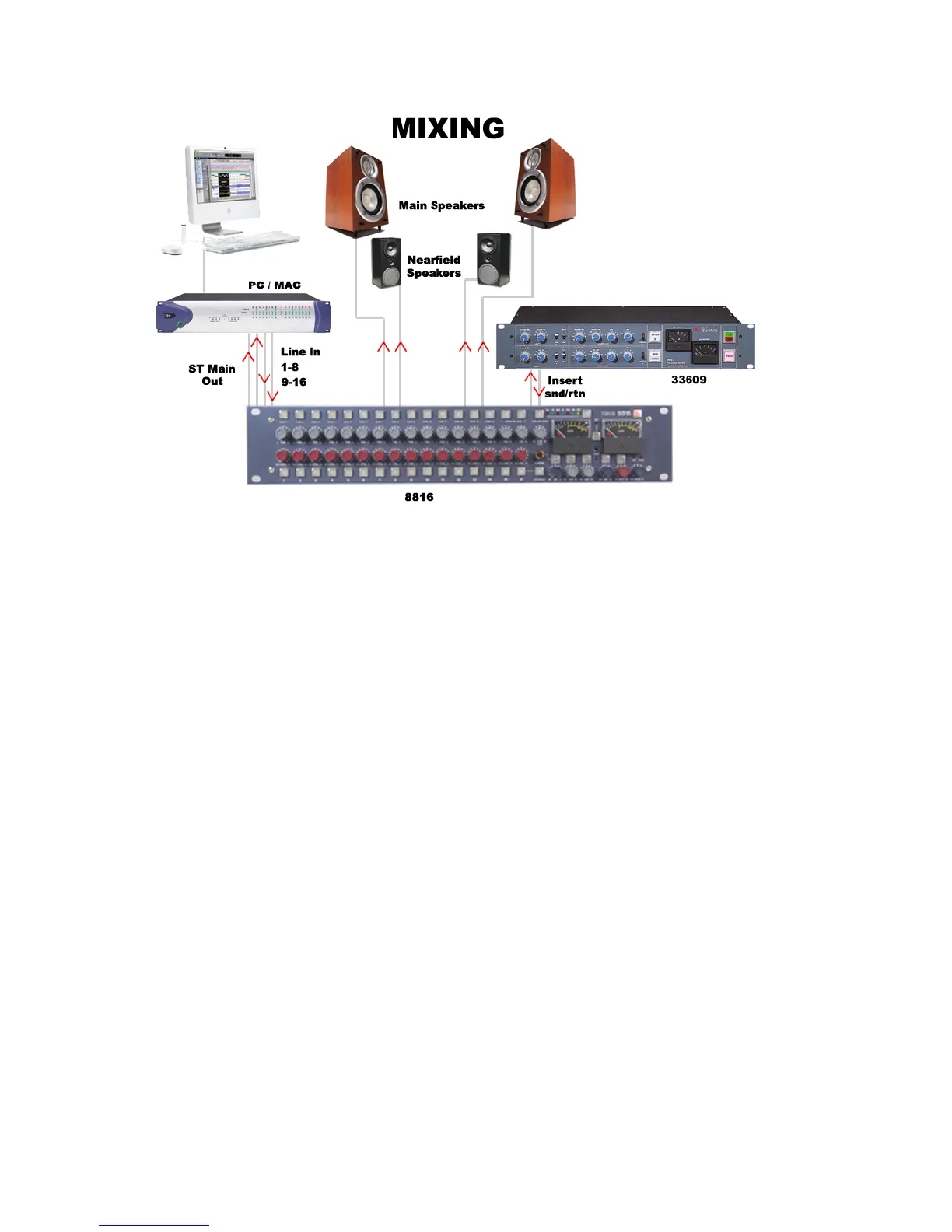
Connect the outputs of the workstation to the inputs of the 8816. Key elements such
as lead vocals and lead instruments should be kept separate within the workstation
and connected to individual inputs on the 8816. Other elements such as backing
vocals, FX, etc can be routed to stereo groups within the workstation and these
groups connected to the 8816 inputs.
Optimum sound quality within the workstation is generally achieved by setting the
virtual faders to 0dB. Final mix levels can be set on the 8816.
The mix is now being created on the mix bus of the 8816. This uses the same
transformer mix topology as the classic 80 series Neve consoles and recreates their
legendary sound. Recording back to the DAW or onto another devce such as a CDR
may be analogue or, if the digital option is fitted, can be from the Neve Analogue to
Digital Convertors ensuring the best possible sound quality.
A compressor such as the Neve 33609 or an EQ such as the Neve 1081 can be
patched across the Insert Point allowing the whole mix to be compressed or EQ’d.
Sometimes it is necessary to mix between a clean mix and a processed mix, for
example when using a Filter Bank to create a special effect across the whole mix for
one section of a song. This can be done by patching the filter bank across the Inserts
of the 8816 and switching to Insert Mix mode. The balance between the clean mix
and the processed mix is now controlled by the insert Mix level control and the
engineer can switch between clean and processed mix or balance the two as
required.



 To Next Page