Page 4
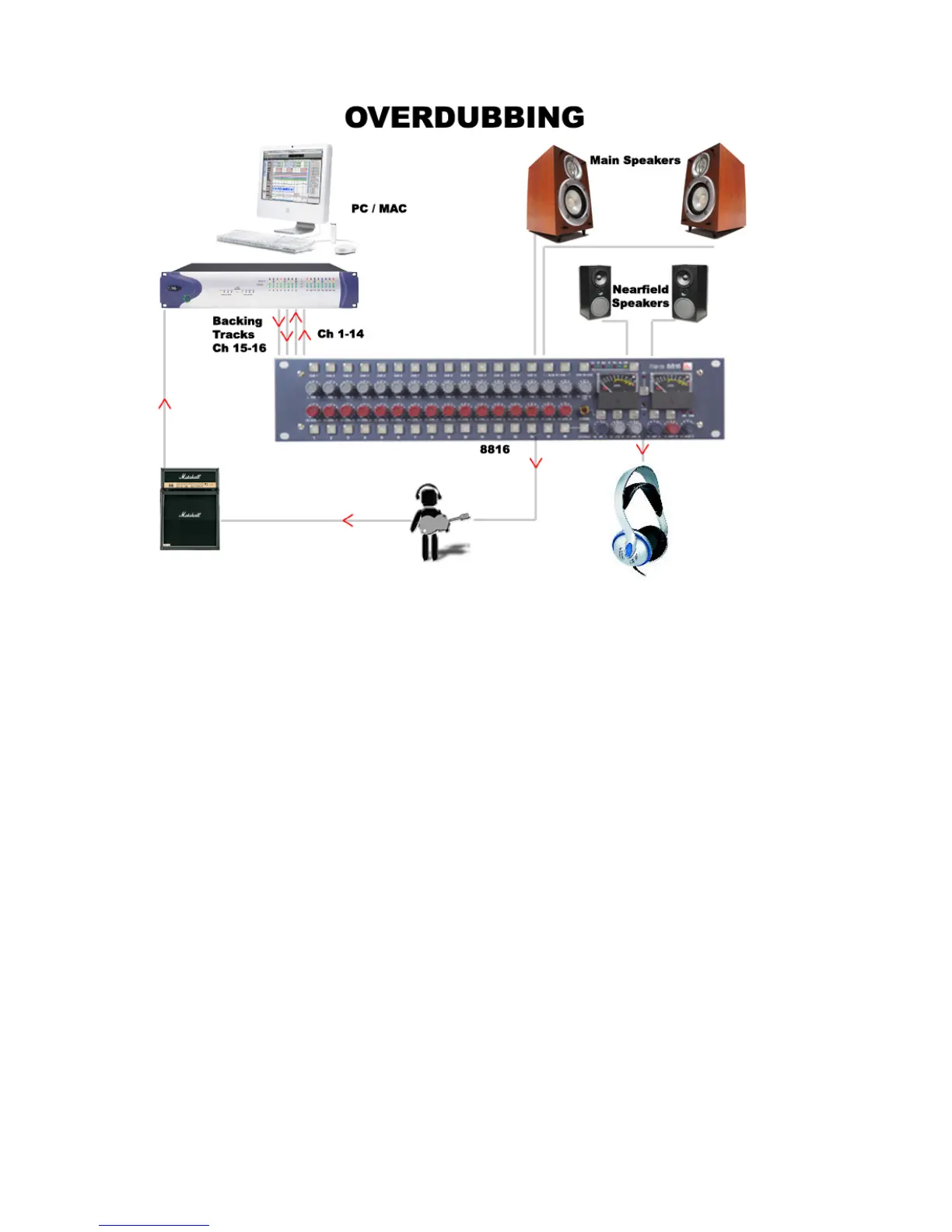
Connect the outputs of the workstation to the inputs of the 8816. If you have a
backing track pre-mix on your workstation assign this to outputs connected to inputs
15/16 on the 8816. Connect the output of the track being recorded to any of inputs 1-
14 on the 8816. Connect the performer’s headphones to the headphone socket on
the rear of the 8816. The cue mix level of the overdub against the backing track can
be adjusted using the Cue Level Control until the mix is right for the performer. The
2-Track Return can also be routed to the Cue so may be used as an FX return if the
performer wishes to listen to a guide reverb while recording. The engineer can
monitor on headphones connected to the front of the 8816 and can switch between
monitoring the performer’s cue mix and the main mix.



 To Next Page